How to Run Hybrid Events Successfully in Kenya
How to Run Hybrid Events Successfully in Kenya – Expert Guide to Planning, Livestreaming & Audiovisual Production
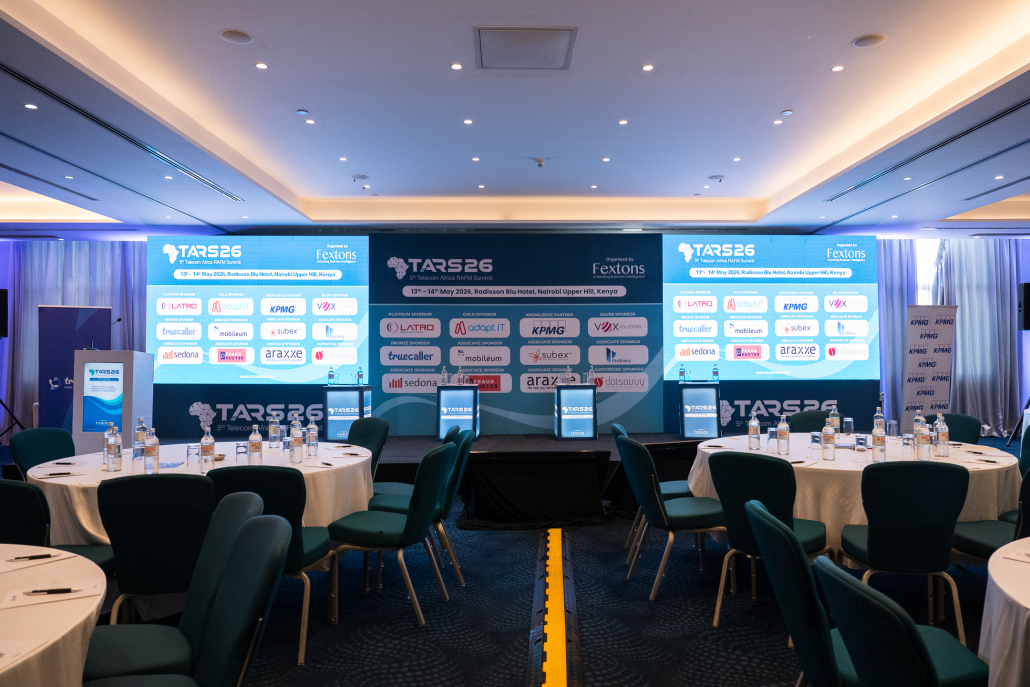
How to Run Hybrid Events Successfully in Kenya
Learning how to run hybrid events successfully in Kenya is essential for organizations seeking to combine in-person gatherings with virtual participation while delivering engaging and professional event experiences. Corporate organizations, NGOs, government institutions, universities, professional associations, multinational companies, and international agencies increasingly use hybrid event technology to connect physical delegates with remote speakers, international participants, regional offices, and online audiences. From corporate conferences and business summits to stakeholder meetings, workshops, and international conventions, well-organized hybrid events expand audience reach, improve accessibility, encourage networking, support flexible participation, and create opportunities for digital content distribution.
Successful hybrid event planning in Kenya requires reliable internet connectivity, professional audiovisual equipment, suitable livestreaming platforms, conference microphones, cameras, LED screens, video switching systems, stage lighting, and interactive audience engagement tools. Event organizers must also coordinate virtual speakers, manage online registrations, conduct technical rehearsals, prepare backup systems, and ensure seamless communication between physical and remote participants. This comprehensive guide explores how to organize successful hybrid conferences and corporate events, covering event planning, technology selection, livestreaming setup, audience engagement, technical production, contingency planning, and performance measurement to deliver professional and memorable hybrid experiences.
Peak Audio is a trusted hybrid event production and audiovisual solutions partner in Kenya, providing professional sound systems, conference microphones, LED screens, staging, lighting, livestreaming, hybrid event technology, multi-camera video production, simultaneous interpretation systems, and on-site technical support. Whether organizing a hybrid corporate conference, international business summit, NGO forum, government meeting, academic symposium, or professional workshop, Peak Audio delivers audiovisual solutions tailored to different venues, audience sizes, and technical requirements. Working alongside event organizers, Peak Audio helps ensure clear communication, reliable livestreaming, engaging presentations, and seamless interaction between in-person and virtual audiences across Nairobi, Kenya, and East Africa.
1. Understanding Hybrid Events and How They Work

How to Run Hybrid Events Successfully in Kenya
Hybrid events have transformed how organizations plan, organize, and deliver conferences, corporate meetings, business summits, training workshops, and professional gatherings in Kenya. By combining physical attendance at a conference venue with virtual participation through digital platforms, hybrid events allow organizations to connect speakers, delegates, stakeholders, and international audiences regardless of their geographical locations. Businesses, NGOs, government institutions, universities, professional associations, and multinational organizations increasingly use hybrid event technology to improve accessibility, expand audience reach, facilitate remote collaboration, and enhance event engagement.
1.1 What Is a Hybrid Event?
A hybrid event is a professional gathering that combines in-person attendance at a physical venue with online participation through digital platforms, enabling physical and virtual audiences to experience and interact with the same event. Hybrid events use audiovisual production equipment, livestreaming technology, video conferencing platforms, and interactive communication tools to connect participants attending from different locations.
– Combination of Physical and Virtual Attendance: Hybrid events bring together delegates attending a conference venue and participants joining remotely through internet-enabled devices, creating a connected event experience.
– Physical Event Venue: The in-person component takes place at a conference centre, hotel ballroom, corporate office, university auditorium, exhibition facility, or another suitable location.
– Virtual Participation Platforms: Online delegates connect through platforms such as Zoom, Microsoft Teams, Webex, or other suitable virtual event solutions.
– Real-Time Event Broadcasting: Professional cameras, microphones, audio mixers, and streaming equipment transmit presentations and conference activities to remote audiences.
– Two-Way Audience Communication: Properly configured hybrid events allow virtual participants to submit questions, join discussions, respond to polls, and communicate with presenters.
– Remote Speaker Participation: Keynote speakers, industry experts, international guests, and panelists can contribute to events without physically travelling to the venue.
– Integrated Audiovisual Technology: Sound systems, LED screens, cameras, lighting, and video switching equipment help connect the physical and virtual components.
– Interactive Conference Experiences: Live polling, digital Q&A, surveys, networking applications, and online discussion features help maintain audience participation.
– Flexible Attendance Options: Delegates can choose between physical and virtual participation depending on travel availability, location, professional commitments, and accessibility needs.
– Digital Event Documentation: Hybrid events can be recorded for later viewing, internal training, conference reporting, and post-event communication.
– Expanded Geographical Participation: Organizations hosting events in Nairobi can connect with participants from other Kenyan counties, East Africa, and international locations.
– Professional Hybrid Event Management: Successful hybrid events require coordinated planning, technical operations, audience engagement, and effective communication between physical and online participants.
– Importance for Kenyan Organizations: Hybrid events help businesses, NGOs, government institutions, universities, and professional associations connect geographically dispersed audiences while maintaining a central physical gathering.
1.2 How Do Hybrid Events Work?
Hybrid events work by connecting activities taking place at a physical venue with online participants through a coordinated audiovisual and digital communication system. Cameras capture speakers and presentations, microphones collect audio, video switchers combine visual sources, and streaming equipment transmits the resulting programme through suitable internet connections to virtual event platforms.
– Physical Conference Setup: Organizers prepare the event venue with seating, presentation areas, stages, microphones, sound systems, LED screens, lighting, and audiovisual production equipment.
– Professional Video Capture: Cameras record keynote speakers, panel discussions, presentations, audience interactions, and other conference activities.
– Microphone Audio Capture: Wireless microphones, podium microphones, lapel microphones, and conference discussion systems collect clear audio from speakers and delegates.
– Audio Mixing and Processing: Professional audio mixers manage microphone signals, presentation audio, remote speaker feeds, and sound levels for both physical and virtual audiences.
– Video Switching Systems: Video switchers allow operators to select between camera angles, presentation slides, prerecorded videos, and remote speaker feeds.
– Streaming Encoders: Hardware or software encoders convert the conference’s video and audio programme into a format suitable for online transmission.
– Reliable Internet Connectivity: A stable internet connection with sufficient upload bandwidth carries the livestream from the physical venue to the selected online platform.
– Virtual Conference Platforms: Platforms such as Zoom, Microsoft Teams, and Webex distribute conference content to remote participants and provide supported interaction features.
– Remote Speaker Integration: Online speakers contribute through video conferencing connections, with their audio and video routed into the physical conference production system.
– LED Screen Integration: Large screens at the physical venue can display remote speakers, presentation slides, live camera feeds, and other relevant content.
– Virtual Audience Interaction: Online delegates can participate through chat, moderated questions, live polling, surveys, and other supported engagement features.
– Two-Way Audio Management: Appropriate audio routing, mix-minus configurations, and echo cancellation help remote and physical participants communicate without disruptive feedback.
– Livestream Monitoring: Technical personnel monitor video quality, audio levels, network stability, and platform performance throughout the event.
– Conference Recording: Suitable recording systems capture presentations and discussions for later distribution, subject to applicable permissions and privacy requirements.
– Technical Coordination: Audiovisual engineers, camera operators, livestreaming technicians, moderators, and event coordinators work together to maintain smooth communication.
How a hybrid event connects physical and virtual audiences
1.3 Differences Between Physical, Virtual and Hybrid Events
Physical, virtual, and hybrid events differ in how delegates attend, the technology required, the nature of audience engagement, and the complexity of event management. Understanding these differences helps organizations select the most appropriate format for their objectives, audiences, and available resources.
– Physical Events: Traditional in-person events bring speakers, delegates, exhibitors, and organizers together at a physical venue, allowing direct communication and face-to-face networking.
– Virtual Events: Fully online events take place through digital platforms, enabling speakers and participants to attend remotely without a shared physical conference venue.
– Hybrid Events: Hybrid events combine physical attendance with online participation, requiring coordinated experiences for both audiences.
– Attendance and Geographical Reach: Physical events primarily serve delegates who can reach the venue, while virtual and hybrid formats can accommodate participants from different locations.
– Technology Requirements: Physical events generally require venue audiovisual systems, virtual events depend on online communication technology, and hybrid events require integration of both.
– Audience Engagement: Physical conferences emphasize face-to-face interaction, virtual events use digital engagement tools, and hybrid events require engagement strategies that connect both groups.
– Networking Opportunities: In-person networking is central to physical events, while virtual and hybrid formats may use networking applications, online meetings, and digital matchmaking.
– Operational Complexity: Hybrid events often involve additional coordination because organizers must manage the physical venue and online production simultaneously.
– Event Costs: Physical events typically involve venue and hospitality costs, virtual events emphasize digital platforms and online production, and hybrid events may incur costs associated with both formats.
– Technical Risks: Physical events can experience sound or presentation failures, virtual events depend heavily on participant connectivity, and hybrid events face risks across both environments.
– Recording and Content Distribution: All three formats can support recording, although virtual and hybrid events commonly incorporate digital recording into their production workflows.
– Accessibility and Flexibility: Virtual and hybrid participation can reduce travel requirements, while physical events offer direct interaction and venue-based experiences.
– Choosing the Appropriate Format: Organizations should evaluate audience location, event objectives, available budget, engagement requirements, and technical resources.
Comparison of physical, virtual and hybrid events
| Feature | Physical Events | Virtual Events | Hybrid Events |
|---|---|---|---|
| Attendance | In-person | Online | Both |
| Venue | Required | Not necessarily required | Required |
| Geographical reach | Primarily venue-based | Broad | Broad |
| Audiovisual needs | Venue sound and displays | Online audio and video | Integrated AV production |
| Internet dependency | Varies | High | High for virtual component |
| Networking | Face-to-face | Digital | Both |
| Technical complexity | Varies | Varies | Often higher |
| Cost structure | Venue and physical logistics | Digital platform and production | Combined physical and virtual costs |
| Remote speakers | Optional | Common | Supported |
| Best suited for | Local gatherings | Fully remote audiences | Mixed-location audiences |
1.4 Types of Hybrid Events in Kenya
Hybrid event technology supports a wide range of professional gatherings in Kenya. Organizations can adapt the format according to audience size, communication objectives, industry requirements, and the level of interaction needed between physical and remote participants.
– Hybrid Corporate Conferences: Businesses can host conferences where employees, managers, executives, and external stakeholders participate from offices, branches, and remote locations.
– Hybrid Business Summits: Industry leaders, entrepreneurs, investors, and business professionals can attend summits physically or connect through virtual platforms.
– Hybrid Annual General Meetings: Organizations can use hybrid meeting arrangements to support shareholder or member participation, subject to applicable legal requirements, governing documents, and secure voting procedures.
– Hybrid Product Launches: Companies can introduce new products and services to physical audiences while livestreaming demonstrations and presentations to online viewers.
– Hybrid Training Workshops: Training providers can connect physical trainees with remote learners through presentation sharing, interactive discussions, and digital learning tools.
– Hybrid Professional Seminars: Professional associations can deliver educational presentations, industry discussions, and continuing professional development sessions to mixed-location audiences.
– Hybrid NGO Conferences: NGOs and development organizations can involve regional teams, international partners, donors, and stakeholders in conferences hosted in Kenya.
– Hybrid Government and Institutional Meetings: Public institutions can connect representatives from different offices and regions through appropriate virtual meeting technology.
– Hybrid Academic Conferences: Universities and research institutions can host presentations involving local researchers, international academics, students, and professional participants.
– Hybrid International Conventions: Large international events can combine physical exhibitions and conference sessions with remote presentations and digital audience participation.
– Hybrid Stakeholder Forums: Organizations can conduct consultations involving community representatives, professional groups, partners, and geographically dispersed stakeholders.
– Hybrid Healthcare Conferences: Healthcare organizations can facilitate professional discussions, medical education, research presentations, and institutional collaboration.
– Hybrid Technology Conferences: Technology companies and professional communities can combine physical demonstrations, expert presentations, online workshops, and remote audience engagement.
– Hybrid Employee Engagement Events: Organizations can connect employees working across different branches and locations through company meetings, recognition events, and interactive programmes.
– Importance for Kenya’s Events Industry: Hybrid event formats provide flexibility for organizations serving participants across Nairobi, other Kenyan counties, East Africa, and international markets.
1.5 Benefits of Organizing Hybrid Events
Hybrid events offer organizations opportunities to extend participation, improve accessibility, support remote collaboration, and generate valuable digital content. Their benefits are strongest when physical and virtual experiences are deliberately planned rather than treating online attendance as an afterthought.
– Expanded Geographical Audience Reach: Hybrid events allow organizations to connect with participants who cannot travel to the physical venue because of distance, scheduling, or other limitations.
– Flexible Attendance Options: Delegates can choose to participate physically or virtually according to their availability, professional responsibilities, and personal circumstances.
– Remote Speaker Participation: International experts, industry leaders, and guest speakers can contribute without requiring travel to the host location.
– Improved Accessibility: Online participation can reduce some travel and mobility barriers, particularly when supported by captioning, interpretation, and accessible digital platforms.
– Broader Stakeholder Engagement: Organizations can involve regional offices, international partners, remote employees, and other stakeholders in shared conference activities.
– Reduced Travel Requirements: Virtual participation can reduce the need for some delegates and speakers to travel, potentially lowering travel-related costs and emissions.
– Professional Knowledge Sharing: Presentations, discussions, and workshops can reach audiences beyond those physically present at the venue.
– Digital Conference Recording: Hybrid events can produce recorded presentations, interviews, and panel discussions for future reference and distribution.
– Extended Content Lifespan: Approved event recordings can be repurposed into training resources, educational videos, conference highlights, and marketing content.
– Audience Engagement Opportunities: Digital polling, Q&A, surveys, and chat tools provide additional ways for delegates to participate.
– Improved Audience Insights: Registration platforms, streaming analytics, and engagement tools can provide information about attendance and participation.
– Networking Beyond the Venue: Digital networking applications and virtual meetings can help connect participants who would otherwise have limited opportunities to interact.
– Business Development Opportunities: Conferences involving exhibitors, sponsors, and potential customers can reach additional audiences through online participation.
– Event Continuity and Flexibility: Hybrid arrangements may provide alternative participation options when travel restrictions or unexpected circumstances affect physical attendance.
– Greater Conference Inclusivity: Well-designed hybrid programmes can create opportunities for participation across different locations, schedules, and professional circumstances.
– Long-Term Organizational Value: Hybrid events can support continuing stakeholder communication, knowledge management, professional development, and future event promotion.
1.6 Common Challenges of Hybrid Event Management
Although hybrid events provide significant opportunities, they also introduce technical and operational challenges. Organizers must manage physical venue production, online broadcasting, remote speakers, and audience engagement simultaneously, making careful preparation essential.
– Unreliable Internet Connectivity: Internet interruptions can affect livestream quality, remote speaker participation, audience interaction, and online event access.
– Insufficient Upload Bandwidth: Limited upload capacity may cause video buffering, reduced picture quality, or unstable livestream transmission.
– Audio Feedback and Echo: Incorrect audio routing between conference microphones, venue speakers, and virtual meeting platforms can produce disruptive feedback or echo.
– Livestreaming Delays: Transmission latency can create timing differences between physical presentations and online audience responses.
– Poor Microphone Audio Quality: Inadequate microphones, improper placement, and uncontrolled background noise can make presentations difficult for remote participants to understand.
– Video Production Problems: Poor camera positioning, inconsistent lighting, and incorrect video settings can reduce the quality of virtual conference experiences.
– Remote Speaker Connectivity Issues: Speakers joining from different locations may experience unstable internet, microphone problems, or difficulties sharing presentations.
– Inconsistent Audience Experiences: Physical delegates may receive more attention than online participants if engagement and programme delivery are not planned for both audiences.
– Low Virtual Audience Participation: Remote participants may become disengaged when sessions lack interactive elements, moderation, or opportunities to contribute.
– Presentation Compatibility Issues: Differences in software, file formats, display resolutions, and connected devices can interrupt conference presentations.
– Power Interruptions: Electricity failures can affect cameras, sound systems, LED screens, networking equipment, and livestreaming operations.
– Technical Equipment Failures: Faulty cables, microphones, video switchers, streaming computers, and other devices can disrupt conference production.
– Complex Event Coordination: Managing physical speakers, remote presenters, moderators, technical operators, and multiple event sessions requires clear communication.
– Higher Production Requirements: Hybrid events may require additional equipment, technical personnel, internet services, and rehearsal time compared with simpler event formats.
– Data Privacy and Recording Concerns: Organizers must appropriately manage attendee information, recording notices, platform access, and other relevant privacy requirements.
– Insufficient Technical Rehearsals: Failure to test systems before the event can allow avoidable problems to emerge during live conference sessions.
– Importance of Professional Preparation: Detailed planning, reliable equipment, backup arrangements, and experienced technical support help reduce these challenges.
1.7 Key Components of a Successful Hybrid Event
A successful hybrid event depends on combining suitable physical facilities, reliable digital platforms, professional audiovisual equipment, interactive programming, and coordinated technical operations. Each component should contribute to a consistent experience for both on-site and remote audiences.
– Suitable Physical Event Venue: Select a venue with sufficient space, appropriate acoustics, reliable electrical infrastructure, and suitable areas for audiovisual equipment.
– Reliable Internet Connectivity: Arrange a stable connection with sufficient upload bandwidth for livestreaming and remote participation.
– Backup Internet Connection: Provide an appropriate secondary connection to reduce the impact of primary internet failures.
– Professional Conference Sound Systems: Use suitable PA systems and audio equipment to provide clear communication throughout the physical venue.
– High-Quality Microphones: Select handheld, lapel, headset, podium, or conference discussion microphones according to speaker and programme requirements.
– Professional Video Cameras: Use suitable cameras to capture keynote presentations, panel discussions, audience interactions, and other conference activities.
– Video Switching Equipment: Coordinate camera feeds, presentation slides, prerecorded videos, and remote speaker content through suitable video switching systems.
– Streaming Encoders and Production Computers: Use reliable equipment and software to prepare and transmit the conference programme to online participants.
– Appropriate Virtual Event Platform: Select a platform such as Zoom, Microsoft Teams, Webex, or another suitable solution based on participation and interaction requirements.
– LED Screens and Presentation Displays: Provide clear visual content for physical delegates, including slides, speaker feeds, conference branding, and event information.
– Professional Stage Lighting: Ensure speakers and panelists are adequately illuminated for physical audiences and video production.
– Interactive Audience Engagement Tools: Use polling, digital Q&A, surveys, chat, and networking applications to encourage participation.
– Dedicated Virtual Audience Moderator: Assign personnel to monitor online questions, assist remote participants, and coordinate virtual engagement.
– Experienced Audiovisual Technicians: Ensure qualified personnel manage sound, cameras, video switching, lighting, streaming, and related technical systems.
– Technical Rehearsals: Conduct full tests involving speakers, moderators, presentation equipment, internet connections, and livestreaming systems.
– Backup Power and Spare Equipment: Prepare suitable contingency resources for critical equipment and essential production operations.
– Clear Conference Programme: Design sessions, transitions, breaks, and interaction periods that accommodate both physical and virtual audiences.
– Effective Event Management: Coordinate speakers, venue personnel, registration teams, technical operators, and audience support staff throughout the event.
– Post-Event Performance Evaluation: Review attendance, engagement, technical incidents, audience feedback, and relevant conference outcomes.
1.8 Role of Professional Audiovisual Production in Hybrid Events
Professional audiovisual production plays a central role in connecting physical and virtual audiences during hybrid events. It ensures that speakers can be heard clearly, presentations remain visible, remote participants receive suitable video and audio feeds, and conference activities are coordinated through reliable technical systems.
– Professional Hybrid Event Audiovisual Planning: Experienced audiovisual production teams assess venue requirements, event programmes, audience sizes, and technical needs before selecting suitable equipment.
– Conference Sound System Provision: Professional PA systems provide clear speech and audio coverage for physical delegates.
– Microphone Selection and Management: Wireless handheld, lapel, headset, podium, and conference discussion microphones support speakers, moderators, panelists, and delegates.
– Hybrid Audio Integration: Professional audio routing connects physical conference microphones and sound systems with virtual meeting platforms while minimizing echo and feedback.
– Professional Camera Production: Suitable cameras capture presentations, discussions, and audience activities for remote participants.
– Multi-Camera Video Switching: Video production systems allow technical operators to select appropriate camera angles and presentation sources during livestreaming.
– LED Screens and Digital Displays: Large screens can display remote speakers, presentations, conference branding, and live camera feeds.
– Conference Stage Production: Professional staging creates organized presentation areas that accommodate speakers, microphones, displays, and other production equipment.
– Lighting for Physical and Virtual Audiences: Suitable stage lighting improves speaker visibility and supports consistent video recording quality.
– Livestreaming Equipment Configuration: Streaming encoders, production computers, audio interfaces, and monitoring systems support online conference transmission.
– Remote Speaker Integration: Audiovisual technicians coordinate video and audio connections for speakers participating from different locations.
– Simultaneous Interpretation Systems: Where required, multilingual audio systems help participants follow presentations in different languages.
– Conference Recording and Documentation: Professional recording systems preserve keynote speeches, panel discussions, and other conference content for authorized future use.
– Internet and Network Coordination: Technical teams help assess connectivity requirements and configure suitable networking arrangements for critical production equipment.
– Technical Rehearsals and Testing: Sound checks, camera tests, presentation verification, and trial livestreams help identify issues before the event.
– Live Technical Monitoring: Audiovisual operators monitor sound, video, lighting, streaming quality, and signal stability during conference sessions.
– Technical Troubleshooting: Experienced personnel can respond to microphone faults, presentation interruptions, connectivity problems, and other production challenges.
– Role of Peak Audio in Hybrid Events in Kenya: Peak Audio supports professional hybrid event production through sound systems, microphones, LED screens, staging, lighting, livestreaming, multi-camera video production, interpretation systems, and technical support for conferences in Nairobi and across Kenya.
– Improved Hybrid Audience Experiences: Coordinated audiovisual production helps physical and online delegates follow presentations, participate in discussions, and remain connected throughout the event.
Understanding hybrid events and how they work is essential for organizations seeking to combine the benefits of physical gatherings with the flexibility of virtual participation. Successful hybrid events bring together suitable venues, reliable internet connectivity, professional audiovisual equipment, livestreaming platforms, interactive audience engagement tools, and experienced technical personnel to create connected experiences for physical and online delegates. While hybrid conferences offer expanded geographical reach, flexible attendance, remote speaker participation, improved accessibility, digital content opportunities, and broader stakeholder engagement, they also require careful management of connectivity, audio quality, video production, audience interaction, and technical coordination.
2. How to Plan a Successful Hybrid Event Step by Step

How to Run Hybrid Events Successfully in Kenya
Planning a successful hybrid event in Kenya requires a structured approach that combines physical event management with virtual participation, professional audiovisual production, reliable livestreaming technology, and coordinated audience engagement. Unlike traditional conferences that focus exclusively on delegates attending a physical venue, hybrid events must deliver meaningful experiences to both in-person and online participants. Businesses, NGOs, government institutions, universities, professional associations, multinational organizations, and international agencies hosting hybrid conferences in Nairobi and across Kenya must carefully consider event objectives, audience expectations, venue requirements, technology selection, speaker coordination, and technical contingency planning.
2.1 Define Clear Hybrid Event Objectives
Establishing clear objectives is the first step in organizing a successful hybrid event. Conference organizers should identify what they intend to achieve, how physical and virtual participation will contribute to those goals, and which performance indicators will demonstrate success.
– Identify the Primary Purpose of the Event: Determine whether the hybrid event focuses on business development, professional training, stakeholder communication, employee engagement, industry collaboration, or organizational announcements.
– Establish Business Lead Generation Goals: Corporate conferences, exhibitions, and business summits may aim to attract potential customers, generate qualified enquiries, and create commercial opportunities.
– Define Stakeholder Engagement Objectives: NGOs, government institutions, and development organizations can use hybrid events to involve partners, donors, regional representatives, and other stakeholders in discussions.
– Set Conference Participation Targets: Establish realistic targets for physical attendance, virtual registrations, live online participation, and overall audience reach.
– Determine Training and Knowledge-Sharing Goals: Universities, professional associations, and training organizations may focus on delivering educational content, workshops, research presentations, and professional development sessions.
– Identify Networking Objectives: Determine whether the event should facilitate professional introductions, business matchmaking, stakeholder meetings, or industry partnerships.
– Establish Organizational Communication Goals: Hybrid annual meetings, executive briefings, and institutional forums may focus on communicating strategies, policies, operational updates, or organizational performance.
– Define Audience Engagement Expectations: Determine how physical and virtual participants should interact through questions, polls, discussions, surveys, and networking activities.
– Set Accessibility and Inclusion Objectives: Consider how hybrid participation can accommodate delegates who face geographical, mobility, scheduling, or other attendance barriers.
– Determine Content Distribution Goals: Decide whether conference presentations, recordings, summaries, and highlights will be shared after the event.
– Identify Sponsor and Exhibitor Objectives: For commercially supported events, establish expectations for sponsor visibility, exhibitor engagement, lead generation, and reporting.
– Establish Measurable Performance Indicators: Select relevant KPIs such as registration numbers, attendance rates, engagement levels, qualified leads, participant satisfaction, and attributable financial outcomes.
– Align Technology With Event Objectives: Choose audiovisual systems, virtual platforms, registration software, and engagement tools based on the results the event is intended to achieve.
– Document the Event’s Success Criteria: Prepare a clear planning brief that explains the event’s purpose, intended audience, expected outcomes, and evaluation methods.
2.2 Identify Physical and Virtual Target Audiences
Understanding the needs of physical and virtual participants helps organizers create a hybrid event that delivers valuable experiences to both audiences. Audience analysis should influence venue selection, event scheduling, registration procedures, accessibility arrangements, technology requirements, and engagement strategies.
– Estimate Physical Conference Attendance: Determine the approximate number of delegates expected at the venue to guide seating, catering, registration, and audiovisual planning.
– Forecast Virtual Participation: Estimate how many attendees will join online to determine suitable platform capacity, streaming requirements, and virtual support arrangements.
– Identify Audience Categories: Segment participants into relevant groups such as executives, employees, customers, investors, donors, professional members, students, exhibitors, and institutional representatives.
– Assess Geographical Distribution: Identify whether virtual delegates will join from Nairobi, other Kenyan counties, East African countries, or international locations.
– Determine Speaker Locations: Confirm which speakers will attend physically and which will deliver presentations remotely.
– Consider International Time Zones: Schedule important sessions with reasonable consideration for participants joining from different countries.
– Understand Audience Technology Preferences: Assess whether delegates are comfortable using mobile applications, webinar platforms, digital registration systems, and online networking tools.
– Evaluate Mobile Accessibility: Ensure registration pages, joining instructions, event agendas, and engagement tools work effectively on smartphones.
– Identify Accessibility Requirements: Consider captioning, interpretation, accessible presentation materials, assistive listening systems, and other appropriate participation arrangements.
– Assess Internet Connectivity Limitations: Recognize that some virtual participants may use mobile networks or connections with limited bandwidth.
– Understand Networking Expectations: Determine whether attendees expect face-to-face discussions, online networking rooms, one-to-one meetings, or business matchmaking.
– Consider Language Preferences: Identify whether the event requires multilingual communication, translated materials, or simultaneous interpretation.
– Determine Participation Duration: Understand whether virtual delegates are likely to attend the entire event or selected sessions.
– Develop Audience-Specific Communication: Prepare suitable instructions for physical delegates, online participants, speakers, moderators, and other stakeholders.
– Create Balanced Participation Opportunities: Design interaction methods that allow remote attendees to contribute rather than simply watch the physical event.
2.3 Establish a Realistic Hybrid Event Budget
A realistic hybrid event budget should account for both physical event expenses and the additional technology required to support virtual participation. Organizers should identify essential costs, compare supplier quotations, and establish appropriate contingency allowances before confirming major commitments.
– Venue Hire Costs: Allocate funds for conference halls, meeting rooms, breakout spaces, exhibition areas, and technical setup periods.
– Catering and Hospitality: Budget for refreshments, meals, hospitality services, and other requirements for physical delegates.
– Registration and Ticketing Software: Include subscriptions, event registration fees, payment processing charges, and attendee management systems.
– Virtual Event Platform Licensing: Account for relevant Zoom, Microsoft Teams, Webex, or specialized event platform licensing and participant capacity requirements.
– Professional Sound System Hire: Budget for loudspeakers, audio mixers, microphone systems, monitors, and audio distribution equipment.
– Conference Microphones: Include wireless handheld, lapel, headset, podium, and conference discussion microphones according to the programme.
– Professional Video Cameras: Allocate funds for cameras, tripods, camera operators, and accessories required for livestreaming and recording.
– Video Switching and Streaming Equipment: Consider video switchers, streaming encoders, capture devices, production computers, and monitoring systems.
– LED Screens and Presentation Displays: Include main stage displays, side screens, confidence monitors, and relevant video processing equipment.
– Conference Stage and Lighting: Budget for staging, lecterns, stage lighting, decorative lighting, and supporting production infrastructure.
– Internet Connectivity: Account for dedicated production internet, network equipment, additional bandwidth, and backup connectivity.
– Technical Personnel: Include sound engineers, camera operators, video directors, livestreaming technicians, lighting operators, and on-site support personnel.
– Audience Engagement Software: Consider polling applications, Q&A tools, networking platforms, surveys, and digital event communication systems.
– Interpretation and Accessibility Services: Where required, budget for interpreters, interpretation equipment, captioning, and other accessibility provisions.
– Speaker and Moderator Costs: Include relevant speaker fees, travel arrangements, accommodation, and professional moderation services.
– Technical Rehearsals: Allow for equipment testing, remote speaker rehearsals, platform configuration, and production preparation.
– Transport and Installation: Account for equipment delivery, setup, dismantling, crew transport, and other logistical expenses.
– Contingency Allowance: Reserve an appropriate amount for unforeseen equipment requirements, connectivity problems, additional technical support, or programme changes.
– Compare Itemized Supplier Quotations: Request detailed quotations that clearly distinguish equipment, labour, transport, software, installation, and optional services.
– Monitor Actual Expenditure: Track spending against approved budget allocations throughout planning and after the event.
2.4 Choose a Suitable Hybrid Event Venue
The physical venue plays a major role in hybrid event production because it must accommodate both the in-person audience and the technical equipment required to connect remote participants. Venue selection should consider physical comfort, technical infrastructure, audiovisual suitability, accessibility, and operational flexibility.
– Adequate Conference Capacity: Choose a venue with sufficient seating and circulation space for expected physical delegates.
– Reliable Internet Infrastructure: Confirm the availability of stable internet services suitable for livestreaming and remote speaker connections.
– Dedicated Production Connectivity: Assess whether the venue can provide a dedicated connection for critical livestreaming operations.
– Electrical Supply and Capacity: Verify that the venue can safely support sound systems, LED screens, cameras, lighting, computers, and other technical equipment.
– Backup Power Availability: Determine whether the venue provides suitable backup electricity or permits approved temporary backup systems.
– Venue Acoustic Conditions: Evaluate reverberation, background noise, room dimensions, and other factors affecting speech clarity.
– Stage Layout and Dimensions: Confirm that the stage can accommodate presenters, panel discussions, lecterns, LED screens, and lighting equipment.
– Camera Positioning: Identify suitable locations for wide shots, speaker close-ups, audience coverage, and other required camera angles.
– Lighting Conditions: Assess natural light, existing venue lighting, stage illumination, and requirements for professional video production.
– Audiovisual Equipment Installation Space: Ensure adequate space for production desks, audio consoles, video switchers, streaming computers, and technical operators.
– LED Screen Installation Requirements: Evaluate display positioning, audience sightlines, power requirements, and safe mounting arrangements.
– Cable Routing and Safety: Plan suitable cable routes that avoid obstructing delegate movement and emergency exits.
– Accessibility Facilities: Assess entrances, seating arrangements, accessible facilities, and other requirements for delegates with disabilities.
– Breakout Room Availability: Confirm whether additional rooms are available for workshops, networking, private meetings, or simultaneous sessions.
– Technical Setup and Rehearsal Time: Ensure the venue provides adequate access before the event for equipment installation and testing.
– Venue Rules and Restrictions: Review policies concerning equipment installation, rigging, power distribution, operating hours, and dismantling.
– Conduct a Technical Site Visit: Involve audiovisual production personnel in venue inspections before finalizing major technical arrangements.
2.5 Select the Right Hybrid Event Platform
Selecting a suitable hybrid event platform is essential for managing virtual attendance, remote speakers, audience engagement, and conference communication. The appropriate platform depends on event size, interaction requirements, security needs, available budget, and compatibility with the physical audiovisual production system.
– Zoom Events and Zoom Webinars: Zoom offers webinar and event solutions that can support online presentations, remote speakers, attendee management, and selected engagement features.
– Microsoft Teams: Microsoft Teams supports online meetings, presentations, collaboration, and compatible webinar or town hall experiences.
– Cisco Webex: Webex provides virtual meeting, webinar, and event capabilities suitable for professional communication.
– Specialized Hybrid Event Platforms: Platforms such as Cvent, Bizzabo, and vFairs offer event management capabilities that may support hybrid event requirements.
– Participant Capacity: Confirm that the selected plan supports the expected number of online attendees and speakers.
– Remote Speaker Functionality: Evaluate camera, microphone, screen-sharing, presentation, and speaker management capabilities.
– Audience Engagement Features: Consider live chat, Q&A, polls, surveys, breakout rooms, and other available interaction tools.
– Registration and Attendee Management: Determine whether the platform provides suitable registration workflows or integrates with external registration software.
– Platform Security: Assess authentication, access permissions, meeting controls, data handling, and other security features.
– Accessibility Capabilities: Review captioning, keyboard accessibility, interpretation options, and other relevant accessibility features.
– Mobile Device Compatibility: Confirm that delegates can participate effectively using smartphones and tablets.
– Audiovisual Integration: Verify compatibility with professional cameras, audio interfaces, video switchers, and streaming equipment.
– Recording Capabilities: Determine whether the platform supports recording, appropriate access controls, and required storage arrangements.
– Analytics and Reporting: Evaluate available information about registrations, attendance, participation, and engagement.
– Internet Bandwidth Requirements: Assess the platform’s recommended connectivity requirements and the expected quality of the livestream.
– Subscription and Licensing Costs: Compare relevant plan prices, participant limits, additional features, and licensing conditions.
– Technical Support Availability: Consider vendor support options and the ability of event technicians to operate the platform.
– Conduct a Platform Trial: Test the selected platform with the intended audiovisual setup before the event.
Comparison of popular hybrid event platforms
| Platform | Key strengths | Suitable applications |
|---|---|---|
| Zoom Events / Webinars | Virtual presentations, remote speakers, webinars, engagement tools | Corporate conferences, seminars, hybrid events |
| Microsoft Teams | Business collaboration, meetings, webinars, town halls | Corporate and institutional events |
| Cisco Webex | Professional meetings, webinars, enterprise collaboration | Business conferences, stakeholder forums |
| Cvent | Registration, event management, attendee data, reporting | Large corporate and professional conferences |
| Bizzabo | Event management, engagement, event marketing | Business summits and corporate events |
| vFairs | Virtual and hybrid event environments, exhibition features | Exhibitions, conventions, international events |
Specific capabilities, participant limits, integrations, and pricing depend on the selected product, subscription, and configuration.
2.6 Develop an Engaging Hybrid Event Programme
An engaging hybrid event programme should provide meaningful opportunities for both physical and virtual participants to learn, interact, ask questions, network, and contribute to discussions. Organizers should design the agenda around audience needs rather than simply broadcasting an in-person conference without adapting the experience for remote delegates.
– Structure a Clear Conference Agenda: Develop a programme outlining session times, speakers, presentation topics, breaks, networking activities, and interactive segments.
– Plan Engaging Keynote Presentations: Select speakers and topics that align with event objectives and provide value to both physical and online audiences.
– Include Interactive Panel Discussions: Organize moderated discussions involving relevant experts, industry leaders, and professional participants.
– Provide Virtual Speaker Opportunities: Integrate remote presenters into the agenda with appropriate technical arrangements and communication procedures.
– Incorporate Live Audience Q&A: Allow physical and virtual delegates to submit questions through microphones, chat, or digital Q&A platforms.
– Use Live Polling Tools: Applications such as Slido and Mentimeter can help collect audience opinions and encourage participation.
– Organize Breakout Sessions: Where appropriate, provide smaller discussion groups, workshops, or specialized sessions for different audience interests.
– Plan Virtual Networking Opportunities: Include online networking rooms, scheduled meetings, or digital introductions for remote participants.
– Balance Physical and Virtual Participation: Ensure moderators recognize and involve both audiences throughout conference discussions.
– Schedule Appropriate Breaks: Provide suitable intervals between sessions to reduce fatigue and allow participants to remain engaged.
– Consider International Time Zones: Schedule important sessions with consideration for remote participants joining from different regions.
– Include Multimedia Presentations: Use relevant videos, demonstrations, slides, and visual content to improve communication.
– Plan Audience Feedback Activities: Incorporate surveys and evaluation opportunities during or after conference sessions.
– Coordinate Speaker Transitions: Establish clear procedures for moving between physical presenters, remote speakers, panel discussions, and prerecorded content.
– Prepare a Detailed Production Run Sheet: Document session timings, speaker cues, presentation files, camera requirements, audio sources, and technical transitions.
– Assign Virtual Audience Moderators: Dedicated moderators can monitor online participation, manage questions, and assist virtual delegates.
– Maintain Programme Flexibility: Allow appropriate time for unexpected delays, extended discussions, or technical adjustments.
2.7 Coordinate Speakers, Moderators and Event Hosts
Effective coordination between speakers, moderators, event hosts, and technical personnel is essential for maintaining a smooth hybrid conference programme. Both physical and remote presenters should understand their responsibilities, presentation schedules, equipment requirements, and communication procedures.
– Prepare a Speaker Coordination Plan: Document the names, roles, contact details, presentation topics, and participation formats of all confirmed speakers.
– Confirm Speaker Availability: Verify presentation times, event dates, rehearsal schedules, and relevant time-zone differences.
– Provide Detailed Speaker Briefings: Share event objectives, audience profiles, session formats, presentation durations, and participation expectations.
– Explain Physical Speaker Procedures: Inform on-site presenters about stage access, microphone use, presentation controls, camera positions, and speaker transitions.
– Brief Remote Speakers: Provide instructions for joining the virtual platform, testing audio and video, sharing presentations, and communicating with the technical team.
– Establish Presentation File Requirements: Request presentation materials in suitable formats and confirm submission deadlines.
– Coordinate Microphone Selection: Determine whether speakers require handheld, lapel, headset, podium, or conference discussion microphones.
– Assign Professional Moderators: Moderators should guide discussions, manage speaking times, coordinate questions, and maintain audience engagement.
– Appoint a Virtual Audience Moderator: Assign personnel to monitor online questions, chat activity, and participation requests.
– Prepare Speaker Introductions: Develop accurate speaker biographies, titles, and introductions for event hosts and moderators.
– Conduct Remote Speaker Connection Tests: Verify camera quality, microphone clarity, internet stability, and screen-sharing functionality.
– Explain Camera and Lighting Requirements: Remote presenters should use suitable lighting, camera positioning, and quiet environments where possible.
– Establish Communication Channels: Provide appropriate methods for speakers and production personnel to communicate during the event.
– Coordinate Presentation Transitions: Plan how the technical team will switch between speakers, slides, video content, and remote feeds.
– Prepare Backup Speaker Arrangements: Establish procedures for delayed or unavailable presenters, including suitable programme adjustments.
– Conduct Full Speaker Rehearsals: Rehearse introductions, presentation sharing, microphone operation, remote participation, and session transitions.
– Maintain Professional Event Hosting: Clear moderation and speaker coordination help create a consistent experience for physical and virtual participants.
2.8 Arrange Professional Audiovisual and Livestreaming Equipment
Professional audiovisual and livestreaming equipment forms the technical foundation of a successful hybrid event. Organizers should work with qualified audiovisual production providers to identify suitable systems, confirm equipment specifications, coordinate installation, and ensure reliable operation throughout the event.
– Professional Conference Sound Systems: Arrange suitable loudspeakers, audio mixers, and sound distribution equipment for clear communication within the physical venue.
– Wireless Handheld Microphones: Provide microphones for keynote speakers, moderators, panelists, and audience participation.
– Lapel and Headset Microphones: Use hands-free microphone options for presenters who require mobility during their sessions.
– Podium and Conference Discussion Microphones: Provide appropriate microphone systems for formal presentations and structured panel discussions.
– Professional Video Cameras: Arrange suitable cameras to capture keynote speeches, panel discussions, audience reactions, and other conference activities.
– Multi-Camera Video Production: Use multiple camera positions where required to provide varied views of speakers and the conference environment.
– Video Switching Equipment: Provide video switchers for managing camera feeds, presentation slides, remote speakers, and prerecorded content.
– Streaming Encoders: Use suitable hardware or software encoders to transmit conference audio and video to online platforms.
– Audio Interfaces and Signal Routing: Ensure microphone signals, presentation audio, and remote speaker feeds are correctly connected and managed.
– LED Screens and Presentation Displays: Arrange suitable displays for slides, event branding, remote speaker video, and live camera feeds.
– Presentation Confidence Monitors: Provide speaker-facing monitors where necessary to support presentation delivery.
– Professional Conference Lighting: Arrange suitable stage lighting to improve speaker visibility and video recording quality.
– Livestream Monitoring Equipment: Provide monitors, headphones, and other tools for checking audio and video quality during production.
– Conference Recording Equipment: Arrange suitable recording systems for authorized event documentation and post-event content production.
– Reliable Internet Connectivity: Confirm that the venue has adequate upload bandwidth for the selected livestreaming configuration.
– Backup Internet and Power: Prepare appropriate alternative connectivity and power arrangements for critical production systems.
– Simultaneous Interpretation Equipment: Where required, provide interpreter consoles, language distribution systems, receivers, and headphones.
– Technical Personnel: Arrange qualified sound engineers, camera operators, video technicians, livestreaming operators, and lighting personnel.
– Equipment Installation and Testing: Allow adequate time for setup, configuration, cable management, system testing, and technical rehearsals.
– Professional Hybrid Event Production With Peak Audio: Peak Audio supports hybrid conferences in Nairobi and across Kenya through professional sound systems, microphones, LED screens, staging, lighting, livestreaming, multi-camera video production, interpretation systems, and technical production support.
2.9 Conduct Technical Rehearsals and System Testing
Technical rehearsals help identify potential problems before the hybrid event begins. Organizers should test the complete production workflow, including venue sound, remote speaker connections, video switching, livestreaming, presentation displays, audience engagement tools, and backup systems.
– Conduct a Full Technical Rehearsal: Simulate the event programme using the actual equipment, software, and technical arrangements whenever practical.
– Test All Conference Microphones: Verify microphone clarity, signal stability, battery condition, and appropriate sound levels.
– Check Sound System Coverage: Confirm that audio can be heard clearly throughout the physical conference venue.
– Verify Hybrid Audio Routing: Test communication between venue microphones, virtual speakers, livestreaming equipment, and online participants.
– Prevent Audio Echo and Feedback: Confirm that appropriate audio routing and echo management procedures are functioning correctly.
– Test Camera Feeds: Verify camera positioning, framing, focus, exposure, and video signal stability.
– Check Video Switching Systems: Test transitions between cameras, slides, videos, and remote speaker feeds.
– Test LED Screens and Presentation Displays: Confirm that presentations, graphics, videos, and remote speaker images display correctly.
– Verify Presentation Sharing: Test presentation files, screen-sharing procedures, video playback, and compatibility with speaker devices.
– Conduct Trial Livestreams: Perform test broadcasts to assess video quality, audio synchronization, streaming stability, and platform configuration.
– Measure Internet Performance: Check available upload bandwidth, network reliability, and the performance of the production connection.
– Test Remote Speaker Connections: Conduct rehearsals with remote presenters to confirm microphone quality, camera settings, presentation sharing, and communication procedures.
– Verify Audience Engagement Tools: Test polling applications, digital Q&A, chat moderation, surveys, and other interactive features.
– Test Interpretation Systems: Where applicable, verify interpreter consoles, language channels, receivers, and audio distribution.
– Check Conference Lighting: Confirm suitable illumination for speakers, panel discussions, cameras, and presentation areas.
– Test Backup Internet Connections: Verify that alternative connections can support essential operations if the primary service becomes unavailable.
– Verify Backup Power Systems: Confirm that critical equipment can be supported by the available backup power arrangements.
– Rehearse Speaker Transitions: Practice switching between physical presenters, remote speakers, panel discussions, and multimedia content.
– Document and Resolve Technical Problems: Record issues identified during testing and confirm corrective actions before the event begins.
2.10 Prepare a Hybrid Event Contingency Plan
A hybrid event contingency plan outlines how organizers and technical teams will respond to unexpected disruptions. Because hybrid conferences depend on both physical audiovisual systems and online communication platforms, contingency planning should address equipment faults, connectivity problems, power interruptions, delayed speakers, and other operational challenges.
– Identify Potential Technical Risks: Assess possible problems involving internet connectivity, electrical supply, microphones, cameras, presentation systems, streaming platforms, and other essential equipment.
– Prepare Backup Internet Connectivity: Arrange a suitable alternative connection that can support critical livestreaming or communication requirements.
– Establish Power Backup Procedures: Identify appropriate UPS systems, power stations, generators, or other approved backup arrangements.
– Maintain Spare Microphones and Accessories: Prepare suitable replacement microphones, batteries, cables, adapters, and other critical audio accessories.
– Arrange Backup Presentation Devices: Keep alternative laptops, presentation files, and compatible connection equipment available where appropriate.
– Prepare for Streaming Platform Failures: Establish procedures for restarting streams, switching to alternative arrangements, and communicating with online participants.
– Plan for Remote Speaker Connectivity Problems: Determine how the programme will continue if a remote presenter loses internet access or experiences technical difficulties.
– Establish Alternative Speaker Arrangements: Prepare appropriate programme adjustments for delayed, unavailable, or disconnected presenters.
– Develop Audio Failure Procedures: Assign technicians to troubleshoot microphone problems, audio routing faults, and sound system interruptions.
– Prepare Video Equipment Contingencies: Identify suitable alternatives if cameras, video switchers, monitors, or streaming equipment fail.
– Create a Technical Escalation Process: Define who should be contacted when technical problems occur and who has authority to make operational decisions.
– Assign On-Site Technical Responsibilities: Ensure sound, video, lighting, streaming, and networking personnel understand their roles during incidents.
– Establish Virtual Audience Communication: Prepare methods for notifying remote delegates about technical interruptions, programme changes, or revised joining instructions.
– Maintain Important Event Files: Keep approved copies of presentations, speaker information, programme schedules, and relevant technical documents accessible to authorized personnel.
– Prepare Incident Response Checklists: Develop simple procedures for common problems such as microphone failure, internet loss, video interruption, and presentation difficulties.
– Test Critical Backup Systems: Verify contingency arrangements during technical rehearsals rather than assuming they will work during an emergency.
– Document Technical Incidents: Record disruptions, response actions, and resolution outcomes for post-event review.
– Review Contingency Effectiveness: Use lessons learned to improve technical planning and reduce risks during future hybrid conferences.
Planning a successful hybrid event in Kenya requires careful coordination of physical conference operations, virtual participation, professional audiovisual production, reliable internet connectivity, and effective audience engagement. Organizers should begin by defining clear event objectives, identifying physical and virtual target audiences, establishing realistic budgets, selecting suitable venues, and choosing appropriate hybrid event platforms. Equally important are developing engaging conference programmes, coordinating speakers and moderators, arranging professional sound systems, microphones, cameras, LED screens, lighting, video switchers, and livestreaming equipment, and conducting comprehensive technical rehearsals. Preparing suitable contingency plans for internet outages, power interruptions, equipment faults, and platform failures further helps maintain event continuity.
3. Essential Hybrid Event Technology and Audiovisual Equipment
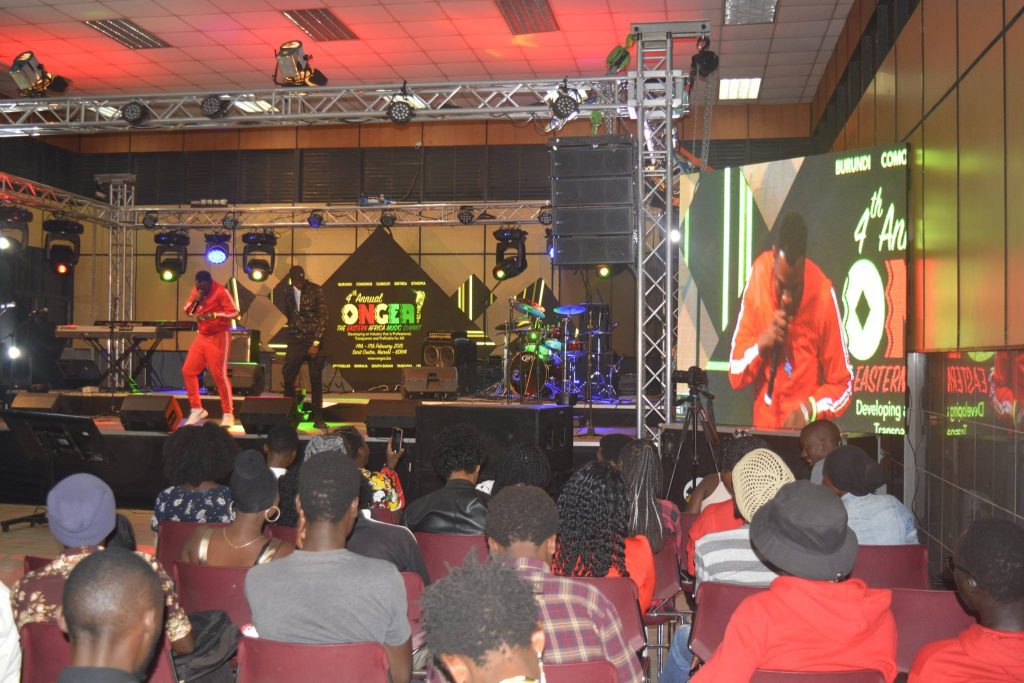
How to Run Hybrid Events Successfully in Kenya
Successful hybrid events in Kenya depend on professional audiovisual equipment, reliable internet connectivity, compatible digital platforms, and experienced technical production teams working together to connect physical and virtual audiences. Unlike traditional in-person conferences, hybrid events require integrated systems that capture presentations, transmit high-quality audio and video, display remote speakers, and enable real-time interaction between participants attending from different locations. Businesses, NGOs, government institutions, universities, professional associations, multinational companies, and international agencies organizing hybrid conferences in Nairobi and across Kenya must carefully select sound systems, microphones, professional cameras, video switchers, livestreaming encoders, LED screens, lighting equipment, conferencing platforms, interpretation systems, and backup infrastructure. Choosing the right technology improves presentation clarity, audience engagement, streaming reliability, accessibility, and overall event professionalism.
3.1 Professional Hybrid Event Sound Systems
Clear, consistent audio is one of the most important requirements for successful hybrid event production. Physical delegates must hear speakers clearly throughout the venue, while virtual participants need clean, balanced audio feeds that allow them to follow presentations and discussions without distracting noise, distortion, or feedback.
– Professional Conference Sound Systems: Hybrid events require suitable public address systems that distribute clear speech and presentation audio throughout physical conference venues.
– Consistent Audio Coverage: Loudspeaker placement should consider venue dimensions, audience seating arrangements, acoustic conditions, and sound distribution requirements.
– Speech Intelligibility: Properly configured sound systems help delegates understand keynote speeches, panel discussions, training sessions, and audience contributions.
– Dedicated Livestream Audio Feeds: Online audiences should receive appropriately mixed audio signals rather than relying on microphones positioned near venue loudspeakers.
– Independent Audio Mixes: Where required, separate audio mixes allow technicians to optimize sound for the physical audience and remote participants independently.
– Digital Audio Processing: Professional audio processors and mixing consoles help manage equalization, dynamics, signal levels, and audio distribution.
– Panel Discussion Audio Management: Multiple microphones must be balanced to maintain consistent speech levels between moderators and panelists.
– Remote Speaker Audio Integration: Audio from virtual presenters should be routed clearly into the venue sound system and relevant online production feeds.
– Audience Participation Audio: Appropriate microphone arrangements allow questions from physical delegates to be heard by remote audiences.
– Feedback Prevention: Suitable microphone placement, loudspeaker positioning, audio routing, and sound processing help reduce unwanted feedback.
– Audio Synchronization: Sound should remain appropriately synchronized with video feeds to avoid distracting differences between speech and speaker movements.
– Venue Acoustic Assessment: Technical teams should evaluate room reverberation, background noise, and other acoustic factors before configuring equipment.
– Sound Checks and Rehearsals: Testing microphones, loudspeakers, mixers, and remote audio connections helps identify problems before the event begins.
– Live Audio Monitoring: Qualified sound technicians should monitor audio levels and quality throughout conference sessions.
– Professional Sound Production With Peak Audio: Peak Audio supports hybrid conferences through professional sound systems, audio mixing equipment, microphone management, and technical production services.
3.2 Conference Microphones and Audio Mixing Equipment
Conference microphones and audio mixing equipment are essential for capturing speech clearly and distributing it to physical and virtual audiences. Different microphone types serve different presentation requirements, while professional audio mixers manage signal routing, sound levels, and integration with livestreaming platforms.
– Wireless Handheld Microphones: Handheld microphones provide flexibility for keynote speakers, moderators, panelists, and delegates participating in question-and-answer sessions.
– Lapel Microphones: Lavalier microphones allow presenters to speak hands-free while moving naturally during presentations and demonstrations.
– Headset Microphones: Headset microphones maintain consistent microphone positioning and are useful for presenters who move frequently.
– Podium Microphones: Gooseneck and podium microphones support formal speeches, executive presentations, institutional meetings, and official addresses.
– Tabletop Conference Microphones: Dedicated conference discussion systems support structured meetings involving multiple speakers.
– Audience Participation Microphones: Suitable microphones can be distributed or positioned strategically to capture questions from physical delegates.
– Professional Audio Mixing Consoles: Audio mixers combine and manage microphone signals, presentation audio, prerecorded content, and remote speaker feeds.
– Digital Audio Routing: Appropriate signal routing ensures audio reaches venue loudspeakers, livestreaming equipment, recording systems, and other required destinations.
– Mix-Minus Audio Configuration: Mix-minus routing prevents remote participants from receiving their own audio back through the conferencing system, helping reduce echo.
– Echo Cancellation: Suitable conferencing equipment and audio processing help control acoustic echo during two-way communication.
– Microphone Level Management: Technicians balance microphone levels to maintain consistent speech volume between speakers.
– Wireless Frequency Coordination: Proper wireless microphone configuration helps minimize interference and signal interruptions.
– Noise Management: Microphone positioning, appropriate gain settings, and audio processing can reduce unnecessary background noise.
– Recording Audio Feeds: Direct connections from audio mixers can provide cleaner sound for conference recordings and livestreams.
– Microphone Testing: Technical rehearsals should verify signal strength, battery condition, microphone clarity, and audio routing.
– Backup Microphone Arrangements: Spare microphones, batteries, cables, and receivers help reduce interruptions caused by equipment failures.
3.3 Professional Video Cameras for Hybrid Events
Professional video cameras allow virtual audiences to follow presentations, observe speakers, and experience conference activities taking place at the physical venue. Camera selection should consider venue size, event format, production requirements, available operators, and the desired quality of the livestream.
– Professional Conference Video Cameras: Suitable video cameras capture keynote speeches, panel discussions, presentations, interviews, and other conference activities.
– Fixed Camera Systems: Stationary cameras provide consistent views of the stage, podium, or conference room.
– PTZ Cameras: Pan-tilt-zoom cameras allow operators to adjust camera framing remotely, making them useful for conference rooms and installations where space is limited.
– Professional Camcorders: Dedicated video cameras provide flexible recording and livestreaming options for corporate conferences and business summits.
– Wide-Angle Conference Coverage: Wide camera positions capture the stage, audience, and overall event environment.
– Speaker Close-Up Cameras: Dedicated camera angles help remote audiences observe speaker expressions and presentation details.
– Panel Discussion Coverage: Multiple cameras can capture moderators, individual panelists, and wider discussion views.
– Audience Interaction Coverage: Camera operators can capture physical delegates asking questions or participating in discussions.
– Camera Positioning: Equipment should be positioned to provide useful viewing angles without obstructing audience sightlines or movement.
– Camera Stability: Suitable tripods, mounts, and support systems help maintain steady video images.
– Camera Exposure and White Balance: Appropriate settings help produce consistent images under different venue lighting conditions.
– Video Resolution and Frame Rate: Camera settings should match the requirements of the video production system, streaming platform, and available bandwidth.
– Camera Signal Connectivity: Professional video systems may use HDMI, SDI, or compatible network-based connections depending on equipment requirements.
– Multi-Camera Coordination: Camera operators and video directors work together to select appropriate shots during live presentations.
– Camera Rehearsals: Testing framing, focus, exposure, signal connections, and camera transitions helps improve production reliability.
– Professional Conference Documentation: Camera recordings can support post-event reporting, training, marketing, and approved content distribution.
3.4 Video Switchers and Livestreaming Encoders
Video switchers and livestreaming encoders are central components of hybrid event production. They enable technical teams to combine multiple cameras, presentation slides, prerecorded videos, graphics, and audio into a coordinated programme that can be transmitted to online participants.
– Professional Video Switching Equipment: Video switchers allow operators to select between multiple video sources during conference production.
– Multi-Camera Feed Management: Switching systems combine camera views of keynote speakers, panel discussions, audience interactions, and the overall stage.
– Presentation Integration: Video switchers can incorporate PowerPoint slides, presentation computers, graphics, and other digital content.
– Remote Speaker Video Feeds: Suitable production systems can integrate video from remote presenters into the conference programme.
– Picture-in-Picture Layouts: Compatible switchers and production software can display speakers alongside presentation slides or other visual sources.
– Conference Branding Graphics: Video production systems can incorporate event logos, speaker names, session titles, and other approved visual information.
– Prerecorded Video Playback: Technical teams can include promotional videos, introductions, and other prepared multimedia content.
– Livestreaming Encoders: Hardware or software encoders convert the programme output into a suitable format for online transmission.
– Streaming Protocol Compatibility: Encoding systems should support the protocols and connection methods required by the selected streaming platform.
– Video Resolution Configuration: Streaming settings should consider platform requirements, available internet bandwidth, and audience viewing conditions.
– Audio and Video Synchronization: Production equipment should be configured to maintain appropriate synchronization between sound and video.
– Live Production Monitoring: Technical operators use monitoring displays to review camera feeds, presentation content, and the outgoing programme.
– Recording Integration: Compatible systems can record the programme output for later editing and distribution.
– Streaming Redundancy: Suitable backup encoders, computers, or alternative workflows can help reduce disruption if primary equipment fails.
– Technical Rehearsals: Trial livestreams help verify switching operations, graphics, audio routing, and streaming stability.
– Professional Video Production Management: Experienced operators coordinate visual transitions and maintain consistent presentation quality throughout hybrid conferences.
3.5 LED Screens and Digital Presentation Displays
LED screens and digital presentation displays help physical delegates follow conference presentations, view remote speakers, and engage with visual content. They also support event branding, sponsor recognition, multimedia playback, and professional stage production.
– Professional Conference LED Screens: Large LED displays provide suitable visual presentation solutions for corporate conferences, business summits, and international conventions.
– Keynote Presentation Displays: LED screens and projectors help audiences view slides, charts, videos, and other presentation materials.
– Remote Speaker Video Displays: Large screens can display speakers joining virtually, allowing physical delegates to follow their presentations.
– Live Camera Feed Displays: Video feeds from conference cameras can be shown on screens to improve speaker visibility in large venues.
– Conference Branding: Digital displays can feature event logos, organizational branding, conference themes, and visual backgrounds.
– Sponsor Recognition: Screens can display sponsor logos, partnership acknowledgements, and approved promotional content.
– Digital Conference Agendas: Presentation displays can communicate session schedules, speaker details, and programme updates.
– Presentation Confidence Monitors: Speaker-facing monitors allow presenters to view slides, timing information, and other relevant content.
– Projector and Projection Screen Options: Projectors may provide practical alternatives for certain venues, room sizes, and budget requirements.
– Multiple Display Configurations: Large conferences may require main stage screens, side displays, breakout room monitors, and information screens.
– Screen Resolution and Visibility: Display specifications should consider viewing distances, room dimensions, brightness, and presentation content.
– Video Signal Distribution: Appropriate processors and distribution equipment help deliver visual content to multiple displays.
– Presentation Compatibility: Technical teams should verify that laptops, video switchers, and display systems support the required connections and formats.
– Lighting and Screen Coordination: Stage lighting should be configured to avoid excessive glare and maintain suitable screen visibility.
– Professional Screen Installation: Suitable mounting, structural support, power distribution, and cable management contribute to safe equipment operation.
– Display Testing: Pre-event checks should confirm image quality, signal stability, presentation scaling, and content visibility.
3.6 Professional Hybrid Event Lighting
Professional lighting improves the visual experience of hybrid events by ensuring speakers, panelists, and presentation areas remain clearly visible to both physical and virtual audiences. Suitable lighting also supports professional video recording, livestreaming, stage presentation, and event branding.
– Professional Conference Stage Lighting: Suitable lighting fixtures illuminate speakers, presentation areas, and other important stage elements.
– Keynote Speaker Illumination: Balanced lighting helps speakers remain clearly visible to physical audiences and video cameras.
– Panel Discussion Lighting: Consistent lighting across multiple panelists supports clear camera coverage and professional stage presentation.
– Camera-Friendly Lighting: Appropriate illumination helps cameras capture suitable exposure, colour, and image detail.
– LED Stage Lighting Fixtures: Professional LED lighting systems provide flexible control over brightness, colour, and lighting arrangements.
– Lighting for Livestreaming: Video production requires suitable lighting to avoid underexposed speakers, excessive shadows, and inconsistent images.
– Conference Branding Through Lighting: Lighting colours can complement event themes, corporate identities, and stage design.
– Decorative Lighting: Appropriate lighting can enhance selected venue features and create a professional event atmosphere.
– Lighting and LED Screen Integration: Lighting arrangements should support speaker visibility without creating excessive reflections or reducing screen clarity.
– Natural Light Management: Venues with large windows may require adjustments to maintain consistent camera exposure.
– Lighting Control Systems: Digital lighting controllers allow technicians to coordinate lighting scenes and transitions.
– Stage Lighting Positioning: Proper placement helps minimize unwanted shadows and provides suitable coverage of presentation areas.
– Lighting for Audience Interaction: Appropriate illumination can support camera coverage when physical delegates ask questions.
– Electrical and Installation Requirements: Lighting equipment should be installed with suitable power distribution, mounting, and safety arrangements.
– Lighting Rehearsals: Technical testing helps verify brightness, colour consistency, camera exposure, and lighting transitions.
– Professional Visual Production: Coordinated lighting improves the appearance of hybrid conference presentations and video recordings.
3.7 Reliable Internet Connectivity for Hybrid Events
Reliable internet connectivity is essential for hybrid events because it supports livestreaming, remote speaker participation, virtual audience engagement, online registration, and digital event communication. Organizers should assess connectivity requirements before selecting a venue and avoid relying exclusively on shared conference Wi-Fi for critical production activities.
– Dedicated Production Internet: Where practical, use a dedicated connection for livestreaming and remote speaker communication.
– Sufficient Upload Bandwidth: Confirm that available upload capacity can support the selected video resolution, frame rate, encoding settings, and streaming platform requirements.
– Stable Internet Performance: Consistent connectivity is important for avoiding buffering, dropped frames, interrupted presentations, and livestream disconnections.
– Wired Ethernet Connections: Wired connections are generally preferable for critical streaming computers and production equipment because they reduce dependence on wireless network conditions.
– Avoiding Shared Venue Wi-Fi: Public or heavily shared Wi-Fi networks may experience congestion when many delegates connect simultaneously.
– Network Capacity Planning: Consider the number of connected devices, streaming requirements, registration systems, and other network-dependent services.
– Backup Internet Connectivity: Arrange a suitable alternative connection to support essential services if the primary internet connection fails.
– Multiple Internet Service Providers: Where feasible, connections from different providers or access technologies can improve resilience.
– Mobile Network Backup: Suitable mobile broadband connections may provide backup connectivity, depending on local signal strength and available capacity.
– Network Equipment Requirements: Professional routers, switches, Ethernet cabling, and other networking equipment help distribute connectivity appropriately.
– Network Segmentation: Separating production traffic from guest Wi-Fi can help protect critical streaming operations from unnecessary congestion.
– Internet Speed Testing: Conduct upload, download, latency, and stability tests at the actual venue before the event.
– Continuous Network Monitoring: Technical personnel should monitor connectivity during livestreaming to identify performance problems.
– Platform Bandwidth Compatibility: Verify the recommended network requirements of the selected streaming or conferencing platform.
– Remote Speaker Connectivity: Provide speakers with guidance on using reliable internet connections and suitable audio-video equipment.
– Contingency Procedures: Establish practical responses for internet interruptions, including switching connections, adjusting streaming quality, or temporarily pausing transmission.
– Importance for Hybrid Events in Kenya: Reliable connectivity helps organizations deliver professional hybrid conferences involving participants across Nairobi, Kenya, East Africa, and international locations.
3.8 Hybrid Event Streaming and Conferencing Platforms
Hybrid event streaming and conferencing platforms connect physical venues with remote participants and provide the digital environment for presentations, communication, interaction, and online attendance. Platform selection should reflect the event format, expected audience size, engagement requirements, security needs, and audiovisual integration capabilities.
– Zoom Events and Zoom Webinars: Zoom provides event and webinar solutions suitable for virtual presentations, remote speakers, attendee participation, and selected engagement features.
– Microsoft Teams: Microsoft Teams supports professional meetings, presentations, webinars, and town hall experiences for corporate and institutional audiences.
– Cisco Webex: Webex offers virtual meeting and webinar capabilities suitable for business conferences, stakeholder discussions, and professional collaboration.
– Specialized Hybrid Event Platforms: Event management systems such as Cvent, Bizzabo, and vFairs may provide registration, engagement, networking, and hybrid event management capabilities.
– Audience Capacity Requirements: Confirm that the selected platform and subscription support the expected number of virtual attendees.
– Remote Speaker Management: Evaluate features for speaker invitations, presentation sharing, microphone control, and video participation.
– Live Audience Interaction: Consider chat, Q&A, polling, surveys, breakout sessions, and other supported engagement features.
– Registration and Ticketing Integration: Determine whether the platform supports registration directly or integrates with suitable external systems.
– Mobile Accessibility: Confirm that participants can join using smartphones, tablets, and computers.
– Security and Privacy Controls: Evaluate access permissions, authentication, meeting moderation, recording controls, and data protection arrangements.
– Audiovisual Equipment Compatibility: Confirm that professional cameras, audio interfaces, video switchers, and streaming encoders can connect through supported workflows.
– Livestream Recording: Review available recording options, storage arrangements, and access controls.
– Audience Analytics: Consider whether the platform provides attendance information, engagement reports, and other relevant performance data.
– Accessibility Features: Evaluate captioning, interpretation, keyboard accessibility, and other available support features.
– Internet Requirements: Confirm recommended bandwidth and network conditions for the intended production quality.
– Subscription Costs: Compare licensing, participant limits, feature availability, and relevant additional charges.
– Technical Support: Consider the platform’s support arrangements and the experience of the audiovisual production team.
– Pre-Event Platform Testing: Conduct trial sessions with the intended cameras, microphones, streaming systems, and remote speakers.
Comparison of hybrid event platforms
| Platform | Main strengths | Suitable event types |
|---|---|---|
| Zoom Events / Webinars | Online presentations, webinars, remote speakers, engagement tools | Corporate conferences, seminars, hybrid events |
| Microsoft Teams | Business meetings, webinars, town halls, collaboration | Corporate and institutional events |
| Cisco Webex | Professional conferencing, webinars, enterprise communication | Business conferences, stakeholder forums |
| Cvent | Registration, event management, reporting, attendee engagement | Large corporate and professional conferences |
| Bizzabo | Event management, event marketing, audience engagement | Business summits and corporate events |
| vFairs | Virtual and hybrid event experiences, exhibition features | Trade exhibitions, conventions, international events |
Platform capabilities, licensing, participant limits, and integrations vary by product and subscription. Organizers should verify current features before purchasing.
3.9 Simultaneous Interpretation and Accessibility Technology
Simultaneous interpretation and accessibility technology help hybrid event organizers accommodate participants with different language preferences and accessibility requirements. These systems are particularly important for international conferences, regional forums, diplomatic meetings, development sector events, and professional gatherings involving diverse audiences.
– Simultaneous Interpretation Systems: Professional interpretation equipment allows delegates to listen to presentations in their preferred available language.
– Interpreter Consoles: Dedicated consoles enable interpreters to receive source audio and transmit interpreted speech through appropriate channels.
– Interpretation Booths: Suitable booths provide controlled working environments for interpreters during multilingual conferences.
– Delegate Interpretation Receivers: Physical participants can use compatible receivers and headphones to access selected language channels.
– Multiple Language Channels: Interpretation systems can distribute different language feeds according to event requirements and available equipment.
– Hybrid Interpretation Integration: Compatible systems may support interpretation for both physical delegates and online participants.
– Remote Simultaneous Interpretation: Appropriate platforms and technical configurations can allow qualified interpreters to work remotely.
– Live Captioning: Captions can help participants follow spoken presentations, particularly when audio accessibility is important.
– Automated Captioning Tools: Supported platforms may provide automated captions, although accuracy can vary with language, accents, audio quality, and technical conditions.
– Professional Captioning Services: Human captioning may be appropriate where higher accuracy or specialized terminology is required.
– Accessible Presentation Materials: Organizers should prepare readable slides, suitable text contrast, clear graphics, and appropriately structured digital documents.
– Assistive Listening Systems: Suitable audio assistance technology can support delegates with hearing-related accessibility requirements.
– Accessible Virtual Platforms: Select platforms that support relevant accessibility features and compatible assistive technologies.
– Multilingual Event Communication: Registration instructions, agendas, joining information, and important announcements may require translation.
– Interpretation Audio Routing: Technical personnel should ensure interpreted audio reaches the correct physical and virtual distribution channels.
– Accessibility Testing: Rehearsals should verify captions, interpretation channels, audio receivers, and relevant participant access procedures.
– Importance for International Conferences: Interpretation and accessibility technology help organizations improve participation and communication among geographically and linguistically diverse audiences.
3.10 Backup Power, Equipment and Technical Redundancy
Backup power, spare equipment, and technical redundancy help reduce the impact of unexpected failures during hybrid events. Because both physical and virtual audiences depend on interconnected audiovisual and communication systems, organizers should identify critical equipment and establish practical recovery procedures before the event begins.
– Technical Redundancy Planning: Identify equipment and services whose failure could interrupt conference presentations, livestreaming, or remote participation.
– Uninterruptible Power Supply Systems: Suitable UPS equipment can provide short-term power continuity for selected critical devices during brief interruptions.
– Backup Power Stations and Generators: Appropriately sized and safely installed backup power systems may support essential audiovisual and networking equipment.
– Critical Equipment Power Prioritization: Determine which devices must remain operational, including streaming computers, network equipment, audio processors, and selected production systems.
– Spare Conference Microphones: Maintain suitable replacement microphones for speakers, moderators, and audience participation.
– Backup Microphone Batteries: Keep appropriate batteries or charging arrangements available for wireless microphone systems.
– Spare Audio and Video Cables: Prepare replacement HDMI, SDI, Ethernet, XLR, power, and other required cables.
– Backup Video Cameras: Where production requirements justify it, arrange an alternative camera to maintain essential video coverage.
– Alternative Streaming Equipment: Suitable backup encoders, computers, or production workflows can help restore streaming if primary equipment fails.
– Backup Internet Connections: Provide alternative connectivity through a separate suitable service or access technology.
– Presentation File Backups: Maintain authorized copies of presentation materials on suitable devices or storage systems.
– Alternative Presentation Computers: Prepare backup laptops or compatible presentation devices where appropriate.
– Streaming Platform Recovery Procedures: Establish steps for reconnecting, restarting broadcasts, switching workflows, and notifying virtual participants.
– Power Recovery Testing: Verify that backup power arrangements can support the intended equipment and that switching procedures are understood.
– Technical Incident Escalation: Assign responsibilities for diagnosing faults, approving recovery actions, and communicating with organizers.
– On-Site Technical Support: Qualified technicians should be available to respond promptly to equipment and connectivity problems.
– Full Backup System Rehearsals: Test critical contingency arrangements before the event rather than relying on unverified backup equipment.
– Post-Event Incident Evaluation: Document technical failures, recovery actions, and improvement opportunities for future hybrid events.
Reliable hybrid event production requires a carefully coordinated combination of professional audiovisual equipment, digital communication platforms, stable internet connectivity, and effective technical backup arrangements. Essential hybrid event technology includes professional sound systems, wireless and conference microphones, audio mixers, video cameras, video switchers, livestreaming encoders, LED screens, presentation displays, stage lighting, virtual event platforms, and simultaneous interpretation systems.
4. Best Strategies for Engaging In-Person and Virtual Audiences
How to Run Hybrid Events Successfully in Kenya
Creating meaningful engagement for both physical and virtual audiences is one of the most important aspects of organizing successful hybrid events in Kenya. Unlike traditional conferences, where delegates interact within the same physical environment, hybrid events bring together participants attending from conference venues, offices, homes, and international locations. This requires conference organizers to develop coordinated engagement strategies that ensure remote participants are not treated as passive viewers while physical delegates receive all the attention. Businesses, NGOs, government institutions, universities, professional associations, and international organizations hosting hybrid conferences in Nairobi and across Kenya can improve audience participation through interactive programmes, live polling, digital Q&A sessions, professional moderation, virtual networking, engaging multimedia presentations, accessible content, and real-time feedback.
4.1 Design Equal Participation Opportunities
Designing equal participation opportunities helps ensure that physical and virtual delegates can contribute meaningfully to hybrid conference activities. Although the two audiences participate through different environments, organizers should create comparable opportunities for interaction, communication, learning, and feedback.
– Establish a Balanced Audience Engagement Strategy: Develop a participation plan that considers the needs of both physical delegates and online attendees rather than prioritizing one group.
– Create Shared Question-and-Answer Sessions: Allow physical participants to ask questions through microphones while virtual delegates submit questions through chat or dedicated Q&A platforms.
– Alternate Between Physical and Virtual Questions: Moderators can deliberately select questions from both audiences to maintain balanced participation during keynote presentations and panel discussions.
– Introduce Interactive Conference Discussions: Structure sessions to encourage contributions from physical attendees and remote participants through moderated discussions and digital communication tools.
– Provide Equal Access to Presentation Materials: Ensure both audiences can view relevant slides, videos, graphics, and other conference materials.
– Integrate Virtual Audience Contributions: Display selected online questions, comments, or poll results on venue screens when appropriate.
– Use Shared Audience Polling Platforms: Enable physical and virtual participants to respond to the same polls using smartphones or compatible devices.
– Encourage Remote Speaker Interaction: Allow virtual presenters to respond to questions from physical delegates and engage directly with online participants.
– Provide Accessible Participation Channels: Offer suitable methods for attendees to contribute, considering language preferences, accessibility needs, and device limitations.
– Recognize Virtual Participants During Sessions: Event hosts should acknowledge remote attendees and explain how they can participate in conference activities.
– Coordinate Audience Interaction Through Moderators: Assign clear responsibilities for collecting questions, managing discussions, and communicating between the two audiences.
– Create Inclusive Networking Opportunities: Where practical, provide digital introductions and networking sessions that connect physical and virtual delegates.
– Monitor Participation Balance: Review whether both audiences are contributing and adjust moderation techniques when participation becomes uneven.
– Collect Feedback From Both Groups: Evaluate the experiences of physical and virtual participants separately to identify differences in engagement and satisfaction.
– Strengthen the Overall Conference Experience: Balanced participation helps remote delegates feel included while maintaining meaningful interaction for attendees at the venue.
4.2 Use Live Polling and Interactive Q&A Tools
Live polling and interactive Q&A tools help hybrid event organizers transform presentations into participatory experiences. Digital engagement platforms allow physical and virtual attendees to submit questions, respond to polls, share opinions, and contribute to discussions in real time.
– Slido for Interactive Conference Engagement: Slido supports live polling, audience questions, question upvoting, and interactive participation during conferences and professional meetings.
– Mentimeter for Interactive Presentations: Mentimeter enables organizers to create live polls, word clouds, quizzes, surveys, and other audience response activities.
– Live Audience Polling: Collect responses from physical and virtual delegates on conference topics, industry challenges, organizational priorities, and discussion questions.
– Digital Question Submission: Allow attendees to submit questions using smartphones, laptops, or other supported devices.
– Question Upvoting: Enable participants to indicate which submitted questions they would most like speakers to address.
– Anonymous Participation Options: Where supported and appropriate, anonymous responses can encourage participants to contribute to sensitive or complex discussions.
– Interactive Word Clouds: Display audience responses visually to identify common ideas, opinions, and discussion themes.
– Real-Time Poll Results: Present polling outcomes on LED screens and virtual conference feeds to create shared audience experiences.
– Knowledge Assessment Quizzes: Use interactive quizzes during training workshops, professional seminars, and educational conferences.
– Speaker Feedback Collection: Gather audience reactions to presentations, discussions, and conference sessions.
– Audience Sentiment Assessment: Use carefully designed questions to understand participant opinions and identify emerging concerns.
– Integration With Conference Presentations: Incorporate polls and Q&A activities into keynote speeches, panel discussions, and workshops.
– Mobile-Friendly Participation: Select tools that work effectively on common smartphones and browsers, particularly for delegates using mobile internet connections.
– Moderated Question Management: Assign personnel to review, organize, and prioritize submitted questions before they are presented to speakers.
– Technical Preparation: Test polling links, QR codes, platform capacity, internet connectivity, and display integration before the event.
– Post-Event Engagement Analysis: Review available polling and Q&A reports to identify participation patterns and improve future conference programmes.
4.3 Assign Dedicated Physical and Virtual Event Moderators
Professional moderation is essential for maintaining coordinated communication between physical and virtual participants. Assigning separate moderators or clearly defined moderation responsibilities helps ensure that online questions, physical audience discussions, speaker transitions, and technical communication are managed effectively.
– Appoint a Physical Event Moderator: Assign an experienced moderator to manage stage discussions, introduce speakers, coordinate panel sessions, and engage delegates attending the venue.
– Assign a Virtual Audience Moderator: Designate a moderator to monitor online chat, collect virtual questions, assist remote participants, and coordinate digital engagement.
– Define Moderator Responsibilities: Establish clear duties for physical audience management, virtual participation, speaker coordination, and technical communication.
– Coordinate Question-and-Answer Sessions: Moderators should organize questions from both audiences and present them to speakers at appropriate times.
– Monitor Virtual Chat Activity: The virtual moderator should identify relevant questions, technical concerns, and participant feedback.
– Maintain Balanced Audience Recognition: Moderators should acknowledge both physical and remote participants throughout conference sessions.
– Support Remote Speaker Introductions: Coordinate the introduction of virtual presenters and ensure they understand when to begin speaking.
– Manage Speaker Transitions: Work with audiovisual technicians to coordinate microphone activation, video switching, and presentation changes.
– Provide Technical Communication: Moderators should have suitable communication channels with livestreaming technicians and event coordinators.
– Encourage Audience Participation: Use questions, polls, discussion prompts, and interactive activities to maintain engagement.
– Handle Unexpected Interruptions: Moderators should be prepared to manage delays, technical problems, and programme changes professionally.
– Coordinate Session Timing: Maintain appropriate presentation durations and ensure discussions remain aligned with the event schedule.
– Support Accessibility Requirements: Communicate clearly, explain participation procedures, and coordinate interpretation or captioning arrangements where required.
– Prepare Moderator Briefings: Provide agendas, speaker biographies, technical instructions, engagement plans, and contingency procedures before the event.
– Conduct Moderator Rehearsals: Practice remote speaker connections, audience Q&A, technical transitions, and emergency communication procedures.
– Improve Hybrid Event Coordination: Dedicated moderation helps create organized, responsive, and engaging experiences for both audiences.
4.4 Encourage Hybrid Event Networking
Networking is an important objective of many corporate conferences, business summits, professional seminars, and international conventions. Hybrid event organizers should create networking opportunities that accommodate physical delegates while enabling remote participants to connect with speakers, exhibitors, sponsors, and other attendees.
– Use Digital Networking Platforms: Event applications such as Whova, Swapcard, and EventMobi can support attendee networking and communication, depending on the selected features.
– Create Attendee Directories: Provide opt-in directories that allow participants to discover other delegates based on professional interests, organizations, and relevant information.
– Organize Virtual Networking Rooms: Use suitable video conferencing features to facilitate small-group discussions and professional introductions.
– Schedule Structured Networking Sessions: Include dedicated networking periods in the conference programme rather than relying entirely on informal interaction.
– Facilitate One-to-One Meetings: Allow participants to arrange individual meetings with relevant professionals, speakers, or exhibitors.
– Introduce Professional Matchmaking: Where supported, networking platforms can recommend connections based on participant profiles and interests.
– Connect Physical and Virtual Delegates: Create opportunities for attendees at the venue to communicate with remote participants through digital networking tools.
– Organize Industry-Specific Networking Groups: Group participants according to professional sectors, conference topics, or shared interests.
– Provide Virtual Exhibitor Engagement: Exhibitors may use online profiles, digital meeting rooms, and approved promotional materials to interact with remote delegates.
– Encourage Speaker Networking: Where appropriate, provide scheduled opportunities for delegates to connect with keynote speakers and panelists.
– Use Moderated Networking Discussions: Facilitators can guide introductions and encourage participation from attendees who may be unfamiliar with one another.
– Consider International Time Zones: Schedule virtual networking opportunities at times that accommodate important remote audience groups.
– Promote Networking Before the Event: Share relevant networking instructions and platform access information ahead of the conference.
– Maintain Privacy and Consent: Ensure attendee contact details and networking profiles are shared appropriately and in accordance with applicable data protection requirements.
– Evaluate Networking Outcomes: Collect feedback about connection quality, meeting participation, and perceived networking value.
4.5 Integrate Remote Speakers into Physical Presentations
Remote speaker integration allows hybrid conferences to include experts, executives, international guests, and panelists who cannot attend the physical venue. Professional audiovisual production helps ensure remote speakers can be seen, heard, and included in discussions without disrupting the conference programme.
– Display Remote Speakers on Large Screens: Use LED screens or suitable projection systems to present remote speakers clearly to physical delegates.
– Provide Professional Audio Routing: Connect remote speaker audio to the venue sound system and relevant livestreaming feeds.
– Use Suitable Video Conferencing Platforms: Platforms such as Zoom, Microsoft Teams, and Webex can support remote speaker participation.
– Conduct Pre-Event Speaker Connection Tests: Verify camera quality, microphone clarity, internet stability, and presentation-sharing functionality.
– Coordinate Camera and Video Switching: Use professional video switchers to transition between physical presenters, remote speakers, slides, and other visual content.
– Establish Clear Speaker Communication: Provide remote presenters with instructions for joining sessions, receiving cues, and communicating with moderators.
– Use Appropriate Microphone Configurations: Ensure physical speakers and moderators can communicate with remote presenters without unwanted echo or feedback.
– Integrate Remote Panelists: Hybrid panel discussions can combine physical speakers and remote participants through coordinated audio and video systems.
– Display Presentation Slides Appropriately: Ensure both physical and online audiences can view relevant slides and supporting materials.
– Maintain Professional Video Framing: Encourage remote speakers to use suitable camera positioning, lighting, and backgrounds.
– Provide Technical Assistance: Assign personnel to help remote speakers resolve connection problems and presentation difficulties.
– Plan Speaker Transitions: Establish clear procedures for switching between physical and remote presentations.
– Prepare Alternative Presentation Materials: Where appropriate, retain approved presentation files or prerecorded contributions as contingency resources.
– Rehearse Remote Speaker Participation: Test introductions, discussion timing, microphone activation, presentation sharing, and audience questions.
– Improve International Conference Participation: Reliable remote speaker integration allows organizations in Kenya to include expertise from different countries without requiring every presenter to travel.
4.6 Use Engaging Multimedia and Visual Presentations
Engaging multimedia content helps hybrid conference organizers communicate information clearly, maintain audience attention, and create professional experiences for physical and virtual participants. Visual presentations should be designed for both large venue screens and smaller devices used by remote attendees.
– Professional Presentation Slides: Use clear, well-structured slides that communicate important information without overwhelming audiences with excessive text.
– Large LED Screen Content: Display presentation graphics, conference branding, videos, and speaker information on suitable venue screens.
– Corporate Video Presentations: Incorporate relevant organizational videos, product demonstrations, interviews, and promotional content.
– Live Product Demonstrations: Use cameras and suitable presentation equipment to show demonstrations to both physical and online audiences.
– Interactive Data Visualizations: Present charts, dashboards, and relevant visual information to support conference discussions.
– Professional Conference Graphics: Use consistent visual branding, typography, colours, and layouts throughout presentations.
– Speaker Identification Graphics: Display speaker names, professional titles, and relevant information during presentations and panel discussions.
– Picture-in-Picture Video Layouts: Where supported, combine speaker footage with slides or other content to improve the virtual viewing experience.
– Live Camera Feeds: Display close-up views of speakers and panelists to improve visibility for large physical audiences.
– Audience Poll Results: Show interactive polling outcomes on both venue screens and virtual conference feeds.
– Conference Agenda Displays: Communicate session schedules, programme changes, and upcoming activities through digital displays.
– Multimedia Content Accessibility: Use readable text, appropriate contrast, captions where necessary, and clear visual communication.
– Optimize Content for Online Viewing: Ensure graphics and presentation text remain understandable on laptops, tablets, and smartphones.
– Coordinate Multimedia Playback: Technical personnel should manage presentation switching, audio playback, and visual transitions.
– Test Multimedia Files: Verify that videos, graphics, presentations, and audio files function correctly before the event.
– Use Professional Audiovisual Production: Coordinated cameras, video switchers, LED screens, lighting, and sound systems help deliver consistent multimedia experiences.
4.7 Maintain Consistent Communication With Both Audiences
Consistent communication helps physical and virtual delegates understand event schedules, participation procedures, technical requirements, and programme updates. Organizers should establish reliable communication channels before, during, and after the hybrid event.
– Provide Clear Event Registration Information: Share essential details about the conference format, venue, date, schedule, and participation options.
– Send Virtual Joining Instructions: Provide remote participants with platform access details, login procedures, and relevant technical guidance.
– Communicate Physical Venue Information: Share venue directions, registration procedures, arrival times, parking arrangements, and other relevant logistical information.
– Distribute Conference Agendas: Provide accessible schedules showing keynote presentations, panel discussions, workshops, networking sessions, and breaks.
– Explain Audience Participation Procedures: Inform delegates how to submit questions, respond to polls, join discussions, and access networking activities.
– Provide Technical Support Contacts: Establish appropriate channels for participants experiencing registration, login, audio, or video difficulties.
– Send Event Reminders: Use email, SMS, approved messaging platforms, or event applications to remind delegates about important sessions.
– Communicate Programme Changes Promptly: Notify both audiences when speaker schedules, session times, or presentation arrangements change.
– Use Conference Mobile Applications: Where appropriate, event apps can provide agendas, announcements, notifications, and attendee communication features.
– Display Important Venue Announcements: Use LED screens, presentation displays, and public address systems to communicate relevant information to physical delegates.
– Maintain Virtual Chat Communication: Assign personnel to monitor online chat and respond to participant questions.
– Coordinate Speaker Communication: Ensure physical and remote presenters receive updated schedules, technical instructions, and relevant programme information.
– Provide Accessibility Information: Communicate available captioning, interpretation, accessible materials, and other participation arrangements.
– Establish Emergency Communication Procedures: Prepare suitable methods for informing participants about significant technical interruptions or event changes.
– Share Post-Event Information: Provide relevant follow-up materials, approved recordings, surveys, and future event communication.
4.8 Optimize Hybrid Event Session Duration
Effective hybrid event scheduling helps maintain audience attention, reduce fatigue, and create a balanced experience for physical and virtual participants. Organizers should structure sessions according to their objectives, content complexity, audience expectations, and opportunities for interaction.
– Avoid Unnecessarily Long Presentations: Divide extensive content into manageable sections that allow participants to remain focused.
– Use Shorter Presentation Segments: Consider concise presentation blocks followed by discussion, questions, or other interactive activities.
– Schedule Regular Breaks: Provide suitable intervals for physical delegates and remote participants to rest and prepare for subsequent sessions.
– Alternate Session Formats: Combine keynote speeches, panel discussions, workshops, interviews, demonstrations, and interactive activities.
– Include Live Audience Interaction: Introduce polls, Q&A sessions, and discussion opportunities throughout the programme.
– Consider Virtual Audience Fatigue: Recognize that prolonged screen-based participation can affect attention and engagement.
– Plan Appropriate Networking Periods: Allocate time for physical networking and digital interaction rather than placing all networking outside the formal programme.
– Manage Speaker Presentation Times: Provide speakers with clear time allocations and appropriate reminders.
– Use Professional Session Moderators: Moderators help maintain discussion flow and prevent sessions from exceeding scheduled durations.
– Coordinate Technical Transitions: Allow sufficient time for switching between speakers, presentations, remote feeds, and multimedia content.
– Consider International Participants: Account for time-zone differences when scheduling important sessions and networking opportunities.
– Include Interactive Breakout Activities: Smaller discussions and workshops can provide variety and encourage active participation.
– Avoid Overloading the Agenda: Prioritize relevant content rather than including excessive sessions with limited engagement opportunities.
– Communicate Session Timings Clearly: Ensure both audiences understand when sessions begin, end, and resume after breaks.
– Monitor Audience Engagement: Use attendance patterns, moderator observations, and available engagement data to identify signs of fatigue.
– Adjust Future Programmes: Apply audience feedback and performance insights to improve session duration and pacing in subsequent events.
4.9 Make Hybrid Events Accessible and Inclusive
Accessibility and inclusion are essential considerations when planning hybrid conferences involving diverse audiences. Organizers should assess physical venue accessibility, virtual platform compatibility, language requirements, presentation readability, and participation options to reduce unnecessary barriers.
– Provide Live Captioning: Captions can help participants follow spoken presentations, particularly when audio accessibility is important.
– Consider Professional Captioning Services: Human captioning may be appropriate for events requiring greater accuracy or involving specialized terminology.
– Use Simultaneous Interpretation Systems: Multilingual interpretation technology can support participants who require access to presentations in different languages.
– Provide Interpretation Receivers: Physical delegates can use compatible receivers and headphones to access available interpretation channels.
– Support Virtual Interpretation: Where supported, online participants can access designated language channels through compatible conferencing platforms.
– Select Accessible Event Platforms: Evaluate keyboard navigation, screen reader compatibility, captioning features, and other accessibility capabilities.
– Prepare Readable Presentation Materials: Use suitable font sizes, clear layouts, sufficient contrast, and understandable visual content.
– Provide Accessible Digital Documents: Share appropriately structured documents that can be used with relevant assistive technologies.
– Evaluate Physical Venue Accessibility: Consider accessible entrances, seating arrangements, facilities, and movement routes.
– Offer Flexible Participation Options: Allow delegates to participate physically or remotely where the event format and organizational requirements permit.
– Consider Mobile Device Compatibility: Ensure virtual event platforms and engagement tools work on common smartphones and tablets.
– Address Internet Connectivity Limitations: Where practical, provide suitable lower-bandwidth participation options.
– Communicate Accessibility Arrangements: Inform delegates about available services and how to request relevant assistance.
– Train Event Personnel: Brief moderators, registration teams, and technical operators on accessibility procedures and participant support.
– Test Accessibility Technology: Verify captioning, interpretation channels, audio receivers, and relevant platform features before the event.
– Collect Accessibility Feedback: Invite participants to identify barriers and suggest improvements for future conferences.
4.10 Collect Real-Time Audience Feedback
Real-time audience feedback helps hybrid event organizers understand participant experiences, identify engagement opportunities, and respond to problems while the conference is still taking place. Feedback can be collected through digital surveys, live polls, chat monitoring, session ratings, and moderator observations.
– Use Live Audience Surveys: Collect feedback on presentations, event organization, technical quality, and participant satisfaction.
– Conduct Interactive Polls: Ask physical and virtual delegates questions about conference topics, speaker presentations, and audience preferences.
– Monitor Virtual Chat Activity: Review online questions, comments, and concerns to identify emerging participation issues.
– Collect Session Ratings: Allow attendees to evaluate individual presentations, panel discussions, workshops, and networking activities.
– Assess Speaker Engagement: Gather feedback on presentation clarity, relevance, communication quality, and audience interaction.
– Monitor Virtual Attendance: Use available platform analytics to review participation patterns and session attendance.
– Track Physical Attendance: Use registration and check-in systems to monitor attendance at the venue.
– Evaluate Technical Performance: Collect feedback on sound clarity, video quality, livestream stability, and presentation visibility.
– Identify Accessibility Challenges: Ask participants whether captions, interpretation, digital materials, and participation procedures met their needs.
– Monitor Networking Satisfaction: Assess whether attendees found networking sessions useful and relevant.
– Use Moderator Observations: Physical and virtual moderators can identify participation challenges that may not appear in analytics reports.
– Respond to Technical Complaints Promptly: Communicate relevant problems to audiovisual technicians and provide appropriate updates to participants.
– Adjust Audience Engagement Activities: Introduce additional questions, polls, or discussion opportunities when participation becomes limited.
– Compare Physical and Virtual Experiences: Evaluate feedback from both groups to identify differences in engagement and satisfaction.
– Maintain Appropriate Data Privacy: Collect and process attendee information responsibly and in accordance with applicable data protection requirements.
– Prepare Post-Event Engagement Reports: Combine survey results, attendance information, participation metrics, and technical observations.
– Apply Feedback to Future Events: Use the findings to improve programme design, moderation, accessibility, audiovisual production, and audience communication.
Professional audiovisual production also plays a critical role by connecting remote speakers, displaying online contributions on LED screens, managing conference microphones, coordinating cameras, and maintaining reliable livestreaming connections. For businesses, NGOs, government institutions, universities, professional associations, and international organizations hosting hybrid conferences in Nairobi and across Kenya, working with a professional audiovisual production partner such as Peak Audio can help deliver clear communication, reliable technical integration, engaging presentations, and coordinated event experiences. By prioritizing inclusion, interaction, accessibility, and effective moderation, organizers can create hybrid events that provide meaningful value to both physical and virtual participants.
5. How Much Does It Cost to Run a Hybrid Event in Kenya?

How to Run Hybrid Events Successfully in Kenya
The cost of organizing a hybrid event in Kenya depends on several factors, including the conference venue, number of physical and virtual participants, audiovisual equipment requirements, livestreaming technology, event duration, internet connectivity, and technical production services. Unlike traditional physical conferences, hybrid events require additional technology to connect in-person delegates with remote speakers and online audiences through professional cameras, microphones, video switchers, streaming encoders, LED screens, and digital conferencing platforms. Businesses, NGOs, government institutions, universities, professional associations, and international organizations planning hybrid conferences in Nairobi and across Kenya must therefore prepare budgets that cover both physical event operations and virtual production requirements.
5.1 Factors Affecting Hybrid Event Costs
Several factors influence the overall cost of running a hybrid event in Kenya. Organizers should assess the event’s objectives, expected attendance, production requirements, venue conditions, and technical complexity before establishing a realistic budget.
– Event Size and Scale: Small hybrid workshops generally require fewer resources than large corporate conferences, international conventions, and multi-day business summits.
– Physical Audience Numbers: The number of delegates attending the venue influences seating arrangements, catering, registration facilities, sound system coverage, and display requirements.
– Virtual Audience Capacity: The expected number of online participants affects conferencing platform selection, licensing, registration systems, and virtual support requirements.
– Venue Location: Conference venues in Nairobi, Mombasa, Kisumu, Nakuru, and other locations may have different rental rates, logistical requirements, and supplier availability.
– Conference Duration: Half-day, full-day, and multi-day events have different equipment hire, venue, staffing, and operational costs.
– Livestreaming Complexity: A simple single-camera broadcast generally requires fewer production resources than a multi-camera conference involving remote speakers, graphics, recording, and interactive sessions.
– Professional Sound Requirements: Venue dimensions, audience size, number of speakers, and panel discussion arrangements determine the required audio equipment.
– Camera and Video Production Requirements: Additional cameras, operators, video switching equipment, and recording systems increase production scope.
– LED Screens and Presentation Displays: Screen dimensions, quantity, resolution, installation requirements, and supporting video processors influence display costs.
– Conference Lighting: Professional stage lighting and camera-friendly illumination may require additional fixtures, controllers, and technical personnel.
– Internet Connectivity: Dedicated internet connections, backup services, network equipment, and connectivity testing can add to the budget.
– Virtual Event Software: Subscription fees, participant capacity, registration integrations, recording, and engagement features affect platform expenditure.
– Technical Staffing: The number and specialization of sound engineers, camera operators, video directors, and streaming technicians influence labour costs.
– Remote Speaker Integration: International speakers and remote panelists may require additional testing, audio routing, technical coordination, and monitoring.
– Accessibility Requirements: Simultaneous interpretation, captioning, assistive listening systems, and accessible materials may require additional resources.
– Transport and Logistics: Equipment delivery, installation, dismantling, crew travel, accommodation, and venue access requirements affect total costs.
– Contingency Arrangements: Backup equipment, alternative internet connectivity, and suitable power redundancy help reduce operational risks but must be budgeted.
– Supplier Pricing and Service Scope: Different providers may quote different amounts depending on equipment specifications, technical expertise, service inclusions, and production responsibilities.
5.2 Hybrid Event Venue Hire Costs
Venue hire is often a significant component of a hybrid event budget because the physical location must accommodate delegates, speakers, audiovisual equipment, production personnel, and networking activities. Organizers should evaluate both rental charges and the venue’s technical suitability before making a booking.
– Conference Hall Rental: The cost of hiring a conference hall depends on its location, capacity, facilities, booking duration, and pricing arrangements.
– Hotel Conference Facilities: Hotels may offer conference packages combining meeting space, refreshments, meals, and selected equipment.
– Corporate Meeting Venues: Smaller hybrid meetings may be hosted in suitable boardrooms, corporate offices, or dedicated meeting facilities.
– University and Institutional Venues: Auditoriums, lecture theatres, and institutional conference facilities may provide alternatives for academic and professional events.
– Breakout Room Hire: Events involving workshops, networking meetings, or parallel sessions may require additional rooms.
– Stage and Presentation Areas: Some venues include basic stages, while others charge separately for staging or specialized configurations.
– Technical Production Space: Hybrid events require suitable areas for camera operators, audio mixers, video switchers, streaming computers, and technical monitoring.
– Internet Service Charges: Some venues charge separately for dedicated internet connectivity or enhanced network services.
– Electrical Infrastructure: Additional power distribution, technical connections, or specialist electrical support may attract separate charges.
– Venue Audiovisual Equipment: Confirm whether microphones, loudspeakers, projectors, screens, and other equipment are included in the venue package.
– Equipment Installation Access: Early access for setup, technical rehearsals, and testing may require additional booking time.
– Extended Operating Hours: Events that exceed agreed venue hours may incur overtime or additional facility charges.
– Catering Arrangements: Refreshments, lunch, beverages, and delegate hospitality can be included in venue packages or billed separately.
– Parking and Security: Some venues charge separately for parking, security arrangements, and other supporting services.
– Venue Accessibility: Facilities that meet audience accessibility requirements can reduce the need for additional temporary arrangements.
– Technical Site Inspections: Conducting a venue assessment before booking helps identify potential costs associated with lighting, acoustics, power, and equipment installation.
– Compare Complete Venue Packages: Evaluate total costs and included services rather than selecting a venue based only on the advertised rental rate.
5.3 Professional Sound System and Microphone Costs
Professional sound systems and microphones are essential for ensuring that physical delegates hear presentations clearly while virtual participants receive clean, balanced audio feeds. Audio equipment costs depend on venue size, speaker arrangements, microphone quantities, mixing requirements, and the complexity of hybrid audio integration.
– Professional PA System Hire: The required loudspeakers, amplifiers, and supporting equipment depend on venue dimensions, acoustics, and audience size.
– Small Conference Sound Systems: Smaller meeting rooms may require compact audio systems with a limited number of microphones.
– Large Conference Audio Systems: Large ballrooms, auditoriums, and convention venues may require distributed loudspeakers and more advanced audio management.
– Wireless Handheld Microphones: Additional microphones may be needed for keynote speakers, moderators, panelists, and audience questions.
– Lapel Microphones: Lavalier microphones support presenters who need hands-free operation during presentations and demonstrations.
– Headset Microphones: Headset systems may be appropriate for speakers requiring consistent audio while moving around the stage.
– Podium Microphones: Formal conferences and institutional events may require dedicated lectern microphone systems.
– Conference Discussion Microphones: Board meetings, stakeholder forums, and panel discussions may require tabletop or delegate microphone systems.
– Professional Audio Mixers: Digital or analogue mixers manage microphone levels, presentation audio, remote speaker feeds, and livestream audio routing.
– Hybrid Audio Integration: Separate audio feeds and appropriate routing help ensure online participants receive clear sound without unnecessary echo.
– Audio Processing Equipment: Equalizers, dynamics processors, echo cancellation systems, and related equipment may be required.
– Audio Recording Requirements: Recording systems or dedicated audio outputs may be needed for conference documentation.
– Wireless Microphone Coordination: Complex microphone arrangements may require additional receivers, frequency planning, and technical monitoring.
– Sound Engineer Services: Professional technicians are needed to install, configure, operate, and monitor audio systems.
– Equipment Transport and Installation: Delivery, cabling, setup, testing, and dismantling should be included in the budget.
– Backup Audio Equipment: Spare microphones, cables, batteries, and suitable replacement devices help reduce interruptions.
– Request an Itemized Audio Quotation: Confirm microphone quantities, speaker specifications, mixer requirements, technical staffing, and all included services.
5.4 Camera and Multi-Camera Video Production Costs
Professional cameras and video production equipment allow online participants to follow presentations, panel discussions, and conference activities. Video production costs vary depending on the number of cameras, required operators, video switching complexity, recording arrangements, and the quality of the final production.
– Single-Camera Livestreaming: Smaller hybrid seminars may use one professionally positioned camera to capture the main speaker or presentation area.
– Two-Camera Production: A second camera can provide alternative views, such as a wide stage shot and a speaker close-up.
– Multi-Camera Conference Production: Larger events may require several cameras to cover keynote speakers, panel discussions, audience interactions, and stage activities.
– Professional Camera Hire: Camera specifications, lenses, connectivity, and recording capabilities influence equipment costs.
– PTZ Camera Systems: Remotely controlled pan-tilt-zoom cameras may provide practical options for certain conference venues.
– Camera Operators: Operator costs depend on the number of cameras, event duration, rehearsal requirements, and production complexity.
– Video Switching Equipment: Professional switchers combine camera feeds, slides, remote speakers, graphics, and other video sources.
– Video Director Services: A video director coordinates camera selection, shot composition, transitions, and visual presentation.
– Streaming Encoders: Hardware or software encoding systems prepare conference video and audio for online transmission.
– Presentation Integration: Combining presentation slides with speaker footage may require additional production equipment or software.
– Conference Branding Graphics: Speaker names, session titles, event logos, and other graphics may require preparation and live integration.
– Remote Speaker Video Integration: Hybrid panels involving international speakers may require additional conferencing equipment and signal routing.
– Professional Recording: Recording camera feeds or the final programme may involve additional equipment, storage, and post-production requirements.
– Video Editing and Post-Production: Edited conference highlights, individual presentations, and promotional videos should be budgeted separately where required.
– Camera Support Equipment: Tripods, mounts, cables, monitors, and other accessories contribute to the production setup.
– Technical Rehearsals: Camera framing, video switching, presentation integration, and streaming quality should be tested before the event.
– Choose the Appropriate Production Scale: Select the number of cameras and production resources according to the event’s objectives rather than automatically choosing the most expensive configuration.
5.5 LED Screen, Projector and Lighting Costs
LED screens, projectors, confidence monitors, and professional lighting help create visually engaging hybrid conferences. These technologies improve presentation visibility for physical delegates while supporting high-quality video production for remote audiences.
– Main Stage LED Screens: Large LED displays are commonly used for keynote presentations, conference branding, remote speaker feeds, and multimedia content.
– LED Screen Dimensions: Larger displays generally require more screen modules, supporting structures, processing equipment, and installation resources.
– LED Screen Resolution: Pixel pitch and viewing distance influence the suitability and cost of LED display systems.
– Projector Hire: Projectors may offer an alternative for smaller conference rooms or venues with suitable projection conditions.
– Projection Screens: Appropriate screens and mounting arrangements are required for projector-based presentations.
– Additional Presentation Displays: Large conferences may need side screens, breakout room monitors, or additional displays for delegates.
– Speaker Confidence Monitors: Stage-facing monitors allow presenters to follow slides, timing information, and other relevant content.
– Remote Speaker Displays: Hybrid conferences may require dedicated screens for displaying remote panelists and keynote speakers.
– LED Video Processing Equipment: Video processors, controllers, and signal distribution equipment may be necessary for larger display configurations.
– Professional Stage Lighting: Lighting fixtures help illuminate keynote speakers, moderators, and panelists.
– Camera-Friendly Illumination: Suitable lighting supports clear video recording and livestreaming by reducing unwanted shadows and exposure problems.
– Decorative and Branding Lighting: Additional lighting can support conference themes, stage design, and corporate visual identity.
– Lighting Control Systems: Complex stage arrangements may require professional controllers and dedicated lighting operators.
– Installation and Rigging: Safe mounting, structural support, cabling, and power distribution contribute to equipment costs.
– Technical Staffing: LED screen technicians, lighting operators, and installation personnel may be required depending on the production scale.
– Venue Compatibility: Existing screens, lighting systems, and stage infrastructure may reduce additional hire requirements if they meet the event’s needs.
– Compare Complete Display Packages: Confirm whether quotations include screens, processors, mounting, power distribution, transport, installation, and technical operation.
5.6 Livestreaming Platform and Software Costs
Livestreaming platforms and event management software allow organizers to connect physical conference venues with remote speakers and online delegates. Software costs depend on participant capacity, subscription plans, event duration, engagement features, recording requirements, and technical integration.
– Zoom Events and Zoom Webinars: Zoom provides webinar and event solutions with licensing requirements that depend on the selected product, capacity, and features.
– Microsoft Teams: Microsoft Teams supports meetings, webinars, and town halls, with capabilities and licensing determined by the organization’s subscription.
– Cisco Webex: Webex provides professional virtual meeting and webinar solutions with different plans and participant capacities.
– Specialized Hybrid Event Platforms: Platforms such as Cvent, Bizzabo, and vFairs may provide registration, networking, event management, and hybrid participation features.
– Participant Capacity: Larger virtual audiences may require higher-capacity plans or specialized event subscriptions.
– Subscription Duration: Some platforms offer monthly subscriptions, annual contracts, or event-specific commercial arrangements.
– Registration and Ticketing Features: Advanced registration forms, attendee tracking, ticketing, and payment integrations may involve additional fees.
– Audience Engagement Tools: Polling, Q&A, networking, surveys, and interactive applications may require separate subscriptions.
– Recording and Storage: Cloud recording, extended storage, and video distribution may affect software costs.
– Simultaneous Interpretation Features: Multilingual participation may require compatible plans, additional software, or specialist interpretation services.
– Platform Security: Advanced access controls, authentication, and administrative capabilities may depend on subscription tiers.
– Audiovisual Integration: Some production workflows require additional software, capture hardware, or compatible streaming services.
– Streaming Distribution: Broadcasting to multiple destinations may require suitable production software or distribution services.
– Technical Support: Dedicated platform assistance, configuration, and event-day technical management should be considered.
– Software Testing: Budget sufficient preparation time to verify registration, speaker access, streaming, and engagement features.
– Currency and Transaction Charges: International software subscriptions may involve foreign exchange conversion, taxes, and payment processing charges.
– Avoid Unnecessary Subscriptions: Select a platform that meets the actual conference requirements rather than purchasing features that will not be used.
5.7 Internet Connectivity and Backup Costs
Reliable internet connectivity is essential for hybrid events because remote participation, livestreaming, and virtual speaker communication depend on stable network performance. Organizers should budget for sufficient bandwidth, network infrastructure, testing, and appropriate backup arrangements.
– Dedicated Internet Connection: A dedicated production connection can help reduce the risk of congestion from guest devices.
– Sufficient Upload Bandwidth: Internet capacity should accommodate the intended streaming resolution, bitrate, conferencing requirements, and network overhead.
– Venue Internet Charges: Some conference venues provide internet within their packages, while others charge separately for dedicated or enhanced services.
– Temporary Internet Installation: Events at locations without suitable connectivity may require temporary internet infrastructure.
– Wired Ethernet Networking: Professional network cabling can improve reliability for critical streaming computers and audiovisual equipment.
– Professional Routers and Switches: Suitable networking equipment helps manage production connectivity and connected devices.
– Backup Internet Service: A secondary connection can reduce the impact of primary internet failures.
– Mobile Broadband Backup: Where suitable coverage and capacity are available, mobile data connections may provide an alternative network path.
– Network Segmentation: Separating production traffic from public Wi-Fi can help maintain reliable streaming performance.
– Internet Performance Testing: Conduct upload, download, latency, and stability tests before the event.
– Network Monitoring: Technical personnel may be required to monitor connectivity during live conference sessions.
– Power Backup for Networking Equipment: Routers, switches, and internet termination devices may need suitable backup power.
– Connectivity for Remote Speakers: Remote presenters should be advised to test their internet connections and prepare suitable alternatives.
– Additional Data Charges: Temporary mobile connections and certain internet packages may have data limits or usage-based costs.
– Connectivity Contingency Planning: Establish procedures for switching connections, reducing streaming quality, or temporarily pausing broadcasts.
– Confirm Internet Requirements Early: Discuss connectivity with the venue and audiovisual provider before finalizing the technical production budget.
5.8 Technical Crew and Production Management Costs
Experienced technical personnel are essential for operating professional hybrid event equipment and maintaining reliable communication between physical and virtual audiences. Staffing costs depend on the production scale, number of operators, technical complexity, event duration, and required setup and rehearsal periods.
– Professional Sound Engineers: Audio engineers manage microphone systems, sound mixing, venue audio coverage, and livestream audio feeds.
– Camera Operators: Camera personnel capture speakers, panel discussions, audience interactions, and other conference activities.
– Video Directors: Video directors coordinate camera selection, presentation feeds, graphics, and visual transitions.
– Livestreaming Technicians: Streaming operators configure encoders, manage online broadcasts, and monitor streaming performance.
– Lighting Technicians: Lighting personnel manage stage illumination, lighting transitions, and camera-friendly lighting arrangements.
– LED Screen Technicians: Display specialists configure LED screens, video processors, signal distribution, and screen content.
– Network Technicians: Larger hybrid conferences may require dedicated personnel to monitor connectivity and troubleshoot network problems.
– Virtual Platform Operators: Platform administrators manage remote speakers, online session settings, and virtual production coordination.
– Technical Production Supervisors: Supervisors coordinate audiovisual teams, production schedules, and operational responsibilities.
– Stage Managers: Stage managers help organize speaker movements, session transitions, and communication between the stage and production team.
– Virtual Audience Support Personnel: Dedicated staff can assist online participants with joining instructions and technical difficulties.
– Interpretation Technicians: Multilingual conferences may require personnel to manage interpretation equipment and language distribution.
– Equipment Installation Crew: Technical setup may require additional personnel for cabling, staging, displays, lighting, and equipment positioning.
– Rehearsal Staffing: Technical personnel may need to attend speaker rehearsals and full production tests before the event.
– Extended Working Hours: Overtime, early setup, late dismantling, and multi-day production schedules can increase staffing costs.
– Travel and Accommodation: Events outside the technical provider’s normal operating area may involve transport, accommodation, and subsistence expenses.
– Integrated Production Teams: Working with a coordinated audiovisual production provider can simplify communication and reduce duplication of responsibilities.
– Confirm Staffing in Quotations: Request clarity on the number of technicians, working hours, assigned responsibilities, and additional labour charges.
5.9 Sample Hybrid Event Budget Breakdown
A sample hybrid event budget helps organizers understand how different expenses contribute to the overall cost of a conference. The following illustration assumes a one-day corporate hybrid conference in Nairobi with approximately 100 physical delegates, 150 virtual participants, a single main conference room, professional audiovisual production, and a moderate multi-camera livestreaming setup.
Important: The figures below are hypothetical planning allowances in Kenyan shillings, not verified current Kenyan market prices or supplier quotations. Actual costs may be significantly higher or lower depending on the venue, equipment specifications, event date, supplier, and service requirements.
Illustrative one-day hybrid event budget in Kenya
| Budget category | Illustrative allocation (KES) |
|---|---|
| Conference venue hire | 60,000 |
| Catering for 100 physical delegates | 200,000 |
| Professional sound systems and microphones | 45,000 |
| Cameras and video production equipment | 65,000 |
| LED screen and presentation displays | 70,000 |
| Stage lighting | 25,000 |
| Livestreaming platform and software | 20,000 |
| Internet connectivity and backup | 25,000 |
| Technical crew and production management | 80,000 |
| Registration and audience engagement tools | 15,000 |
| Event branding and signage | 30,000 |
| Transport and technical logistics | 25,000 |
| Subtotal | 660,000 |
| Contingency allowance (10%) | 66,000 |
| Illustrative total budget | 726,000 |
This is a sample budgeting scenario only. It excludes items such as speaker fees, accommodation, interpretation, specialist accessibility services, and applicable taxes or charges not already included in individual allocations.
Illustrative budget allocation
Hypothetical planning allocation for a one-day hybrid conference in Nairobi, excluding any unlisted expenses.
 ■ Audiovisual equipment
■ Branding and logistics
■ Contingency
■ Software and internet
■ Technical crew
■ Venue and catering
Illustrative allocation of KES 726,000 across major event cost categories.
Interactive hybrid event budget estimator
Adjust the planning assumptions below to estimate how venue, catering, audiovisual production, and other expenses affect a one-day hybrid event budget.
ESTIMATED TOTAL BUDGET
KES 726,000
Hypothetical planning estimate, not a supplier quote
Physical delegates
100
Catering per delegate
KES 2,000
Venue allowance
KES 60,000
Contingency reserve
10%
| Venue and catering | KES 260,000 |
| Audiovisual equipment | KES 205,000 |
| Technical crew | KES 80,000 |
| Software and connectivity | KES 60,000 |
| Branding and logistics | KES 55,000 |
| Contingency | KES 66,000 |
Copy budget estimate
Additional considerations when preparing a hybrid event budget
– Differentiate Essential and Optional Costs: Prioritize reliable sound, clear video, internet connectivity, and technical support before allocating funds to nonessential enhancements.
– Account for Event Duration: Multi-day conferences may involve additional venue charges, equipment hire, staffing, catering, and accommodation.
– Consider Virtual Audience Requirements: Larger online audiences may require additional platform capacity, technical support, and engagement features.
– Include Supplier Taxes and Charges: Confirm whether quoted amounts include VAT, transport, installation, and other applicable fees.
– Request Multiple Quotations: Compare suppliers based on technical specifications, included services, experience, and total cost rather than price alone.
– Maintain a Contingency Reserve: A suitable reserve can help accommodate unexpected requirements without disrupting essential production services.
– Review the Final Budget With Technical Providers: Professional audiovisual providers can help confirm whether the proposed equipment and staffing arrangements are appropriate for the event.
5.10 How to Reduce Hybrid Event Costs Without Compromising Quality
Reducing hybrid event costs does not necessarily require sacrificing audiovisual quality, audience engagement, or technical reliability. Organizers can control expenditure by planning early, selecting appropriate equipment, avoiding unnecessary services, and coordinating technical production efficiently.
– Begin Event Planning Early: Early planning provides more time to compare venues, request quotations, confirm equipment availability, and avoid last-minute arrangements.
– Define Essential Technical Requirements: Identify the equipment and services necessary to achieve the conference objectives before considering optional upgrades.
– Choose an Appropriately Sized Venue: Selecting a venue that matches expected attendance can help avoid unnecessary rental, catering, and audiovisual expenses.
– Select Venues With Suitable Infrastructure: Venues with reliable internet, adequate power, appropriate acoustics, and compatible display facilities may reduce additional setup requirements.
– Avoid Unnecessary Equipment Hire: Choose microphone quantities, camera configurations, screen sizes, and lighting arrangements according to actual production needs.
– Use a Suitable Camera Configuration: Smaller conferences may not require the same multi-camera setup as large international conventions.
– Compare LED Screens and Projectors: Evaluate which display solution provides suitable visibility and presentation quality for the venue.
– Use Existing Equipment Where Appropriate: Compatible venue-owned microphones, displays, and networking infrastructure may reduce rental costs after technical verification.
– Choose Cost-Effective Streaming Platforms: Select software based on required audience capacity, engagement features, security, and technical compatibility.
– Avoid Duplicate Software Subscriptions: Review whether existing organizational platforms already provide the required registration, conferencing, or collaboration features.
– Work With an Integrated Audiovisual Provider: Coordinating sound, cameras, LED screens, lighting, and livestreaming through one production team can simplify technical management and may reduce overlapping costs.
– Estimate Attendance Realistically: Accurate physical and virtual audience forecasts help prevent unnecessary catering, seating, platform licensing, and registration expenses.
– Optimize Conference Duration: A well-structured programme can reduce avoidable overtime and unnecessary equipment hire periods.
– Plan Speaker Participation Efficiently: Remote speakers may reduce certain travel and accommodation expenses while maintaining access to relevant expertise.
– Prepare Presentation Materials Early: Finalizing slides, videos, and graphics before the event reduces last-minute production changes.
– Conduct Thorough Technical Rehearsals: Testing equipment and connectivity can help prevent costly disruptions and emergency technical interventions.
– Prioritize Reliable Internet: Avoid compromising on critical connectivity simply to reduce costs, as streaming failures can significantly affect the virtual audience experience.
– Request Transparent Supplier Quotations: Ensure quotations clearly identify equipment specifications, technical personnel, installation, transport, operating hours, and additional charges.
– Maintain a Practical Contingency Budget: Allocate suitable reserves for essential technical risks rather than removing contingency funding entirely.
– Evaluate Value Rather Than Price Alone: Consider equipment quality, production experience, technical support, reliability, and service inclusions when comparing providers.
– Consult Peak Audio During Budget Planning: Peak Audio can help conference organizers assess audiovisual requirements and request a tailored quotation for sound systems, microphones, LED screens, cameras, lighting, livestreaming, and technical production services in Kenya.
The cost of organizing a hybrid event in Kenya depends on the conference size, venue location, number of physical and virtual participants, audiovisual equipment requirements, livestreaming complexity, event duration, internet connectivity, and technical staffing. A comprehensive hybrid event budget should account for venue hire, catering, professional sound systems, microphones, cameras, video switchers, LED screens, projectors, lighting, streaming platforms, registration software, dedicated internet services, backup connectivity, technical personnel, transport, and contingency arrangements. Although smaller hybrid seminars may require relatively simple production setups, larger corporate conferences and international conventions often involve more extensive audiovisual infrastructure and specialized technical support.
6. Hybrid Event Management Checklist, Troubleshooting and Performance Measurement

How to Run Hybrid Events Successfully in Kenya
Successful hybrid event management in Kenya requires comprehensive preparation, professional audiovisual production, effective technical troubleshooting, secure digital participation, and measurable performance evaluation. Unlike traditional conferences, hybrid events involve coordinating physical venues, remote speakers, virtual audiences, livestreaming platforms, sound systems, microphones, cameras, LED screens, and internet connectivity simultaneously. Businesses, NGOs, government institutions, universities, professional associations, and international organizations hosting hybrid conferences in Nairobi and across Kenya must establish clear operational checklists, conduct thorough technical rehearsals, assign experienced production personnel, and prepare contingency procedures for unexpected disruptions.
6.1 Pre-Event Hybrid Technology Checklist
A comprehensive pre-event hybrid technology checklist helps organizers confirm that all essential systems, equipment, personnel, and communication arrangements are ready before the conference begins. Preparation should cover the physical venue, virtual platform, audiovisual infrastructure, internet connectivity, speaker requirements, registration systems, and technical responsibilities.
– Confirm Venue Readiness: Verify conference room availability, seating arrangements, stage dimensions, accessibility facilities, and technical installation areas.
– Inspect Electrical Infrastructure: Confirm adequate power supply, suitable distribution points, and safe connections for audiovisual equipment.
– Verify Internet Connectivity: Test the venue’s internet connection and confirm that sufficient upload bandwidth is available for livestreaming.
– Arrange Backup Internet: Prepare a suitable alternative connection to reduce the impact of primary internet failures.
– Confirm Professional Sound Systems: Check the availability of loudspeakers, audio mixers, amplifiers, and other required sound equipment.
– Verify Conference Microphones: Confirm the required quantities of handheld, lapel, headset, podium, and tabletop microphones.
– Inspect Video Cameras: Check camera availability, accessories, tripods, signal connections, and planned camera positions.
– Confirm Video Switching Equipment: Ensure video switchers, capture devices, and production computers are available and compatible.
– Verify Livestreaming Encoders: Confirm that encoding equipment and software support the selected streaming platform.
– Inspect LED Screens and Displays: Verify display dimensions, mounting arrangements, signal connections, and presentation requirements.
– Confirm Stage Lighting: Check lighting fixtures, control equipment, power requirements, and suitable camera illumination.
– Verify Virtual Event Platform Access: Confirm subscriptions, administrator permissions, meeting links, participant capacity, and relevant platform settings.
– Prepare Registration Systems: Test registration forms, attendee databases, QR code check-in systems, and relevant confirmation messages.
– Confirm Speaker Requirements: Collect presentation files, microphone preferences, participation formats, and technical requirements from speakers.
– Prepare Remote Speaker Instructions: Share joining links, rehearsal schedules, camera recommendations, and audio requirements.
– Confirm Interpretation Arrangements: Where required, verify interpreter availability, language channels, receivers, and technical integration.
– Assign Technical Responsibilities: Identify personnel responsible for sound, cameras, lighting, livestreaming, network monitoring, and virtual audience support.
– Prepare Production Documentation: Finalize the conference programme, technical run sheet, equipment inventory, speaker schedule, and contact list.
– Verify Backup Equipment: Confirm spare microphones, batteries, cables, presentation devices, and other essential replacements.
– Schedule Technical Rehearsals: Allocate sufficient time for full system testing before the conference begins.
Interactive pre-event readiness checklist
Pre-event readiness
0 of 12 complete
6.2 Hybrid Event Technical Rehearsal Checklist
Technical rehearsals allow event organizers and audiovisual production teams to identify potential problems before the conference begins. Testing should simulate actual event conditions, including physical presentations, remote speaker participation, audience interaction, video switching, livestreaming, and contingency procedures.
– Conduct a Full Production Rehearsal: Simulate the event programme using the intended equipment, software, speakers, and technical personnel.
– Test All Conference Microphones: Check audio clarity, wireless signal stability, battery condition, and microphone levels.
– Verify Sound System Coverage: Confirm that speakers and presentations can be heard clearly throughout the physical venue.
– Test Hybrid Audio Routing: Verify that physical microphones, remote speaker audio, and livestream feeds reach the correct destinations.
– Check Echo Cancellation: Ensure remote participants do not hear disruptive echoes caused by incorrect audio routing or acoustic feedback.
– Test Camera Feeds: Confirm camera framing, focus, exposure, signal stability, and suitable coverage of presentation areas.
– Rehearse Video Switching: Practice transitions between camera angles, presentation slides, remote speakers, and prerecorded videos.
– Test Presentation Sharing: Verify that PowerPoint files, PDFs, videos, and other presentation materials display correctly.
– Conduct Remote Speaker Connection Tests: Confirm camera quality, microphone clarity, internet stability, and joining procedures.
– Verify LED Screen Content: Test presentation displays, conference graphics, remote speaker feeds, and video playback.
– Check Conference Lighting: Confirm appropriate illumination for speakers, panelists, cameras, and stage activities.
– Test Livestreaming Quality: Review video resolution, audio synchronization, buffering, and overall stream stability.
– Measure Internet Performance: Check upload bandwidth, latency, connection stability, and network performance under realistic conditions.
– Test Audience Engagement Tools: Verify polling platforms, digital Q&A systems, chat moderation, and interactive applications.
– Check Interpretation Systems: Where applicable, test interpreter microphones, language channels, audio receivers, and online distribution.
– Verify Recording Equipment: Confirm recording settings, storage availability, audio capture, and file management procedures.
– Test Backup Internet Connections: Practice switching to alternative connectivity and assess whether essential services remain available.
– Verify Backup Power Systems: Confirm that critical equipment can be supported by appropriate backup power arrangements.
– Rehearse Technical Incident Procedures: Simulate common problems such as microphone failure, internet interruption, and remote speaker disconnection.
– Document and Resolve Problems: Record identified issues, assign corrective actions, and verify solutions before the event begins.
6.3 Hybrid Event-Day Operations Checklist
Hybrid event-day operations require continuous coordination between registration teams, speakers, moderators, audiovisual technicians, livestreaming personnel, and event managers. A clear operational checklist helps ensure that physical and virtual audiences receive consistent communication and professional technical support.
– Conduct an Early Technical Briefing: Review the event programme, technical responsibilities, communication channels, and contingency procedures with the production team.
– Inspect the Venue Before Registration: Confirm seating arrangements, stage readiness, accessibility facilities, and audiovisual installation safety.
– Activate and Test Sound Systems: Verify microphones, audio mixers, loudspeakers, and livestream audio feeds.
– Check Camera and Video Systems: Confirm camera positions, video switching, recording settings, and presentation inputs.
– Verify Internet Connectivity: Test the production network and confirm backup connectivity arrangements.
– Confirm Virtual Platform Readiness: Check meeting access, administrator permissions, remote speaker settings, and audience participation features.
– Open Physical Registration: Ensure check-in systems, registration personnel, and delegate assistance arrangements are operational.
– Prepare Virtual Attendee Access: Confirm joining links, online waiting areas, technical support channels, and moderator availability.
– Brief Speakers and Moderators: Review speaking schedules, microphone procedures, presentation transitions, and audience interaction plans.
– Conduct Final Remote Speaker Checks: Verify connections with presenters joining from other locations.
– Activate Livestreaming at the Scheduled Time: Begin transmission according to the approved production schedule and platform configuration.
– Monitor Audio and Video Quality: Assign technicians to observe sound levels, camera feeds, streaming performance, and synchronization.
– Coordinate Session Transitions: Manage changes between keynote presentations, panel discussions, breakout sessions, and remote speakers.
– Moderate Physical and Virtual Questions: Ensure both audiences have opportunities to participate in discussions.
– Monitor Online Chat: Respond to relevant participant questions and identify technical concerns.
– Manage Presentation Content: Coordinate slides, videos, graphics, and other multimedia materials.
– Verify Recording Operations: Confirm that authorized recording systems remain operational during designated sessions.
– Track Attendance and Engagement: Monitor physical check-ins, virtual participation, audience questions, and polling activity.
– Respond to Technical Incidents: Follow established escalation procedures when equipment, connectivity, or platform problems occur.
– Communicate Programme Changes: Inform physical and virtual participants about significant schedule adjustments.
– Close the Event Professionally: Coordinate closing remarks, livestream termination, recording completion, and technical shutdown.
– Conduct a Post-Event Technical Debrief: Review operational performance, incidents, and improvement opportunities.
6.4 Common Hybrid Event Audio Problems and Solutions
Audio problems can significantly affect hybrid event experiences because both physical and virtual participants depend on clear speech and reliable communication. Professional audio troubleshooting helps identify the causes of microphone feedback, echo, low volume, incorrect signal routing, and inconsistent sound quality.
– Microphone Feedback: High-pitched feedback may occur when microphone signals are repeatedly amplified through nearby loudspeakers. Technicians should review microphone positioning, speaker placement, gain levels, and equalization.
– Audio Echo: Echo often results from remote audio being returned to its source or from microphones capturing loudspeaker output. Appropriate mix-minus routing and echo cancellation can help resolve the problem.
– Low Microphone Volume: Weak audio may result from incorrect gain settings, poor microphone placement, depleted batteries, or signal connection problems.
– Inconsistent Speaker Volume: Different presenters may produce varying sound levels. Audio engineers should adjust microphone gain, mixing levels, and appropriate processing.
– Distorted Audio: Excessive signal levels, incorrect gain staging, or overloaded equipment can cause distortion. Technicians should inspect the signal path and adjust levels.
– Incorrect Audio Routing: Remote participants may hear the wrong audio source or no sound if mixer outputs and platform inputs are configured incorrectly.
– Audio and Video Synchronization Problems: Processing delays can cause speech to appear out of sync with video. Suitable delay adjustments and signal-path checks may be necessary.
– Wireless Microphone Interference: Frequency conflicts, poor antenna placement, and environmental interference can cause signal interruptions.
– Microphone Battery Failure: Low batteries may result in intermittent audio or complete signal loss. Spare batteries and replacement microphones should be available.
– Background Noise: Air conditioning, audience conversations, equipment fans, and other environmental sounds can affect speech clarity.
– Poor Remote Speaker Audio: Remote presenters may use unsuitable microphones, noisy environments, or unstable connections.
– Audio Feedback During Remote Discussions: Incorrect routing between physical sound systems and virtual platforms can create repeated audio loops.
– Unbalanced Livestream Audio: A mix optimized for the physical venue may not provide suitable sound levels for online participants.
– Missing Presentation Audio: Videos or computer presentations may have no sound if the appropriate audio source is not routed into the production system.
– Audio Monitoring Failures: Technicians should monitor the actual outgoing livestream audio rather than relying only on the venue sound system.
– Preventive Audio Testing: Full sound checks, appropriate equipment configuration, and continuous technical monitoring help reduce audio problems.
Quick hybrid audio troubleshooting guide
| Audio problem | Possible cause | Recommended action |
|---|---|---|
| Microphone feedback | Speaker-to-microphone acoustic loop | Adjust placement, gain and EQ |
| Remote speaker echo | Incorrect return-audio routing | Configure mix-minus or echo cancellation |
| Low microphone volume | Incorrect gain or microphone position | Check microphone and mixer settings |
| Distorted speech | Excessive signal level | Correct gain staging |
| Missing online audio | Incorrect mixer or platform input | Verify signal routing |
| Wireless audio dropouts | Interference or low batteries | Check frequencies, receivers and batteries |
| Audio-video delay | Different processing latencies | Check synchronization and delay settings |
6.5 Common Hybrid Event Video and Streaming Problems
Video and livestreaming problems can reduce presentation quality, interrupt remote participation, and affect audience engagement. Hybrid event production teams should monitor camera feeds, video switching equipment, encoders, streaming platforms, and network performance throughout the conference.
– Livestream Buffering: Buffering may occur when available bandwidth is insufficient or network performance becomes unstable. Technicians should check upload capacity, network congestion, and encoding settings.
– Dropped Video Frames: Dropped frames can result from insufficient processing capacity, unstable connectivity, or incompatible production settings.
– Poor Video Resolution: Low-quality video may be caused by incorrect camera settings, reduced streaming bitrate, or platform limitations.
– Camera Signal Loss: Disconnected cables, faulty adapters, power interruptions, or camera configuration problems can cause missing video feeds.
– Incorrect Camera Switching: Video operators may accidentally select the wrong camera or presentation source without a clear production run sheet.
– Frozen Remote Speaker Video: Remote participants may experience unstable connections, device limitations, or conferencing platform problems.
– Presentation Display Problems: Incorrect resolutions, incompatible connectors, or display settings can prevent slides from appearing correctly.
– Video and Audio Synchronization Issues: Differences in processing time may cause sound and images to become misaligned.
– Poor Stage Lighting: Insufficient illumination can result in dark, noisy, or inconsistent camera images.
– Overexposed Video: Excessive lighting or incorrect camera exposure settings can reduce image detail.
– Streaming Encoder Failure: Hardware or software encoding problems can interrupt livestream transmission.
– Streaming Platform Disconnections: Platform interruptions, authentication problems, or unstable internet connections may cause broadcasts to stop.
– Incorrect Video Aspect Ratios: Incompatible display or streaming settings can stretch, crop, or distort presentation content.
– Recording Failures: Insufficient storage, incorrect recording settings, or equipment faults can affect conference documentation.
– Network Congestion: Heavy use of shared Wi-Fi may reduce available bandwidth for critical production systems.
– Professional Video Monitoring: Technical personnel should continuously monitor camera feeds, encoder performance, platform output, and recording status.
Quick video and livestream troubleshooting guide
| Problem | Possible cause | Recommended action |
|---|---|---|
| Stream buffering | Insufficient or unstable bandwidth | Check network and adjust bitrate |
| Dropped frames | Encoder overload or connection problems | Review encoder and network performance |
| Camera feed missing | Cable, power or configuration fault | Check signal path and use backup source |
| Blurry video | Focus, resolution or bitrate issue | Correct camera and encoding settings |
| Slides not displaying | Input or resolution mismatch | Verify presentation source and display settings |
| Stream disconnected | Internet, platform or encoder failure | Follow reconnection and backup procedures |
| Poor camera image | Inadequate lighting or exposure | Adjust lighting and camera settings |
6.6 Managing Internet and Power Interruptions
Internet and power interruptions are among the most disruptive risks affecting hybrid conferences. Because virtual audiences depend on continuous digital communication, organizers should establish suitable backup systems, technical recovery procedures, and audience communication plans.
– Prepare Backup Internet Connectivity: Arrange an alternative connection capable of supporting essential livestreaming and conferencing requirements.
– Consider Different Internet Providers: Where feasible, using separate providers or connection technologies can reduce dependence on a single network.
– Use Wired Connections for Critical Equipment: Ethernet connections can reduce some risks associated with congested or unstable wireless networks.
– Monitor Network Performance: Technical personnel should track upload bandwidth, latency, packet loss, and streaming stability.
– Establish Internet Failover Procedures: Determine how production equipment will switch to backup connectivity if the primary service fails.
– Use Suitable UPS Systems: Uninterruptible power supplies can provide short-term continuity for selected critical devices.
– Arrange Appropriate Backup Power: Properly sized and safely installed power stations or generators may support essential production systems.
– Prioritize Critical Equipment: Identify which devices must remain operational, including routers, streaming computers, audio equipment, and selected cameras.
– Maintain Local Conference Recording: Where appropriate, local recording can preserve event content during internet interruptions, provided recording equipment remains powered and operational.
– Prepare Alternative Streaming Configurations: Lower-bitrate or reduced-resolution streaming may help maintain transmission when network capacity becomes limited.
– Establish Recovery Responsibilities: Assign technical personnel to internet troubleshooting, power management, platform recovery, and audience communication.
– Communicate With Virtual Participants: Provide clear updates through available communication channels when livestreaming is interrupted.
– Coordinate Physical Audience Communication: Event hosts should explain significant technical delays without unnecessarily disrupting the conference programme.
– Prepare Remote Speaker Alternatives: Where appropriate, remote presenters may reconnect through alternative devices or suitable backup connections.
– Test Backup Systems Before the Event: Verify that backup internet and power arrangements function under realistic conditions.
– Document Technical Incidents: Record the cause, duration, response actions, and resolution of interruptions.
– Review Recovery Performance: Use incident reports to improve contingency planning for future hybrid conferences.
6.7 Hybrid Event Security and Data Protection
Hybrid events involve collecting and processing attendee information, managing virtual platform access, recording presentations, and facilitating communication between participants. Organizers in Kenya should establish appropriate security and privacy measures, including compliance with applicable requirements under the Data Protection Act, 2019, and relevant regulations.
– Secure Virtual Meeting Access: Use appropriate meeting passwords, authenticated registration, unique joining links, or other supported access controls.
– Manage Participant Permissions: Restrict screen sharing, microphone activation, recording, and administrative privileges according to participant roles.
– Use Waiting Rooms and Moderation Controls: Where appropriate, review participant access before admitting attendees to sensitive sessions.
– Protect Registration Information: Secure attendee names, contact details, organizational information, and other personal data collected during registration.
– Provide Clear Privacy Notices: Inform participants about the purposes of data collection, relevant processing activities, retention arrangements, and their applicable rights.
– Establish Appropriate Recording Procedures: Notify participants when sessions will be recorded and determine the appropriate lawful basis and permissions for recording and subsequent use.
– Manage Recording Consent Where Required: Consent may be necessary for certain processing activities, but it should not be assumed to be the only lawful basis for all event-related data processing.
– Limit Access to Event Recordings: Restrict access to recordings containing confidential discussions or personal information.
– Secure Audience Engagement Platforms: Review the privacy and security settings of polling, Q&A, networking, and registration applications.
– Protect Speaker Information: Handle presentation files, biographies, contact details, and other speaker information appropriately.
– Establish Data Retention Procedures: Determine how long registration records, attendance reports, recordings, and other personal information should be retained.
– Review Third-Party Platform Arrangements: Assess relevant data processing agreements, hosting locations, and international data transfer requirements where applicable.
– Implement Access Controls: Limit administrative access to authorized event organizers and technical personnel.
– Prepare Incident Response Procedures: Establish appropriate steps for addressing unauthorized access, accidental disclosure, and other data security incidents.
– Train Event Personnel: Brief registration teams, moderators, and technical operators on privacy responsibilities and secure information handling.
– Comply With Applicable Kenyan Data Protection Requirements: Review obligations under the Data Protection Act, 2019, and relevant regulations, including any applicable controller or processor registration and breach notification requirements.
– Seek Appropriate Professional Guidance: Organizations handling sensitive information or complex international data transfers should obtain qualified legal or data protection advice.
6.8 Measuring Hybrid Event Attendance and Engagement
Measuring attendance and engagement helps hybrid event organizers understand participation levels, evaluate audience experiences, and identify opportunities for improvement. Because hybrid events involve physical and virtual delegates, performance measurement should account for both attendance formats.
– Track Physical Registrations: Record the number of delegates who register to attend the conference venue.
– Monitor Physical Check-Ins: Use registration desks, QR codes, or attendee management systems to measure actual in-person attendance.
– Track Virtual Registrations: Record the number of participants who register for online access.
– Measure Actual Virtual Attendance: Use platform reports to determine how many registered participants joined the event.
– Monitor Unique Attendance: Where possible, distinguish unique participants from repeated joins or multiple sessions.
– Measure Virtual Watch Time: Review how long online participants remain connected to conference sessions.
– Track Session Attendance: Compare participation across keynote presentations, panel discussions, workshops, and networking activities.
– Measure Audience Questions: Record questions submitted by physical and virtual delegates.
– Track Live Poll Participation: Evaluate the number and proportion of attendees responding to interactive polls.
– Monitor Chat Engagement: Review relevant virtual chat activity, discussion participation, and audience questions.
– Measure Networking Interactions: Track scheduled meetings, networking sessions, and other measurable engagement activities.
– Evaluate Speaker Engagement: Review audience responses to keynote presentations and panel discussions.
– Assess Registration Conversion: Compare registrations with actual attendance for both physical and virtual audiences.
– Monitor Audience Retention: Identify sessions where virtual attendance increases or decreases.
– Measure Accessibility Engagement: Where appropriate and privacy-compliant, review the use and effectiveness of captioning, interpretation, and other accessibility arrangements.
– Collect Participant Satisfaction Data: Use surveys and session ratings to understand attendee experiences.
– Compare Physical and Virtual Engagement: Identify differences in participation patterns and opportunities to improve audience balance.
– Prepare Attendance Reports: Consolidate relevant data into a clear performance summary for organizers and stakeholders.
Essential hybrid event engagement KPIs
| KPI | Measurement method | Purpose |
|---|---|---|
| Physical attendance rate | Physical check-ins ÷ physical registrations × 100 | Measures venue attendance |
| Virtual attendance rate | Unique online attendees ÷ virtual registrations × 100 | Measures online turnout |
| Average virtual watch time | Total participant viewing minutes ÷ unique online attendees | Measures viewing duration |
| Poll participation rate | Unique poll respondents ÷ eligible attendees × 100 | Measures interactive engagement |
| Q&A participation rate | Unique question contributors ÷ eligible attendees × 100 | Measures discussion participation |
| Networking participation | Attendees joining networking activities | Measures networking uptake |
| Participant satisfaction | Survey ratings and feedback | Evaluates audience experience |
6.9 Evaluating Hybrid Event ROI and Performance
Evaluating the return on investment of a hybrid event helps organizations determine whether the conference achieved its financial, marketing, training, networking, or stakeholder engagement objectives. Performance evaluation should combine financial measurements with relevant nonfinancial outcomes.
– Calculate Total Event Expenditure: Include venue hire, catering, audiovisual equipment, livestreaming, software, technical staffing, branding, logistics, and other event costs.
– Measure Cost Per Attendee: Divide total event expenditure by the number of unique participants attending physically or virtually.
– Evaluate Qualified Business Leads: Track relevant enquiries, prospective customers, and commercial opportunities generated through the event.
– Measure Lead Conversion: Assess how many event-generated leads progress into qualified opportunities or confirmed business.
– Track Attributable Revenue: Where reliable attribution is available, measure revenue directly associated with event activities.
– Evaluate Sponsorship Outcomes: Review sponsor visibility, audience engagement, lead generation, and agreed sponsorship deliverables.
– Measure Exhibitor Performance: Assess relevant exhibitor interactions, meetings, enquiries, and other agreed outcomes.
– Review Participant Satisfaction: Use survey results to evaluate the perceived value of conference content, networking, and event organization.
– Assess Training Outcomes: For educational events, consider knowledge assessments, participation, completion, and relevant learning objectives.
– Evaluate Stakeholder Engagement: Review participation by partners, donors, members, regional representatives, and other relevant stakeholders.
– Measure Networking Outcomes: Assess professional connections, scheduled meetings, and follow-up opportunities.
– Evaluate Content Performance: Track approved recording views, presentation downloads, and post-event content engagement.
– Review Technical Production Quality: Assess livestream stability, audio clarity, video quality, and the frequency of technical interruptions.
– Compare Results With Event Objectives: Determine whether the conference achieved its intended outcomes.
– Calculate Financial ROI Where Appropriate: Compare attributable financial returns with total event expenditure.
– Distinguish ROI From Return on Objectives: Recognize that training, stakeholder engagement, knowledge sharing, and institutional communication may create value that is not easily expressed as immediate revenue.
– Prepare Management Reports: Present performance findings, financial results, operational observations, and recommendations for future events.
Useful hybrid event performance formulas
Cost per attendee
Financial event ROI
Attendance rate
Financial ROI calculations should use appropriately attributable returns and clearly documented assumptions. Nonfinancial outcomes should be reported separately rather than assigned unsupported monetary values.
6.10 Post-Event Reporting and Content Distribution
Post-event reporting helps organizers evaluate conference performance, document lessons learned, communicate outcomes to stakeholders, and maximize the value of recorded event content. A comprehensive hybrid event report should combine attendance information, engagement metrics, technical observations, financial results, and participant feedback.
– Prepare a Comprehensive Event Summary: Document the event’s objectives, format, programme, audience, and major outcomes.
– Consolidate Attendance Records: Combine physical check-in information and virtual attendance reports while avoiding double-counting where possible.
– Analyze Audience Engagement: Review polling participation, Q&A activity, chat interactions, networking sessions, and other relevant metrics.
– Summarize Participant Feedback: Present survey results, satisfaction ratings, and suggestions from physical and virtual attendees.
– Prepare Technical Performance Reports: Document livestream stability, sound quality, video production performance, and significant technical incidents.
– Evaluate Internet Connectivity: Review network performance, interruptions, and the effectiveness of backup connectivity arrangements.
– Assess Audiovisual Production: Evaluate microphone performance, camera coverage, video switching, LED screens, lighting, and recording quality.
– Review Speaker and Moderator Performance: Collect relevant feedback about presentation delivery, moderation, and audience interaction.
– Prepare Financial Reports: Compare actual expenditure with approved budgets and explain significant variances.
– Evaluate Event ROI: Summarize attributable financial returns and relevant nonfinancial outcomes.
– Document Sponsor and Exhibitor Outcomes: Provide agreed performance information and relevant engagement results.
– Organize Conference Recordings: Review, label, and securely store authorized video and audio recordings.
– Edit Conference Highlights: Create suitable highlight videos, keynote summaries, interviews, and other approved content.
– Distribute Presentation Materials: Share authorized slides, reports, and learning resources with relevant participants.
– Publish Approved Event Content: Use organizational websites, professional networks, and other appropriate communication channels to distribute selected materials.
– Maintain Data Protection Standards: Apply appropriate access controls, retention policies, recording permissions, and privacy requirements.
– Conduct a Post-Event Debrief: Bring together organizers, moderators, audiovisual technicians, and relevant stakeholders to discuss successes and challenges.
– Document Lessons Learned: Record recommendations for improving event planning, technology selection, audience engagement, and technical operations.
– Develop Future Event Improvements: Use performance data and feedback to refine budgets, programmes, accessibility arrangements, and production workflows.
– Engage Professional Audiovisual Partners: Technical providers such as Peak Audio can contribute production observations, recording deliverables, and recommendations for future hybrid conferences.
Conference organizers must verify venue readiness, internet connectivity, sound systems, microphones, cameras, video switchers, LED screens, lighting, livestreaming platforms, speaker arrangements, and technical responsibilities before the event begins. During live conference sessions, experienced production teams should monitor audio and video quality, manage physical and virtual audience participation, coordinate speaker transitions, and respond promptly to technical disruptions. Appropriate backup internet connectivity, power redundancy, secure platform access, and responsible handling of participant information further support reliable and professional event delivery.
7. Why Choose Peak Audio for Professional Hybrid Event Production in Kenya?

How to Run Hybrid Events Successfully in Kenya
Choosing the right audiovisual production partner is essential for organizing successful hybrid events that connect physical delegates with remote speakers, virtual participants, and international audiences. Hybrid conferences require more than basic sound equipment and internet connectivity; they depend on professionally integrated audiovisual systems, clear communication, reliable livestreaming, engaging visual presentations, and coordinated technical operations. Peak Audio provides professional audiovisual and event production solutions in Kenya, supporting corporate conferences, business summits, NGO forums, government meetings, academic events, stakeholder engagements, and international conventions.
7.1 Professional Hybrid Conference Audiovisual Solutions
Professional audiovisual production is the foundation of a successful hybrid conference. Peak Audio supports organizations seeking coordinated technical solutions that integrate physical event presentations with virtual participation, enabling clear communication and professional event delivery.
– Integrated Hybrid Event Audiovisual Production: Peak Audio provides audiovisual solutions that bring together sound systems, microphones, cameras, LED screens, lighting, staging, and livestreaming equipment.
– Corporate Conference Production: Professional audiovisual arrangements support executive meetings, corporate summits, business forums, annual conferences, and industry presentations.
– NGO and Development Sector Events: Hybrid audiovisual solutions support stakeholder forums, donor conferences, workshops, policy discussions, and development programme meetings.
– Government and Institutional Conferences: Suitable sound, video, and presentation systems help facilitate formal meetings, public forums, institutional events, and stakeholder engagements.
– Academic and Educational Events: Audiovisual production supports university conferences, research presentations, academic seminars, training workshops, and professional development events.
– International Conference Production: Hybrid technology enables organizations to connect physical conference venues with speakers and participants joining from other countries.
– Professional Association Meetings: Conference audiovisual systems support annual general meetings, professional forums, technical seminars, and industry conventions.
– Business Summit Production: Integrated sound, lighting, LED screens, cameras, and livestreaming systems help create professional presentation environments.
– Physical and Virtual Audience Integration: Hybrid audiovisual solutions enable speakers and delegates to communicate across physical and online environments.
– Professional Presentation Management: Technical teams coordinate microphones, presentation slides, video content, camera feeds, and remote speaker connections.
– Audiovisual Equipment Planning: Appropriate equipment selection considers venue dimensions, expected attendance, event format, and production requirements.
– Technical Site Assessments: Venue inspections help identify suitable equipment positions, connectivity requirements, electrical infrastructure, and production areas.
– Conference Production Coordination: Coordinated audiovisual services help reduce operational complexity and improve communication between event organizers and technical personnel.
– Scalable Event Production: Audiovisual configurations can be planned around smaller hybrid seminars, medium-sized conferences, and larger institutional events.
– Professional Event Experience: Integrated audiovisual production contributes to clear presentations, engaging visual content, and reliable communication for delegates.
7.2 Professional Sound Systems for Hybrid Events
Clear and balanced sound is essential for successful hybrid events because both physical and virtual audiences must hear presentations, discussions, and audience contributions without unnecessary distortion or interruptions. Peak Audio supports hybrid conferences through professional sound systems and audio production arrangements suitable for different venue sizes and event formats.
– Professional Conference Sound Systems: Suitable loudspeakers, amplifiers, and audio equipment help deliver clear speech throughout conference venues.
– Sound Coverage for Physical Delegates: Appropriate loudspeaker placement supports consistent audio distribution across audience seating areas.
– Clear Audio for Virtual Participants: Dedicated livestream audio feeds help online attendees follow presentations and discussions.
– Hybrid Audio Integration: Professional audio routing connects physical microphones, remote speakers, venue loudspeakers, and livestreaming systems.
– Corporate Conference Sound Solutions: Audio equipment supports keynote presentations, executive briefings, panel discussions, and professional seminars.
– Panel Discussion Audio Management: Multiple microphones can be managed to maintain balanced sound levels between moderators and speakers.
– Remote Speaker Audio Playback: Audio from virtual presenters can be distributed through the physical venue sound system.
– Audience Question-and-Answer Sessions: Suitable microphone systems allow physical delegates to contribute to discussions that remote participants can also hear.
– Professional Audio Mixing: Mixing consoles help technicians balance microphones, presentation audio, video playback, and remote speaker feeds.
– Audio Feedback Management: Appropriate microphone positioning, speaker placement, and audio processing help reduce unwanted feedback.
– Audio Echo Management: Suitable routing and echo cancellation arrangements support two-way communication between physical and virtual participants.
– Sound System Configuration: Audio technicians can adjust system settings according to venue acoustics and conference requirements.
– Live Sound Monitoring: Continuous audio monitoring helps maintain suitable sound levels during presentations and discussions.
– Technical Rehearsals: Sound checks help identify microphone, routing, and playback problems before the event begins.
– Professional Audio Production Support: Peak Audio’s sound solutions contribute to clear communication and coordinated hybrid conference experiences.
7.3 Conference Microphones and Professional Audio Management
Professional microphones and audio management systems are essential for capturing speech accurately and distributing it to physical and virtual audiences. Peak Audio provides conference microphone and audio production solutions suited to keynote presentations, panel discussions, stakeholder meetings, training sessions, and other hybrid event formats.
– Wireless Handheld Microphones: Suitable for keynote speakers, moderators, audience questions, and presenters requiring flexible microphone use.
– Wireless Lapel Microphones: Hands-free microphone systems support speakers delivering presentations while moving around the stage.
– Headset Microphones: Headset systems provide consistent microphone positioning for presenters who require greater mobility.
– Podium Microphones: Lectern and gooseneck microphones support formal speeches, institutional presentations, and executive addresses.
– Tabletop Conference Microphones: Conference discussion systems support structured meetings involving multiple delegates and speakers.
– Wired Microphone Solutions: Wired microphones provide practical options for fixed speaker positions and selected conference applications.
– Audience Participation Microphones: Additional microphones help capture questions and contributions from physical delegates.
– Professional Audio Mixing Consoles: Mixing equipment combines microphone signals, presentation audio, remote speaker feeds, and other sound sources.
– Microphone Signal Routing: Appropriate routing directs audio to venue loudspeakers, livestreaming equipment, recording systems, and other required destinations.
– Mix-Minus Audio Configuration: Suitable audio routing helps prevent remote participants from hearing their own voices returned through the conferencing system.
– Microphone Level Management: Audio technicians adjust gain and mixing levels to maintain consistent speech clarity.
– Wireless Microphone Coordination: Appropriate receiver configuration and frequency management help minimize interference.
– Audio Recording Integration: Microphone signals can be captured for authorized conference recordings and post-event content.
– Microphone Testing and Rehearsals: Pre-event checks verify audio quality, signal stability, battery condition, and equipment compatibility.
– Live Microphone Management: Technical personnel coordinate microphone activation, speaker transitions, and audience participation during conference sessions.
7.4 LED Screens and Digital Presentation Solutions
Professional LED screens and digital presentation displays improve the visual experience of hybrid conferences by allowing physical delegates to view presentations, remote speakers, live camera feeds, and multimedia content. Peak Audio provides display solutions that support professional conference communication and event branding.
– Professional Conference LED Screens: Large LED displays support keynote presentations, business summits, corporate conferences, and institutional events.
– Keynote Presentation Displays: High-visibility screens help physical audiences follow slides, graphics, charts, and presentation content.
– Remote Speaker Video Displays: LED screens allow delegates at the venue to see presenters joining through virtual conferencing platforms.
– Live Camera Feed Displays: Professional camera feeds can be shown on screens to improve speaker visibility in larger conference venues.
– Corporate Event Branding: Digital displays can feature organizational logos, event themes, conference titles, and branded backgrounds.
– Sponsor Recognition Displays: LED screens can present sponsor logos, partnership acknowledgements, and approved promotional content.
– Multimedia Presentations: Screens support videos, product demonstrations, digital graphics, and other visual materials.
– Panel Discussion Displays: Large screens can show remote panelists, presentation content, and relevant discussion information.
– Speaker Identification Graphics: Display systems can feature speaker names, professional titles, and session details.
– Conference Agenda Displays: Digital screens can communicate programme schedules, session updates, and important announcements.
– Presentation Confidence Monitors: Speaker-facing monitors help presenters view slides and relevant presentation information.
– Multiple Screen Configurations: Depending on venue requirements, conferences may use main stage displays, side screens, and additional monitors.
– Video Signal Distribution: Suitable processors and distribution equipment help manage visual content across different screens.
– Professional Screen Installation: Appropriate mounting, positioning, power distribution, and cabling support safe and effective display operation.
– Display Testing and Technical Support: Pre-event testing helps ensure clear images, reliable signal connections, and suitable presentation visibility.
7.5 Professional Hybrid Event Staging and Set Production
Professional staging and set production create organized presentation environments that support speakers, panel discussions, audiovisual equipment, and audience engagement. Peak Audio’s event production solutions help organizations plan suitable stages and presentation areas for hybrid conferences.
– Professional Conference Stages: Suitable stage platforms provide defined presentation areas for keynote speakers, moderators, and panelists.
– Corporate Event Stage Design: Stage layouts can be coordinated with conference branding, LED screens, lighting, and audiovisual equipment.
– Professional Lecterns: Lecterns provide suitable presentation positions for formal speeches, institutional addresses, and executive briefings.
– Panel Discussion Areas: Stage arrangements can accommodate moderators and multiple speakers participating in structured discussions.
– Hybrid Speaker Presentation Layouts: Stage designs can incorporate large displays for remote speakers and online panelists.
– Business Summit Staging: Professional presentation platforms support keynote speeches, interviews, panel discussions, and multimedia sessions.
– Conference Branding Backdrops: Branded backgrounds and display content help create a consistent visual identity.
– LED Screen Integration: Stage layouts should accommodate appropriate screen dimensions, audience sightlines, and camera positions.
– Professional Lighting Integration: Stage structures and presentation areas can be coordinated with suitable lighting arrangements.
– Camera-Friendly Stage Design: Appropriate stage positioning and layout help video operators capture speakers and panel discussions.
– Technical Equipment Placement: Production planning should provide suitable locations for monitors, microphones, cabling, and other essential equipment.
– Audience Visibility: Stage height, screen positioning, and seating arrangements should support clear views for physical delegates.
– Safe Equipment Installation: Staging and technical infrastructure should be installed with suitable structural support and cable management.
– Speaker Movement and Transitions: Stage layouts should allow presenters to move safely and support efficient programme changes.
– Coordinated Event Set Production: Integrated staging, lighting, displays, and sound systems contribute to a professional hybrid conference environment.
7.6 Hybrid Event Lighting and Visual Production
Professional lighting is essential for hybrid event production because it affects speaker visibility, stage presentation, camera image quality, and the overall appearance of the livestream. Peak Audio provides lighting and visual production solutions that support professional conference presentations and video recording.
– Professional Conference Stage Lighting: Suitable lighting fixtures illuminate keynote speakers, moderators, and presentation areas.
– Speaker-Focused Illumination: Balanced lighting helps presenters remain clearly visible to physical audiences and video cameras.
– Camera-Friendly Lighting: Appropriate illumination supports consistent exposure, natural skin tones, and clear video images.
– Panel Discussion Lighting: Multiple speakers can be illuminated evenly to support professional camera coverage.
– LED Stage Lighting: Professional LED lighting systems provide flexible control over brightness and colour.
– Corporate Branding Through Lighting: Lighting colours can complement conference themes and organizational branding.
– Conference Atmosphere: Appropriate decorative and stage lighting can enhance the overall presentation environment.
– Lighting for Video Recording: Suitable lighting helps reduce unwanted shadows and poor image quality in recorded footage.
– Lighting for Livestreaming: Consistent stage illumination supports professional visual experiences for remote participants.
– LED Screen and Lighting Coordination: Lighting arrangements should maintain speaker visibility without creating excessive screen reflections.
– Lighting Control Systems: Professional controllers support coordinated lighting scenes and transitions.
– Stage Lighting Positioning: Suitable fixture placement helps illuminate speakers without unnecessarily obstructing cameras or displays.
– Venue Lighting Assessment: Technical planning considers existing lighting, natural light, ceiling height, and stage dimensions.
– Lighting Rehearsals: Pre-event testing helps confirm camera exposure, visual consistency, and suitable stage illumination.
– Professional Visual Production Support: Peak Audio’s lighting solutions help organizations create engaging conference environments for physical and virtual audiences.
7.7 Professional Livestreaming and Hybrid Event Technology
Professional livestreaming technology connects physical conference venues with remote presenters, online participants, and international audiences. Peak Audio supports hybrid event production through audiovisual integration, livestreaming equipment, and technical coordination designed to facilitate reliable communication between different participation environments.
– Professional Conference Livestreaming: Suitable streaming systems transmit conference presentations and discussions to online audiences.
– Hybrid Event Technology Integration: Cameras, microphones, video switchers, audio mixers, encoders, and conferencing platforms work together to support virtual participation.
– Remote Speaker Integration: Technical systems enable presenters joining from different locations to participate in physical conference sessions.
– Virtual Audience Connectivity: Livestreaming platforms allow remote delegates to follow conference presentations and discussions.
– International Conference Participation: Hybrid technology helps organizations connect audiences and speakers across Kenya, East Africa, and other regions.
– Professional Streaming Encoders: Hardware or software encoders prepare conference audio and video for online transmission.
– Video Switching Systems: Professional switchers combine cameras, slides, remote speakers, and other video sources into a coordinated programme.
– Hybrid Audio Routing: Appropriate audio configurations support clear communication between physical and virtual participants.
– Virtual Conferencing Platform Integration: Suitable workflows can support platforms such as Zoom, Microsoft Teams, and Webex.
– Presentation Sharing: Technical systems allow presentation slides, videos, and graphics to be included in livestreams.
– Live Audience Interaction: Compatible platforms can support Q&A, polling, chat, and other virtual engagement activities.
– Streaming Quality Monitoring: Technical personnel monitor audio, video, network performance, and transmission stability.
– Internet Connectivity Planning: Livestreaming arrangements should account for available upload bandwidth and network reliability.
– Backup Streaming Procedures: Suitable contingency arrangements help reduce disruptions caused by connectivity or equipment failures.
– Technical Rehearsals: Trial livestreams verify remote speaker connections, audio routing, video switching, and platform configuration.
– Professional Hybrid Production Coordination: Peak Audio’s audiovisual and livestreaming solutions help organizations connect physical conference activities with online participation.
7.8 Multi-Camera Video Production and Event Recording
Professional multi-camera video production improves hybrid event experiences by providing varied camera angles, clear speaker coverage, and coordinated visual presentation. Peak Audio supports conference video production and recording requirements through professional camera systems, live video switching, and technical production services.
– Professional Conference Cameras: Suitable video cameras capture keynote presentations, panel discussions, interviews, and audience interactions.
– Multi-Camera Production: Multiple cameras provide different viewing angles for professional conference livestreaming.
– Wide Stage Coverage: Wide camera positions capture the overall conference stage and presentation environment.
– Speaker Close-Up Coverage: Dedicated cameras provide clear views of keynote speakers and panelists.
– Panel Discussion Video Production: Multiple camera angles help remote audiences follow discussions involving several speakers.
– Audience Interaction Coverage: Cameras can capture physical delegates participating in Q&A sessions and other activities.
– Professional Camera Operators: Experienced operators manage camera framing, focus, exposure, and movement.
– Live Video Switching: Video switching equipment allows technicians to transition between cameras and presentation sources.
– Remote Speaker Video Integration: Suitable production systems incorporate virtual speakers into the live conference programme.
– Presentation and Video Integration: Conference slides, graphics, and prerecorded content can be combined with live camera feeds.
– Conference Recording: Video recording systems capture authorized presentations and discussions for later use.
– Event Documentation: Recorded content can support organizational reporting, training, communication, and conference archives.
– Conference Highlight Videos: Where included in the production scope, selected footage can be edited into post-event highlights.
– Professional Video Monitoring: Technical personnel review camera feeds, video switching, and recording performance.
– Camera and Lighting Coordination: Suitable lighting helps maintain consistent video quality across camera angles.
– Pre-Event Video Testing: Technical rehearsals confirm camera positioning, signal connections, switching operations, and recording settings.
7.9 Simultaneous Interpretation Systems for Hybrid Conference
Simultaneous interpretation systems help hybrid conference organizers accommodate multilingual audiences and improve communication between international speakers, physical delegates, and remote participants. Peak Audio’s audiovisual solutions include interpretation-related equipment and technical integration for events requiring multilingual participation.
– Professional Simultaneous Interpretation Systems: Suitable equipment allows participants to listen to presentations in different available languages.
– Interpreter Consoles: Professional consoles support interpreters receiving source audio and transmitting interpreted speech.
– Interpretation Booths: Appropriate booths provide suitable working environments for interpreters during conferences.
– Delegate Interpretation Receivers: Physical participants can use compatible receivers and headphones to access selected language channels.
– Multilingual Audio Distribution: Interpretation systems can distribute different language feeds according to event requirements.
– International Conference Interpretation: Multilingual solutions support conferences involving speakers and delegates from different countries.
– Hybrid Interpretation Integration: Compatible systems can connect physical interpretation equipment with virtual conferencing arrangements.
– Remote Interpretation Support: Suitable platforms and technical configurations may allow interpreters to participate remotely.
– Conference Audio Routing: Professional signal management helps ensure interpretation audio reaches the intended audiences.
– Interpretation for Panel Discussions: Multilingual audio systems can support discussions involving speakers using different languages.
– Interpretation for Stakeholder Forums: NGOs, international organizations, and institutional events may require multilingual communication.
– Interpreter Audio Monitoring: Technical personnel should verify source audio quality and interpretation channel performance.
– Language Channel Testing: Pre-event rehearsals help confirm correct audio distribution and channel selection.
– Integration With Conference Microphones: Suitable audio systems connect speaker microphones with interpretation equipment.
– Accessibility and Audience Inclusion: Multilingual audio arrangements can help reduce language barriers and improve participation.
– Professional Interpretation Equipment Coordination: Peak Audio can support technical planning for interpretation systems as part of broader hybrid conference audiovisual production.
7.10 On-Site Hybrid Event Technical Management and Support
Professional on-site technical management helps ensure hybrid event equipment is installed correctly, configured appropriately, monitored throughout the conference, and dismantled safely after the event. Peak Audio supports conference organizers through coordinated audiovisual production and technical services.
– Pre-Event Technical Planning: Technical preparation begins with understanding the event format, venue requirements, expected attendance, and audiovisual production needs.
– Venue Technical Assessment: Site inspections help identify suitable equipment positions, internet infrastructure, electrical requirements, and production areas.
– Audiovisual Equipment Installation: Technical teams install sound systems, microphones, LED screens, cameras, lighting, and supporting equipment.
– Professional Audio Configuration: Sound engineers configure microphone systems, audio mixers, loudspeakers, and hybrid audio routing.
– Camera and Video Setup: Video technicians position cameras, connect video switchers, configure monitoring equipment, and prepare recording systems.
– LED Screen Configuration: Display technicians manage screen installation, video processing, signal distribution, and presentation content.
– Stage Lighting Setup: Lighting personnel configure fixtures, control systems, and suitable illumination for conference presentations.
– Livestreaming System Configuration: Streaming technicians prepare encoders, production computers, and virtual platform connections.
– Internet Connectivity Testing: Technical teams assess production network performance and relevant backup arrangements.
– Remote Speaker Testing: Pre-event checks verify virtual speaker audio, video, screen sharing, and communication procedures.
– Full Technical Rehearsals: Rehearsals help identify and resolve potential audiovisual and livestreaming problems.
– Live Sound Engineering: Audio technicians monitor microphone levels, speaker coverage, and remote participant audio during conference sessions.
– Live Video Production: Camera operators and video directors coordinate camera feeds, presentation content, and visual transitions.
– Livestream Monitoring: Technical personnel monitor stream quality, network performance, and platform stability.
– Conference Session Coordination: Production teams support speaker transitions, panel discussions, multimedia playback, and remote presentations.
– Technical Troubleshooting: On-site support personnel respond to microphone problems, video interruptions, display faults, and other technical issues.
– Backup System Management: Appropriate contingency arrangements help minimize disruptions caused by equipment or connectivity failures.
– Event Recording Management: Technical personnel monitor authorized recording systems and manage production files.
– Equipment Dismantling: After the event, production teams safely disconnect, pack, and remove audiovisual equipment.
– Post-Event Technical Review: Production feedback helps organizers identify improvements for future hybrid conferences.
– Professional Event Production Support in Kenya: Peak Audio supports organizations seeking coordinated audiovisual equipment and technical production services for hybrid events in Nairobi and other locations across Kenya.
Choosing a professional audiovisual production partner is essential for delivering successful hybrid events that connect physical and virtual audiences through clear communication, reliable technology, and coordinated technical operations. Peak Audio supports hybrid event organizers in Nairobi, across Kenya, and for projects serving the wider East African region through professional sound systems, conference microphones, audio mixing, LED screens, digital presentation displays, staging, lighting, livestreaming equipment, multi-camera video production, simultaneous interpretation systems, and technical event support.
8. Frequently Asked Questions About How to Run Hybrid Events Successfully in Kenya
Hybrid events have become an important format for corporate conferences, business summits, NGO forums, government meetings, academic seminars, professional workshops, and international conventions in Kenya. By combining physical attendance with virtual participation, organizations can connect delegates from different locations, expand audience reach, improve accessibility, and create flexible conference experiences. However, successful hybrid event planning requires professional audiovisual equipment, reliable internet connectivity, suitable livestreaming platforms, engaging audience participation strategies, and experienced technical support. The following frequently asked questions explain how to organize successful hybrid events in Kenya, select appropriate technology, manage production costs, prevent technical problems, measure event performance, and access professional hybrid event production services from Peak Audio.
8.1 What is a hybrid event, and how does it work?
- A hybrid event is a conference, meeting, seminar, workshop, or professional gathering that combines physical attendance with virtual participation, allowing delegates to participate from a physical venue or join remotely through digital conferencing and livestreaming platforms. Hybrid events use professional audiovisual equipment, including microphones, sound systems, cameras, video switchers, LED screens, streaming encoders, and internet connectivity, to connect both audiences.
- During a hybrid conference, physical speakers deliver presentations at the venue while cameras and microphones capture their contributions for remote participants. Virtual speakers can also join through platforms such as Zoom, Microsoft Teams, or Cisco Webex, with their video displayed on conference screens and their audio distributed through the venue sound system.
- Successful hybrid events also provide opportunities for interaction through live Q&A sessions, audience polling, digital chat, networking platforms, and moderated discussions. For organizations in Kenya, this format makes it possible to host conferences in Nairobi while connecting participants from other counties, East African countries, and international locations.
8.2 How do you plan and run a successful hybrid event?
Running a successful hybrid event requires coordinated planning, professional technical production, clear communication, and balanced audience engagement. Organizers should begin by defining the event’s objectives, identifying physical and virtual audiences, establishing a realistic budget, and selecting a venue with suitable audiovisual infrastructure and reliable internet connectivity.
The essential steps include:
-
Define clear event objectives: Establish whether the event focuses on training, networking, stakeholder engagement, business development, or knowledge sharing.
-
Identify both audiences: Estimate physical attendance and virtual participation to determine venue capacity, platform requirements, and engagement arrangements.
-
Select a suitable venue: Consider acoustics, stage space, electrical infrastructure, accessibility, internet connectivity, and audiovisual installation requirements.
-
Choose a reliable hybrid event platform: Select software that supports the expected audience, remote speakers, registration, and interactive features.
-
Arrange professional audiovisual equipment: Provide suitable sound systems, microphones, cameras, LED screens, lighting, and livestreaming equipment.
-
Develop an engaging programme: Include keynote presentations, panel discussions, Q&A sessions, networking activities, and audience polling.
-
Assign experienced moderators and technical personnel: Coordinate physical audience discussions, virtual participation, livestreaming, and technical operations.
-
Conduct technical rehearsals: Test microphones, camera feeds, presentation sharing, remote speakers, internet connectivity, and streaming quality.
-
Prepare contingency arrangements: Establish backup connectivity, appropriate power redundancy, spare equipment, and recovery procedures.
-
Measure event performance: Review attendance, audience engagement, participant feedback, technical performance, and organizational outcomes.
Working with a professional audiovisual production partner such as Peak Audio can help organizations coordinate the technical requirements of hybrid conferences in Kenya.
8.3 What equipment is needed to organize a hybrid event?
Organizing a professional hybrid event requires audiovisual equipment that supports clear communication, video production, digital presentations, and reliable connectivity between physical and virtual audiences.
Essential hybrid event equipment includes:
-
Professional sound systems: Loudspeakers, amplifiers, and audio equipment for clear communication throughout the physical venue.
-
Conference microphones: Wireless handheld, lapel, headset, podium, and tabletop microphones for speakers, moderators, and audience participation.
-
Professional audio mixers: Equipment for managing microphone levels, presentation audio, remote speaker feeds, and livestream audio routing.
-
Video cameras: Professional cameras or suitable PTZ systems for capturing keynote presentations, panel discussions, and audience interactions.
-
Video switchers: Equipment for combining camera feeds, slides, graphics, and remote speaker video.
-
Livestreaming encoders: Hardware or software that prepares conference audio and video for online transmission.
-
LED screens and projectors: Displays for presentations, remote speakers, live camera feeds, multimedia content, and conference branding.
-
Professional lighting: Stage lighting and suitable illumination for clear video recording and livestreaming.
-
Reliable internet connectivity: Sufficient upload bandwidth, wired networking, and suitable backup connections.
-
Streaming platforms: Software such as Zoom, Microsoft Teams, or Webex for virtual participation.
-
Recording equipment: Suitable systems for capturing authorized conference presentations and discussions.
-
Backup equipment: Spare microphones, cables, power supplies, and other critical production resources.
The exact equipment configuration depends on the venue, audience size, event duration, and production complexity. Smaller hybrid seminars may require relatively simple setups, while large international conferences often need multi-camera production, professional video switching, interpretation systems, and dedicated technical teams.
8.4 What are the best platforms for hosting hybrid conferences?
The best hybrid event platform depends on the conference format, expected audience size, participation requirements, security considerations, and audiovisual integration needs. Popular options include Zoom Events, Zoom Webinars, Microsoft Teams, Cisco Webex, Cvent, Bizzabo, and vFairs.
-
Zoom Events and Zoom Webinars: Suitable for professional webinars, hybrid conferences, remote presentations, and audience interaction.
-
Microsoft Teams: Useful for corporate meetings, institutional conferences, webinars, town halls, and organizational collaboration.
-
Cisco Webex: Supports professional meetings, webinars, remote presentations, and enterprise communication.
-
Cvent: Provides event management capabilities that may include registration, attendee engagement, reporting, and hybrid event coordination.
-
Bizzabo: Offers event management and engagement solutions for corporate conferences and business events.
-
vFairs: Supports virtual and hybrid event experiences, including selected exhibition and networking formats.
When comparing platforms, organizers should evaluate participant capacity, registration features, live Q&A, polling, networking capabilities, recording options, security controls, mobile accessibility, technical compatibility, and licensing costs.
For hybrid conferences in Kenya, it is particularly important to select a platform that works reliably with available internet connectivity and integrates with professional cameras, microphones, audio mixers, and video production systems. Platform features and pricing should be verified against current subscription plans before making a final decision.
8.5 How much does it cost to organize a hybrid event in Kenya?
- The cost of organizing a hybrid event in Kenya varies depending on the venue, number of physical and virtual participants, event duration, audiovisual equipment requirements, livestreaming complexity, and technical staffing.
- Major expenses include conference venue hire, catering, professional sound systems, microphones, cameras, video switchers, LED screens, lighting, streaming platforms, internet connectivity, registration systems, technical personnel, transport, and contingency arrangements.
- A small hybrid seminar with limited physical attendance and a basic livestreaming setup will generally require fewer resources than a large corporate conference involving multiple cameras, remote speakers, LED displays, interpretation systems, and specialized production teams.
- For illustration, a hypothetical one-day corporate hybrid conference in Nairobi with approximately 100 physical delegates and 150 virtual participants could be budgeted at KES 726,000, including a 10% contingency allowance, under the sample assumptions discussed earlier. This is a planning example, not a verified market rate or a quotation from Peak Audio.
- Actual costs may differ substantially. Organizers should request itemized quotations covering equipment specifications, installation, technical staffing, internet requirements, operating hours, transport, and applicable charges. Peak Audio can be contacted to discuss the audiovisual requirements of a specific hybrid event and request a tailored production quotation.
8.6 What internet speed is required for successful hybrid event livestreaming?
Successful hybrid event livestreaming requires a stable internet connection with sufficient upload bandwidth, because the production system must transmit live video and audio to remote participants.
The required internet speed depends on the streaming resolution, frame rate, video bitrate, conferencing platform, number of simultaneous outgoing streams, and other network activities.
As general planning guidance:
| Livestreaming format | Approximate video upload bitrate | Suggested available upload capacity |
|---|---|---|
| 720p HD | 2.5–4 Mbps | 8–10 Mbps or more |
| 1080p Full HD | 4.5–8 Mbps | 15–25 Mbps or more |
| 4K UHD | 15–35 Mbps | 40–70 Mbps or more |
These are illustrative planning ranges, not universal platform requirements. Actual bandwidth needs vary by codec, frame rate, audio bitrate, platform, and network conditions. Multiple outgoing streams and interactive conferencing connections require additional capacity.
For professional hybrid conferences, organizers should use wired Ethernet connections for critical streaming equipment whenever possible, avoid unnecessary dependence on shared venue Wi-Fi, and arrange suitable backup internet connectivity.
Internet testing should assess not only upload and download speeds but also latency, packet loss, network stability, and sustained performance. A connection with high advertised speeds may still produce poor livestreaming results if it experiences frequent interruptions or significant congestion.
Technical teams should test the actual production configuration before the event and monitor streaming performance throughout the conference.
8.7 How can event organizers engage both physical and virtual audiences?
Event organizers can engage physical and virtual audiences by creating balanced participation opportunities, incorporating interactive activities, and assigning moderators to coordinate communication between both groups.
Effective hybrid audience engagement strategies include:
-
Live Q&A sessions: Allow physical delegates and online participants to submit questions during presentations and panel discussions.
-
Interactive polling: Use tools such as Slido and Mentimeter to collect opinions, run surveys, and display real-time results.
-
Dedicated audience moderators: Assign personnel to manage physical discussions, virtual chat, and online questions.
-
Hybrid networking activities: Provide digital networking platforms, virtual meeting rooms, and structured introductions.
-
Remote speaker interaction: Allow online presenters to participate directly in discussions with physical delegates.
-
Engaging multimedia: Use videos, presentation graphics, live demonstrations, and LED screen content.
-
Accessible participation: Provide suitable captions, interpretation arrangements, and readable presentation materials.
-
Clear communication: Share event schedules, joining instructions, technical support contacts, and participation guidelines.
-
Appropriate session pacing: Combine presentations with interactive activities, discussion periods, and scheduled breaks.
-
Real-time feedback: Use surveys, session ratings, and moderator observations to identify engagement opportunities.
Professional audiovisual production supports these strategies by ensuring remote speakers can be seen and heard clearly, physical audience questions reach online participants, and digital engagement content can be displayed during conference sessions.
8.8 What are the most common challenges of hybrid events?
Hybrid events present several operational and technical challenges because organizers must coordinate physical and virtual audiences simultaneously.
Common challenges include:
-
Unstable internet connectivity: Poor upload bandwidth, network congestion, or connection interruptions can affect livestreaming.
-
Audio feedback and echo: Incorrect microphone placement or audio routing can disrupt communication.
-
Poor video quality: Inadequate lighting, unsuitable camera settings, or insufficient bandwidth may reduce visual clarity.
-
Remote speaker connection problems: Unstable networks, incompatible devices, or incorrect platform settings can interrupt presentations.
-
Limited virtual audience engagement: Online participants may feel excluded when programmes focus primarily on physical delegates.
-
Complex technical coordination: Multiple cameras, microphones, displays, software platforms, and production personnel must operate together.
-
Presentation compatibility issues: Incorrect display resolutions, file formats, or signal connections can affect multimedia presentations.
-
Power interruptions: Electrical failures can disrupt audiovisual equipment and internet connectivity.
-
Inadequate technical rehearsals: Untested systems increase the risk of unexpected problems during live sessions.
-
Budget management difficulties: Additional equipment, software, staffing, and backup requirements can increase event expenditure.
These challenges can be reduced through early planning, suitable equipment selection, professional audiovisual production, thorough technical rehearsals, reliable internet connectivity, and clearly defined contingency procedures.
8.9 How do you prevent technical problems during a hybrid conference?
- Preventing technical problems during a hybrid conference requires careful preparation, reliable equipment, comprehensive testing, and experienced technical personnel.
- Organizers should begin with a technical assessment of the venue to confirm suitable electrical infrastructure, internet connectivity, acoustics, stage arrangements, and audiovisual installation areas.
- Before the event, the production team should test microphones, sound systems, cameras, video switchers, streaming encoders, LED screens, presentation computers, lighting, and virtual conferencing platforms. Remote speakers should also participate in connection tests to verify microphone quality, camera performance, presentation sharing, and internet stability.
- Additional preventive measures include maintaining spare microphones and cables, arranging backup internet connectivity, using appropriate UPS or other backup power systems, preparing alternative presentation devices, and establishing clear recovery procedures.
- During the event, qualified technicians should continuously monitor livestreaming performance, audio levels, camera feeds, network conditions, and recording systems. Dedicated technical personnel should also coordinate speaker transitions, virtual participation, and troubleshooting.
- Working with an experienced audiovisual production provider such as Peak Audio can help organizations manage equipment configuration, rehearsals, live technical operations, and contingency planning.
8.10 How can organizations measure the success and ROI of hybrid events?
Organizations can measure hybrid event success by evaluating attendance, audience engagement, participant satisfaction, technical performance, financial expenditure, and achievement of the event’s objectives.
Important hybrid event performance indicators include:
-
Physical attendance: The number of delegates who attend the conference venue.
-
Virtual attendance: The number of unique online participants joining the event.
-
Registration conversion: The proportion of registered delegates who actually attend.
-
Virtual watch time: The duration of online participation during conference sessions.
-
Audience engagement: Participation in live polls, Q&A sessions, chat discussions, and networking activities.
-
Participant satisfaction: Feedback on content quality, organization, accessibility, and audiovisual production.
-
Qualified leads: Relevant business enquiries or opportunities generated through the conference.
-
Sponsor performance: Agreed sponsorship outcomes, audience interactions, and brand exposure.
-
Technical performance: Livestream stability, audio clarity, video quality, and frequency of technical interruptions.
-
Financial outcomes: Attributable revenue, cost per attendee, and relevant financial returns.
Financial return on investment can be calculated using:
However, not every hybrid event is intended to generate immediate revenue. NGOs, universities, government institutions, and professional associations may also evaluate success through knowledge sharing, stakeholder participation, training outcomes, networking, and institutional objectives.
A comprehensive post-event report should combine financial metrics with relevant nonfinancial performance indicators to provide a balanced assessment of the event’s success.
8.11 Does Peak Audio provide livestreaming and hybrid event production services in Kenya?
Yes. Peak Audio provides professional audiovisual and event production services for hybrid conferences and other corporate events in Kenya, supporting organizations that need reliable sound, professional visual presentations, livestreaming technology, and coordinated technical production.
Its relevant audiovisual solutions include:
-
Professional conference sound systems for clear communication throughout physical venues.
-
Wireless and wired conference microphones for keynote speakers, moderators, panelists, and audience participation.
-
Professional audio mixing and management for venue sound, remote speakers, and livestream audio feeds.
-
LED screens and digital presentation displays for slides, remote speakers, conference branding, and multimedia content.
-
Professional staging and set production for keynote presentations, panel discussions, and corporate events.
-
Conference lighting solutions for speaker visibility, stage presentation, and video production.
-
Professional livestreaming technology for connecting physical conferences with remote audiences.
-
Multi-camera video production and recording for conference coverage, livestreaming, and event documentation.
-
Simultaneous interpretation equipment and integration for multilingual conference requirements.
-
On-site technical support covering equipment installation, system configuration, testing, rehearsals, live operation, and troubleshooting.
Peak Audio’s audiovisual production solutions are relevant to corporate conferences, business summits, NGO forums, stakeholder meetings, government events, university conferences, professional seminars, and international conventions in Nairobi and across Kenya. Organizations should confirm the availability and scope of specific equipment and services when requesting a quotation.
8.12 How can I request a quotation for professional hybrid event audiovisual equipment and technical production in Kenya?
Organizations planning hybrid conferences in Kenya can contact Peak Audio to discuss their event requirements and request a tailored quotation for professional audiovisual equipment, livestreaming, and technical production services.
To help prepare an accurate quotation, organizers should provide the following information:
-
Event name and type: Specify whether the event is a corporate conference, business summit, NGO forum, government meeting, academic seminar, or international convention.
-
Event date and duration: Indicate the proposed date, number of conference days, and expected operating hours.
-
Venue and location: Provide the conference venue name, town, and relevant setup details.
-
Expected physical attendance: Estimate the number of delegates attending the venue.
-
Expected virtual attendance: Indicate the anticipated number of online participants.
-
Conference programme: Describe keynote presentations, panel discussions, workshops, remote speakers, and audience interaction requirements.
-
Sound system requirements: Specify the expected number of speakers, moderators, panelists, and microphones.
-
LED screen and presentation needs: Explain the required display arrangements, presentation content, and event branding.
-
Livestreaming requirements: Identify the intended virtual platform, streaming format, recording needs, and remote speaker arrangements.
-
Camera and video production requirements: Indicate whether the event needs single-camera or multi-camera coverage.
-
Stage and lighting requirements: Describe the presentation layout, staging arrangements, and visual production expectations.
-
Interpretation requirements: Specify any languages and simultaneous interpretation arrangements needed.
-
Internet connectivity: Confirm whether the venue provides suitable internet access or requires additional connectivity arrangements.
-
Technical support expectations: Explain the required setup, rehearsal, live production, troubleshooting, and dismantling arrangements.
-
Available budget: Where possible, provide an indicative budget to support appropriate equipment and service recommendations.
After reviewing the event details, Peak Audio can discuss suitable audiovisual production arrangements and provide a quotation based on the required equipment, technical personnel, venue conditions, and event complexity.
For businesses, NGOs, government institutions, universities, professional associations, and international organizations planning hybrid events in Nairobi and across Kenya, contacting Peak Audio early in the planning process can help clarify technical requirements, coordinate audiovisual production, and establish a realistic budget for a professional hybrid conference.
How to Run Hybrid Events Successfully in Kenya for Maximum Engagement and Professional Results
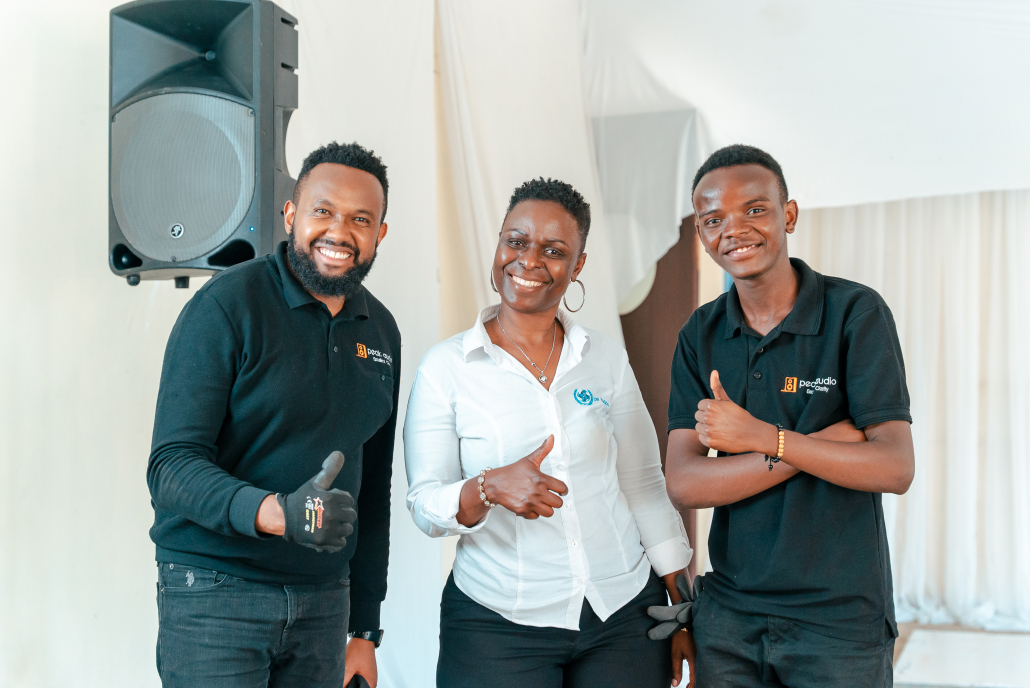
How to Run Hybrid Events Successfully in Kenya
Learning how to run hybrid events successfully in Kenya enables organizations to combine physical and virtual participation, expand audience reach, improve accessibility, strengthen attendee engagement, and deliver professional conferences, business meetings, workshops, corporate events, and international gatherings. Whether organizing corporate conferences, business summits, NGO forums, government meetings, training workshops, or stakeholder engagements, hybrid event technology allows organizations to connect in-person delegates with remote speakers, international participants, and virtual audiences.
Delivering successful hybrid corporate events in Kenya requires a combination of reliable technology, professional audiovisual production, and experienced technical coordination. Essential equipment includes professional sound systems, conference microphones, LED screens, staging, lighting, high-quality cameras, video switchers, livestreaming equipment, simultaneous interpretation systems, dependable internet connectivity, and technical backup arrangements. Beyond equipment selection, organizers must prioritize comprehensive technical rehearsals, experienced production teams, dedicated virtual moderators, interactive audience engagement strategies, contingency planning, performance measurement, and structured post-event reporting.
At Peak Audio, we provide professional sound systems, conference microphones, LED screens, staging, lighting, livestreaming, hybrid event solutions, multi-camera video production, simultaneous interpretation systems, and comprehensive technical support for hybrid events in Nairobi and across Kenya and East Africa. As a trusted audiovisual and event production partner, Peak Audio supports corporate organizations, conference organizers, NGOs, government institutions, universities, professional associations, international agencies, and event planners with customized hybrid event production solutions tailored to their objectives, venues, audience sizes, and budgets.
Leave a Reply
Want to join the discussion?Feel free to contribute!