Corporate Training Event Setup in Kenya
Corporate Training Event Setup in Kenya: Elevate Learning Experiences with Peak Audio
Corporate Training Event Setup in Kenya
Corporate training events in Kenya are pivotal for fostering employee growth, enhancing skills, and driving organizational success. Whether organizations are conducting leadership programs, technical workshops, or onboarding sessions, the effectiveness of these events heavily depends on the quality of their setup. From strategic seating arrangements to professional audio-visual solutions, every element contributes to creating an environment that encourages focus, interaction, and retention. Ensuring these components are expertly coordinated can transform routine training into a memorable, engaging learning experience.
At Peak Audio, we understand that seamless audio and visual integration is the backbone of any successful training event. High-quality sound systems, clear projection displays, and reliable connectivity not only keep participants attentive but also enhance the clarity of instructional materials. Additionally, proper lighting, stage design, and ergonomically arranged seating further contribute to participant comfort and engagement. Our team works closely with clients to tailor each training setup to the specific needs of the organization, ensuring that every session runs smoothly without technical disruptions.
Beyond technology, a professional corporate training event setup considers the overall attendee experience. From registration flow and breakout spaces to interactive tools and presentation aids, every detail matters in creating a cohesive learning journey. By choosing Peak Audio, companies in Kenya gain access to experienced AV specialists who provide end-to-end solutions—from planning and installation to on-site support—allowing facilitators to focus entirely on delivering impactful training. With our expertise, your corporate training events become more than just sessions; they become experiences that inspire, educate, and leave a lasting impression.
1. Understanding Corporate Training Events
Corporate Training Event Setup in Kenya
Corporate training events are structured learning environments designed to build employee skills, improve performance, and support organizational goals. Unlike general meetings, training events require intentional setup decisions that promote interaction, clarity, and retention. Understanding what defines these events — and the challenges involved — helps organizers create productive learning experiences.
1.1 What Defines a Corporate Training Event
A corporate training event is focused on skill development, knowledge transfer, or behavioral improvement within an organization.
Core defining elements include:
-
Clear learning objectives and measurable outcomes
-
Facilitator-led instruction or guided learning
-
Interactive participation rather than passive listening
-
Structured agendas with practical exercises
-
Materials and tools that support knowledge retention
These elements distinguish training events from standard presentations or briefings.
1.2 Types of Corporate Training Events Commonly Held in Kenya
Organizations in Kenya conduct a wide range of training formats to address workforce development needs.
Common training event types include:
-
Professional skills workshops
-
Leadership and management training sessions
-
Compliance and policy training seminars
-
Technical or product knowledge training
-
Team-building and performance development programs
Each format influences room layout, AV requirements, and facilitation style.
1.3 Learning Objectives and Their Impact on Event Setup Decisions
Training goals directly shape how the venue is arranged and equipped.
Setup decisions influenced by objectives include:
-
Seating configurations for collaboration or focus
-
Display systems for visual learning materials
-
Audio clarity for instruction and discussion
-
Breakout areas for group activities
-
Accessibility to training resources
Aligning setup with objectives maximizes engagement and effectiveness.
1.4 Common Setup Challenges That Affect Training Effectiveness
Poor planning can limit participant engagement and learning outcomes.
Frequent challenges include:
-
Inadequate visibility of training materials
-
Weak audio coverage is causing a distraction
-
Overcrowded or inflexible seating layouts
-
Insufficient space for interactive exercises
-
Technical interruptions or equipment failures
Addressing these issues early ensures a smoother learning experience.
Corporate training events are purpose-driven learning environments that demand thoughtful setup and coordination. Understanding event types, aligning logistics with learning objectives, and avoiding common setup pitfalls are essential for delivering effective training. When properly planned, these events foster engagement, retention, and measurable organizational value.
2. Planning a Corporate Training Event Setup

Corporate Training Event Setup in Kenya
Successful corporate training begins long before participants enter the room. Planning the setup ensures the environment supports learning goals, participant engagement, and smooth facilitation. Every decision — from venue selection to technical layout — should align with how the training will be delivered and experienced.
2.1 Defining Training Goals and Participant Outcomes
Clear objectives shape every aspect of the training environment.
Planning considerations include:
-
Identifying the skills or knowledge participants should gain
-
Determining whether the session is instructional or hands-on
-
Aligning room layout with collaboration needs
-
Selecting visual tools that support learning materials
-
Planning evaluation or feedback activities
When goals are clearly defined, setup decisions become purposeful and effective.
2.2 Assessing Audience Size, Duration, and Interaction Level
Participant dynamics influence space design and technical requirements.
Key assessment factors include:
-
Number of attendees and seating capacity
-
Session length and comfort considerations
-
Frequency of group discussions or exercises
-
Movement needs for facilitators and participants
-
Break planning and flow management
Matching setup to participant dynamics improves engagement and energy levels.
2.3 Selecting the Right Venue for Training Sessions
The venue should enhance — not limit — the learning experience.
Venue selection priorities include:
-
Adequate space for seating and activities
-
Good acoustics for clear communication
-
Lighting that supports visibility and focus
-
Reliable power and technical infrastructure
-
Accessibility and comfort for attendees
A well-chosen venue minimizes distractions and supports productivity.
2.4 How Peak Audio Supports Planning with Technical Assessments and Setup Design
Professional technical planning ensures training sessions run smoothly. Peak Audio evaluates venues and training needs to design practical, reliable setups.
Support activities typically include:
-
Site inspections and technical feasibility checks
-
AV layout planning for visibility and sound clarity
-
Equipment recommendations based on training format
-
Coordination with facilitators and organizers
-
On-site setup and testing
Expert planning reduces risk and enhances training delivery.
Planning a corporate training setup requires aligning goals, participant dynamics, venue selection, and technical preparation. Thoughtful planning creates an environment that supports learning, interaction, and facilitator effectiveness. With professional assessments and setup design, organizations can deliver structured, engaging training experiences.
3. Audio Requirements for Corporate Training Events
Corporate Training Event Setup in Kenya
Clear, reliable audio is essential for effective learning. Participants must hear instructions, discussions, and demonstrations without strain or distraction. A well-designed audio setup supports comprehension, engagement, and smooth facilitation — all of which directly influence training outcomes.
3.1 Importance of Clear Audio for Learning and Retention
Audio clarity affects how well participants absorb and remember information.
Why clear audio matters:
-
Reduces listener fatigue and distraction
-
Improves comprehension of complex material
-
Supports interactive discussions
-
Maintains participant focus
-
Encourages active engagement
When participants can hear effortlessly, they learn more effectively.
3.2 Microphone Selection for Trainers, Facilitators, and Group Discussions
Different training formats require different microphone solutions to support communication.
Common microphone options include:
-
Wireless lapel or headset mics for trainers who move around
-
Handheld microphones for Q&A sessions
-
Boundary or table microphones for group discussions
-
Backup microphones for uninterrupted sessions
-
Noise-controlled microphones for clearer pickup
Choosing the right microphone ensures flexibility and clarity.
3.3 Speaker Placement for Even Sound Coverage
Proper speaker positioning prevents uneven audio distribution.
Key placement considerations include:
-
Coverage that reaches all seating areas
-
Avoiding sound hotspots or dead zones
-
Minimizing echo or feedback
-
Aligning speakers with room acoustics
-
Maintaining comfortable listening levels
Balanced sound coverage keeps all participants engaged.
3.4 How Peak Audio Ensures Consistent, Distraction-Free Audio Throughout the Training
Professional audio support ensures reliability and performance. Peak Audio designs and manages training audio setups to maintain clarity and stability.
Support measures typically include:
-
Venue acoustic assessment
-
Equipment calibration and testing
-
Real-time audio monitoring
-
Backup systems for reliability
-
Coordination with facilitators
Consistent audio reduces interruptions and enhances learning flow.
Effective corporate training depends on clear audio delivery. Proper microphone selection, strategic speaker placement, and professional technical management ensure participants hear every instruction and discussion without strain. A reliable audio environment supports engagement, retention, and overall training success.
4. Visual and Presentation Setup
Corporate Training Event Setup in Kenya
Visual presentation is a central component of corporate training. Clear displays, interactive tools, and well-integrated visuals help participants absorb information faster and retain it longer. A thoughtful setup ensures that every attendee can follow demonstrations, read materials comfortably, and engage with the learning process.
4.1 Screens, Projectors, and Displays for Training Materials
The right display technology supports clarity and accessibility for all participants.
Key setup considerations include:
-
Screen size appropriate for room dimensions
-
High-resolution projectors or LED displays for readability
-
Proper mounting height and viewing angles
-
Compatibility with presentation devices
-
Backup display options
Reliable display systems prevent interruptions and keep training on track.
4.2 Ensuring Visibility of Slides, Videos, and Demonstrations
Participants should be able to see training materials without strain or obstruction.
Visibility best practices include:
-
Positioning screens within clear sightlines
-
Adjusting brightness and contrast for room lighting
-
Minimizing glare or reflections
-
Testing video playback quality
-
Confirming readability from all seating areas
Good visibility maintains focus and reduces fatigue.
4.3 Interactive Presentation Tools for Enhanced Learning
Interactive tools increase engagement and encourage active participation.
Common interactive solutions include:
-
Digital whiteboards or touch displays
-
Live polling or feedback platforms
-
Annotation tools for demonstrations
-
Screen-sharing capabilities
-
Collaborative presentation software
Interactive elements transform passive viewing into active learning.
4.4 Integrating Visuals with Audio for Effective Knowledge Delivery
Visual and audio systems should function as a unified communication platform.
Integration priorities include:
-
Synchronizing audio with video playback
-
Ensuring clear narration during demonstrations
-
Balancing sound levels with visual transitions
-
Coordinating cues between facilitators and AV teams
-
Testing full system performance before sessions
Integrated delivery improves clarity and comprehension.
A strong visual setup supports learning by ensuring materials are clear, accessible, and engaging. Proper display selection, visibility planning, interactive tools, and seamless audio integration create an environment where participants can focus on understanding and applying new information. When visuals and sound work together, training becomes more effective and impactful.
5. Seating and Room Layout for Training

Corporate Training Event Setup in Kenya
The way a training room is arranged has a direct impact on participation, communication, and learning effectiveness. A thoughtful seating layout supports visibility, encourages collaboration, and allows facilitators to manage the session smoothly. Matching room design to training objectives helps participants stay engaged and comfortable.
5.1 Classroom, Boardroom, U-Shape, and Workshop-Style Layouts
Different training goals call for different seating configurations.
Common layouts and their strengths include:
-
Classroom layout: Ideal for lecture-style instruction and note-taking
-
Boardroom layout: Supports focused discussion and decision-making
-
U-shape layout: Encourages facilitator interaction and group visibility
-
Workshop-style layout: Promotes teamwork and collaborative exercises
Choosing the right format aligns the physical space with learning activities.
5.2 Optimizing Sightlines and Participant Interaction
Clear visibility and easy communication are essential for effective training.
Optimization strategies include:
-
Ensuring unobstructed views of screens and facilitators
-
Spacing seating for comfortable movement
-
Positioning facilitators within participant sightlines
-
Reducing distractions or visual barriers
-
Supporting eye contact during discussions
Good sightlines enhance engagement and comprehension.
5.3 Accommodating Group Activities and Breakout Sessions
Interactive training requires flexible space planning.
Key considerations include:
-
Allowing room for small group discussions
-
Providing movable seating or tables
-
Creating zones for collaborative tasks
-
Maintaining access to training materials
-
Supporting facilitator circulation
Flexible layouts enable active participation without disruption.
5.4 How Room Layout Influences Engagement and Learning Outcomes
The environment shapes how participants behave and absorb information.
Layout impacts include:
-
Encouraging open communication
-
Supporting facilitator-led demonstrations
-
Reducing physical discomfort and fatigue
-
Promoting collaboration and idea sharing
-
Maintaining attention throughout sessions
A well-designed room layout strengthens learning effectiveness.
Seating and room layout play a critical role in corporate training success. Selecting the right configuration, optimizing visibility, and allowing space for interaction create an environment that supports engagement and collaboration. When layout decisions align with training objectives, participants learn more comfortably and effectively.
6. Technology Integration for Modern Training Events

Corporate Training Event Setup in Kenya
Modern corporate training increasingly relies on technology to expand reach, improve engagement, and support flexible learning formats. Integrating digital tools with physical training environments allows organizations to deliver consistent experiences, whether participants are on-site, remote, or accessing materials later. Thoughtful technology planning ensures reliability, accessibility, and scalability.
6.1 Hybrid and Virtual Training Setups
Hybrid and fully virtual training formats enable participation beyond the physical venue.
Key setup elements include:
-
Cameras positioned for clear trainer visibility
-
Reliable internet connectivity and redundancy
-
Platform integration for remote participants
-
Audio systems optimized for two-way communication
-
Monitoring tools to manage virtual engagement
Well-designed hybrid setups maintain interaction and clarity across audiences.
6.2 Live Streaming and Recording for Future Reference
Recording training sessions extends learning beyond the live event.
Important considerations include:
-
High-quality video capture for demonstrations
-
Clear audio recording for instruction
-
Stable streaming infrastructure
-
File storage and accessibility planning
-
Compliance with privacy or consent requirements
Recorded sessions support review, onboarding, and ongoing development.
6.3 Use of Training Software, Polls, and Engagement Tools
Digital tools enhance participation and reinforce learning.
Common engagement technologies include:
-
Interactive polling platforms
-
Real-time feedback tools
-
Collaborative whiteboards
-
Learning management system integration
-
Screen-sharing applications
Technology-driven engagement keeps participants active and attentive.
6.4 How Peak Audio Supports Technology Integration for Scalable Training
Professional AV partners ensure training technology operates smoothly and adapts to different event sizes. Peak Audio designs scalable solutions that align with organizational training goals.
Support capabilities typically include:
-
Technical assessment of hybrid requirements
-
Equipment configuration and platform integration
-
On-site and remote monitoring
-
Troubleshooting during live sessions
-
Expansion planning for larger audiences
Expert integration reduces technical risk and improves learning continuity.
Technology integration transforms corporate training into a flexible, scalable learning experience. Hybrid setups, recording capabilities, and engagement tools extend reach and reinforce retention. With professional planning and technical support, organizations can deliver reliable, modern training environments that adapt to evolving workforce needs.
7. On-Site Technical Support and Event Management
Corporate Training Event Setup in Kenya
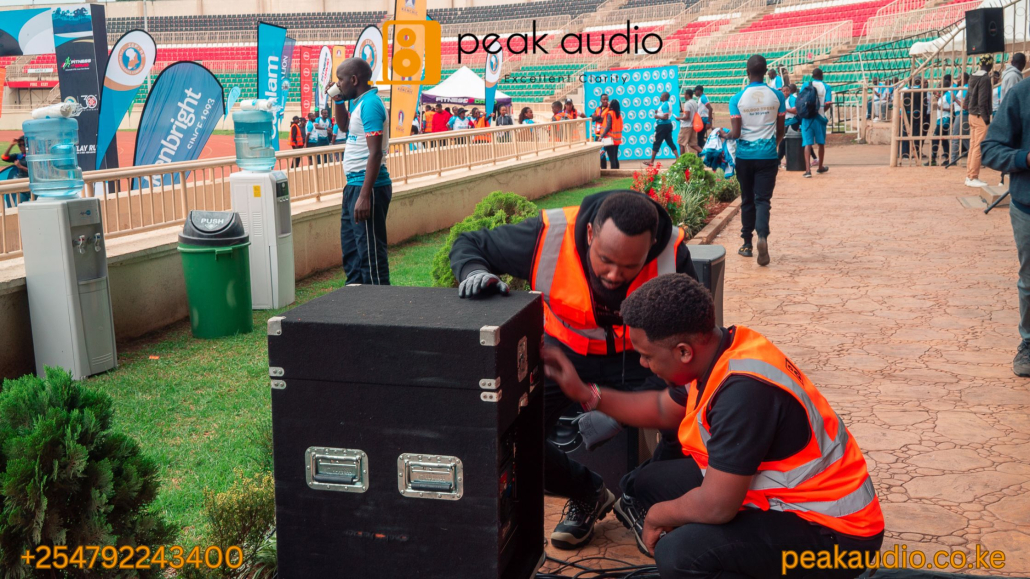
Even the best-planned corporate training event depends on reliable on-site technical support to run smoothly. Real-time oversight ensures equipment performs correctly, transitions stay organized, and unexpected issues are resolved quickly. Strong technical management protects the learning environment so facilitators and participants can focus on the training itself.
7.1 Pre-Event Testing and Rehearsals
Preparation reduces the risk of disruptions once training begins.
Essential pre-event actions include:
-
Full system checks for audio, visuals, and connectivity
-
Testing presentation materials and playback devices
-
Verifying microphone performance
-
Simulating session transitions
-
Coordinating rehearsal timing with facilitators
Testing builds confidence and prevents avoidable interruptions.
7.2 Real-Time Technical Monitoring During Sessions
Continuous monitoring ensures systems remain stable throughout training.
Monitoring priorities include:
-
Audio clarity and volume consistency
-
Display performance and signal stability
-
Internet connectivity for hybrid sessions
-
Equipment temperature and power reliability
-
Facilitator support for live adjustments
Active oversight keeps the training environment reliable.
7.3 Troubleshooting Audio, Visual, or Connectivity Issues
Quick response minimizes downtime and maintains participant focus.
Common troubleshooting actions include:
-
Addressing microphone feedback or signal loss
-
Resolving display or projection interruptions
-
Restoring network connectivity
-
Switching to backup equipment
-
Communicating fixes discreetly
Fast resolution prevents disruptions from affecting learning flow.
7.4 Ensuring Smooth Transitions Between Training Modules
Transitions should feel organized and seamless to maintain momentum.
Transition management includes:
-
Cueing presentation changes
-
Resetting equipment between sessions
-
Coordinating facilitator handovers
-
Managing breaks and restart timing
-
Preparing materials for upcoming modules
Smooth transitions keep participants engaged and sessions on schedule.
On-site technical support is essential for maintaining stability, resolving issues quickly, and ensuring smooth session flow during corporate training events. Pre-event testing, live monitoring, rapid troubleshooting, and coordinated transitions protect the learning experience and allow facilitators to deliver training with confidence.
8. Partnering with Professional AV and Event Setup Providers

Corporate Training Event Setup in Kenya
Corporate training events benefit greatly from professional AV and setup support. Skilled providers bring technical expertise, structured planning, and operational efficiency that allow facilitators to focus on delivering content. A professional partnership ensures the training environment is reliable, adaptable, and aligned with learning objectives.
8.1 Benefits of Professional Setup for Corporate Training Events
A professional setup creates a stable foundation for effective training delivery.
Key benefits include:
-
Proper equipment selection and configuration
-
Optimized room layout for learning activities
-
Clear audio and visual performance
-
Reduced risk of technical interruptions
-
Compliance with safety and operational standards
A professional setup enhances both facilitator confidence and participant experience.
8.2 How Peak Audio Customizes Training Event Setups
Every training session has unique goals and logistical requirements. Peak Audio tailors setups to support the intended learning format.
Customization approaches include:
-
Assessing training objectives and audience needs
-
Designing AV layouts for visibility and interaction
-
Recommending scalable equipment solutions
-
Coordinating with facilitators and organizers
-
Preparing backup systems for reliability
Tailored setups align technology with learning outcomes.
8.3 End-to-End Support from Setup to Breakdown
Comprehensive support ensures consistency throughout the event lifecycle.
End-to-end services typically include:
-
Pre-event planning and site assessment
-
Equipment delivery and installation
-
System testing and rehearsals
-
On-site technical supervision
-
Safe dismantling and equipment management
Full-cycle support reduces logistical stress and ensures smooth execution.
8.4 Delivering Reliable, Efficient, and Professional Training Environments
Professional AV providers help maintain a controlled and productive learning space.
Operational advantages include:
-
Consistent technical performance
-
Efficient session transitions
-
Minimal downtime during training
-
Enhanced participant comfort
-
Professional presentation standards
Reliable environments allow training objectives to remain the focus.
Partnering with professional AV and event setup providers ensures corporate training sessions run smoothly, safely, and effectively. From customized planning to full lifecycle support, expert teams create environments that support engagement, clarity, and operational efficiency — enabling organizations to deliver impactful learning experiences.
9. FAQs on Corporate Training Event Setup in Kenya
Below are practical answers to frequently asked questions about planning and executing corporate training setups. Each response explains key considerations to help organizers create effective, reliable learning environments.
9.1 What AV equipment is essential for corporate training events?
Core AV tools ensure trainers can communicate clearly and present materials effectively.
Essential equipment typically includes:
-
Display screens or projectors for presentations
-
Reliable microphones for trainers and discussions
-
Speakers for even sound coverage
-
Presentation laptops or switching devices
-
Internet connectivity for hybrid tools
-
Backup cables and power solutions
Having the right foundation prevents disruptions and supports smooth delivery.
9.2 How early should the training event setup be planned?
Early planning reduces last-minute risks and improves coordination.
Planning benefits include:
-
Venue and equipment assessment
-
Layout and seating design
-
Technical testing schedules
-
Facilitator coordination
-
Resource allocation
Ideally, planning should begin several weeks in advance for larger sessions.
9.3 Can training events be hybrid or fully virtual?
Yes — modern training often combines in-person and remote participation.
Hybrid/virtual setup elements include:
-
Cameras for trainer visibility
-
Streaming platforms for remote access
-
Two-way audio communication
-
Stable internet connectivity
-
Session recording capabilities
These setups expand reach while maintaining interaction.
9.4 How do I ensure participants remain engaged?
Engagement depends on environment, facilitation, and interactive tools.
Engagement strategies include:
-
Interactive seating layouts
-
Clear visuals and audio
-
Live polls and feedback tools
-
Group exercises and breakout discussions
-
Comfortable room conditions
Active environments promote better retention.
9.5 What room layout works best for training sessions?
The ideal layout depends on learning objectives.
Common effective layouts include:
-
Classroom style for structured instruction
-
U-shape for discussion and visibility
-
Workshop clusters for collaboration
-
Boardroom format for focused dialogue
Matching layout to training goals enhances participation.
9.6 Can Peak Audio support multi-day training programs?
Yes — professional AV providers can maintain consistent performance across extended sessions.
Multi-day support typically includes:
-
Equipment stability and monitoring
-
Daily testing and recalibration
-
On-site technical supervision
-
Session transition management
-
Backup system readiness
Consistency ensures uninterrupted learning.
9.7 Is recording training sessions recommended?
Recording allows content to be reviewed and reused.
Benefits of recording include:
-
Reinforcing learning after sessions
-
Supporting remote participants
-
Creating training archives
-
Enabling onboarding resources
-
Reviewing facilitator delivery
Recorded materials extend training value.
9.8 How do you ensure clear audio in large training rooms?
Audio clarity depends on proper system design and calibration.
Key audio practices include:
-
Strategic speaker placement
-
Appropriate microphone selection
-
Acoustic assessment of the venue
-
Volume balancing across zones
-
Real-time monitoring
Clear sound keeps participants attentive.
9.9 What venues in Kenya are ideal for corporate training events?
Suitable venues provide comfort, accessibility, and technical readiness.
Important venue features include:
-
Adequate seating and workspace
-
Good acoustics and lighting
-
Reliable power infrastructure
-
Internet connectivity
-
Breakout space availability
Hotels, conference centers, and training facilities are common choices.
9.10 What is the cost range for corporate training event setup in Kenya?
Costs vary based on scale, duration, and technical complexity.
Pricing factors include:
-
Equipment type and quantity
-
Venue logistics
-
Staffing requirements
-
Hybrid or recording needs
-
Multi-day setup considerations
Small sessions require modest investment, while advanced setups increase production scope.
Corporate training event setups in Kenya rely on proper AV equipment, early planning, thoughtful layout design, and strong technical support. Hybrid capabilities, engagement tools, and reliable audio-visual performance all contribute to effective learning environments. With professional planning and execution, organizations can deliver training that is structured, engaging, and scalable.
Corporate Training Event Setup in Kenya – Optimize Learning with Peak Audio
Corporate Training Event Setup in Kenya
A thoughtfully planned corporate training setup lays the foundation for effective, engaging learning experiences. Clear audio, professional visuals, and well-designed room layouts help participants stay focused and absorb information more easily. In Kenya’s corporate training environments, attention to these fundamentals ensures sessions run smoothly and support meaningful knowledge transfer.
Reliable technical execution is just as important as content delivery. Seamless AV integration minimizes distractions, keeps schedules on track, and creates a professional atmosphere that encourages participation. When every element — from display clarity to sound quality — is optimized, trainers can focus on teaching while attendees remain fully engaged.
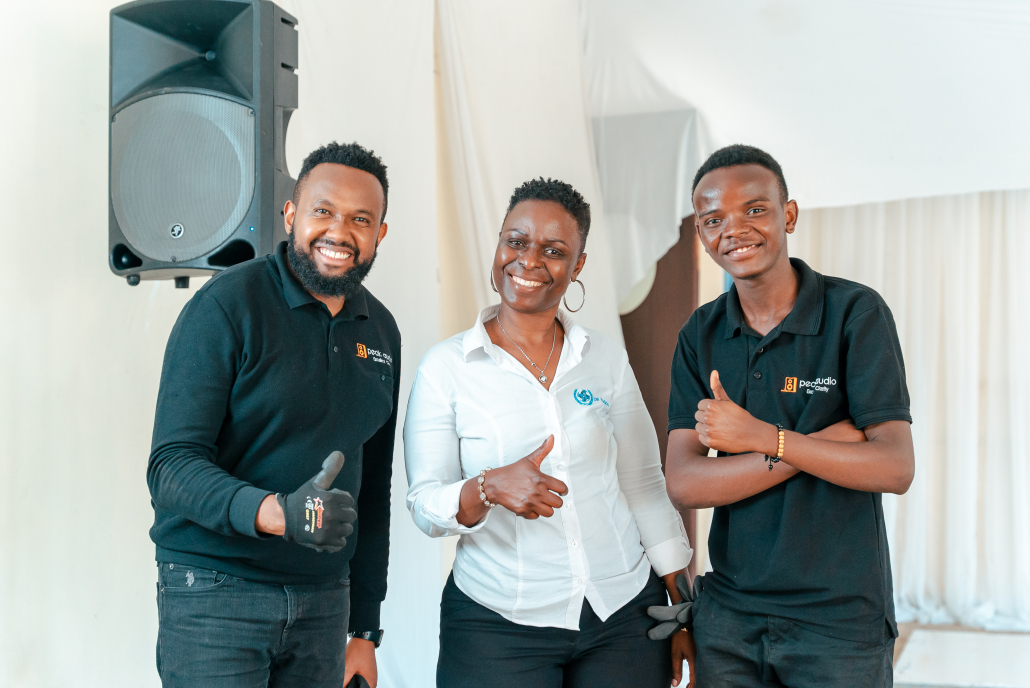
At Peak Audio, we deliver tailored corporate training event setup solutions across Kenya, combining expert planning with dependable AV support. Our team ensures your learning environment is polished, functional, and technically sound. Visit Peak Audio to discover how professional event setup elevates corporate training into impactful, seamless experiences.
Leave a Reply
Want to join the discussion?Feel free to contribute!